Main menu
You are here
Payment Methods

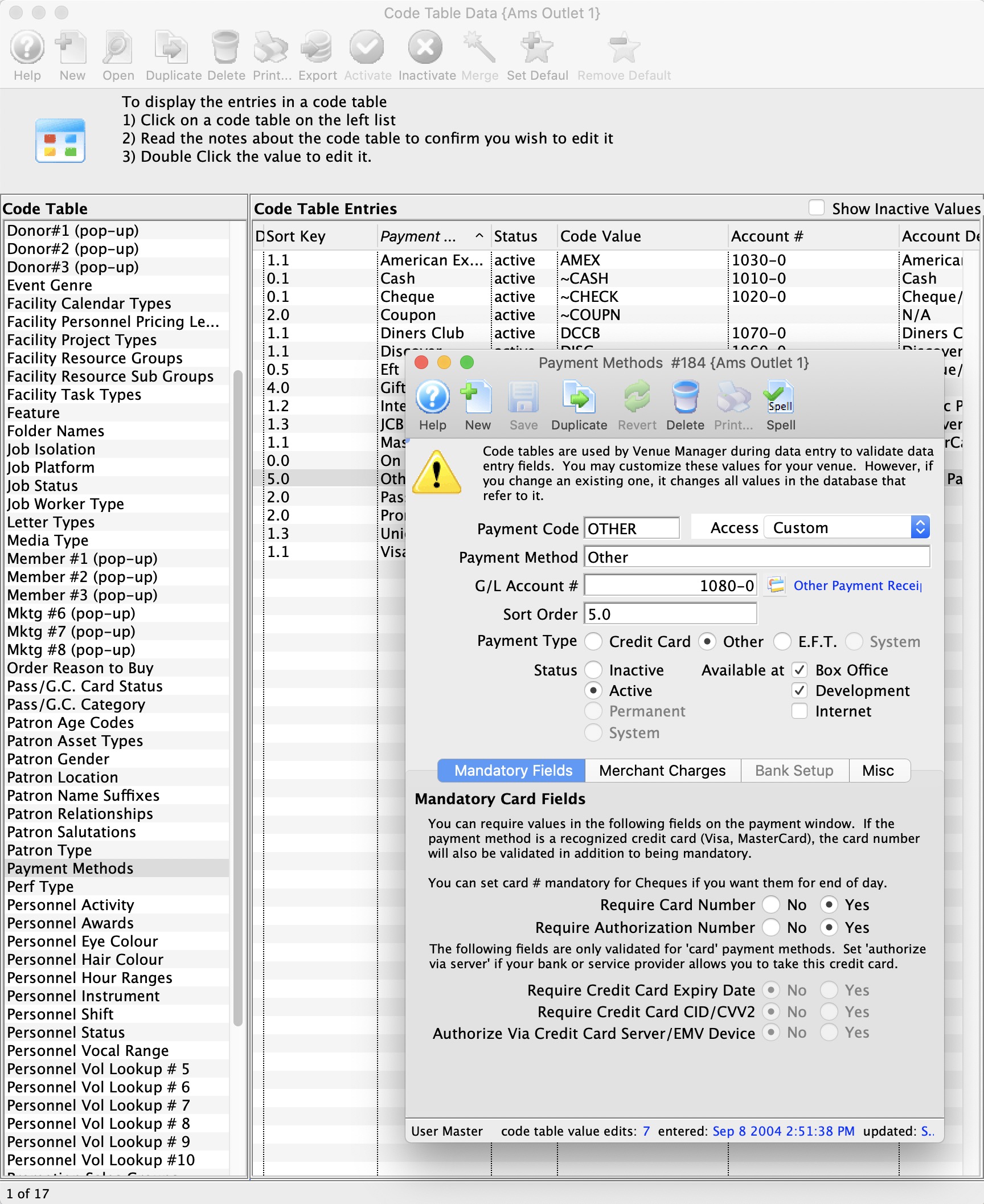
The Payment Methods Code Table is used for setting up various forms of payment types used to pay balances on orders such as credit cards, cash, interac, cheque, other, etc.
- The payment Code is the abbreviated form that is found throughout Theatre Manager.
- The Payment Method is the full description of the payment type that appears online and at the box office.
- Security Group Access provides
- Ability to set which groups of people can use the payment method. It means you can set access to some of the custom payments to certain people. Eg. There may be some different ones for education, development, group sales or inter departmental transfer payment types.
- Security cannot be use for the 7 built in payment methods below (eg ~CASH, ~CHECK ,etc)
- The G/L account column displays the GL asset account that a particular payment is posted to.
- The Sort Order allows you to organize the payment method display order where paymetns are listed online and at the box office. this way you can put your commonly used items at the top of the list. Sort order is 10 characters, alphabetic
- Payment types are one of:
- Credit Card - can be used with merchant providers or EMV devices to authorize cards. You must have contracted with your merchant provider to use each card type you want to accept.
There are some specific values for the payment code if the payment type is 'Credit Card'. These are:
- VISA - for Visa
- MCARD - for Mastercard
- DISC - for Discover
- DCCB - for Diners Club
- INTRAC - for Interac (debit) in Canada
- currently only supported for Moneris EMV cards.
- You cannot accept INTRAC without using an EMV device.
- This method is removed from the payment list when doing refunds -- but it can be used for EMV refunds since the choice of refund method is then based on the card the patron actually uses.
- JCB - for JCB cards
- UPAY - for Union Pay (Chinese branded)
This will ensure that Theatre Manager validates for the required number of digits for each card type, and have the correct numeric algorithm. An error message is displayed if the numbers are not entered correctly, to assist card entry.

Before changing the merchant provider for a credit card payment method, please read about the ramifications
- Credit Card - can be used with merchant providers or EMV devices to authorize cards. You must have contracted with your merchant provider to use each card type you want to accept.
There are some specific values for the payment code if the payment type is 'Credit Card'. These are:
- EFT - (Electronic Funds Transfer) can be used, amongst other things, for post dated payments and produce an export file during end of day. The export file is formatted to your bank and will cause funds to be transferred from patrons to your account.
-
System - are 7 special built in system payments that cannot be deleted (only inactivated) like cash, check, voucher, pass/gift certificate redemption and gift in kind. They cause Theatre Manager to behave in a distinct way and ask for special data to be entered for that payment method.
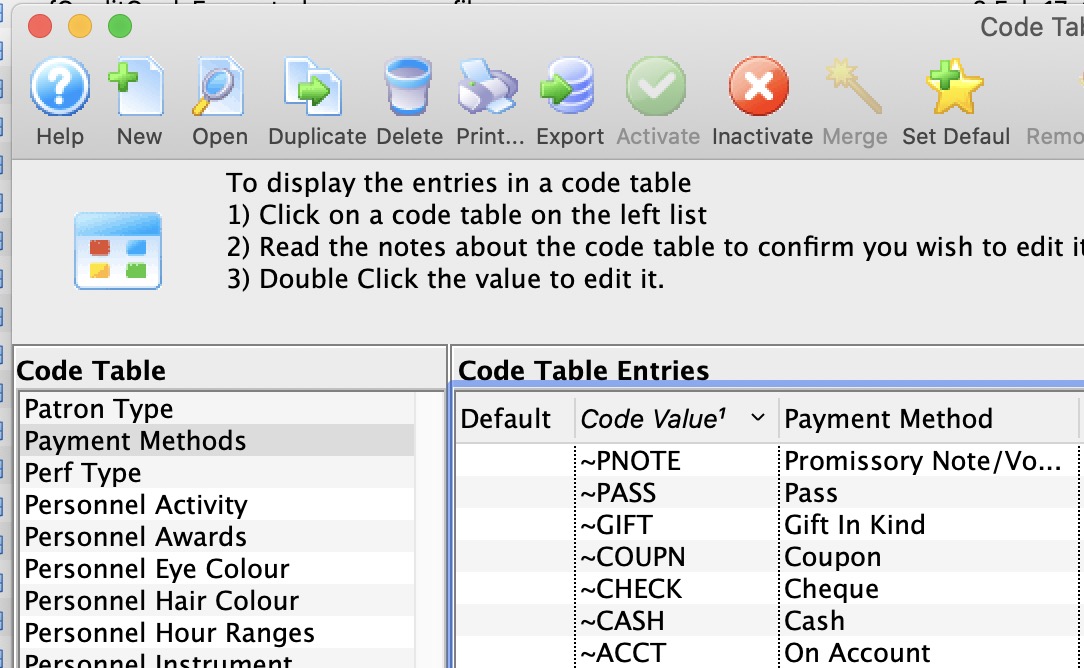 These built in payment methods are:
- ~CASH which is typically called 'cash' and is used for all cash payments..
In Canada, make sure to set it for rounding to nearest $0.05
- ~CHECK which is typically called 'check' or 'cheque' and is used for all check payments
- ~GIFT which is for gift in kind payments to supply data as required by CRA for tax receipts.
- ~COUPN which is used to add coupons to an order that might cause a discount to happen
- ~ACCT which is used to indicate no payment on an order - and leave a balance on account
- ~PASS which is used to add a gift certificate or pass payment to an order. A pass might alter the cost of the tickets to create a discount.
- ~PNOTE which is used to add a voucher payment number to an order - suitable for printing on invoices to customers.
- ~CASH which is typically called 'cash' and is used for all cash payments..
- Other - can be used for any other payment methods such as intra-campus PO's or payment entered in another system and recorded in TM - those which cannot be accommodated in the standard payment methods
 |
Please refer to Rounding of Cash Payments if you are in Canada or another country that requires rounding of certain payment methods.
While this features is typically used for cash, you can use on any payment method |
For information on how to access the payment method table click here.
For information about editing values in Code Tables, click here.