
Main menu
You are here
Gift In Kind Payment

 |
A gift in kind payment is used when you receive a material item ( i.e. non cash/card/check payments) like a donated desk, advertising, etc that needs to be allocated to a specific GL account. In all cases, you will need to provide a description, appraiser and address.
If a Gift in Kind payment is used to pay for a donation, it is important to fill out the description and appraiser because they will appear on the tax receipts. Refer to your tax accountant/government rules as to appraiser requirements. Some places allow self appraisal and others only allow that to a certain dollar amount. In some cases cash receipt or internet page showing current price is valid. |
To add a Gift In Kind payment, you perform the following steps:
- Selecting the Payment
 button in the Order window.
The Order window can be accessed through the Orders Tab or when Purchasing tickets. Click here for a detailed description of this window and it's functions.
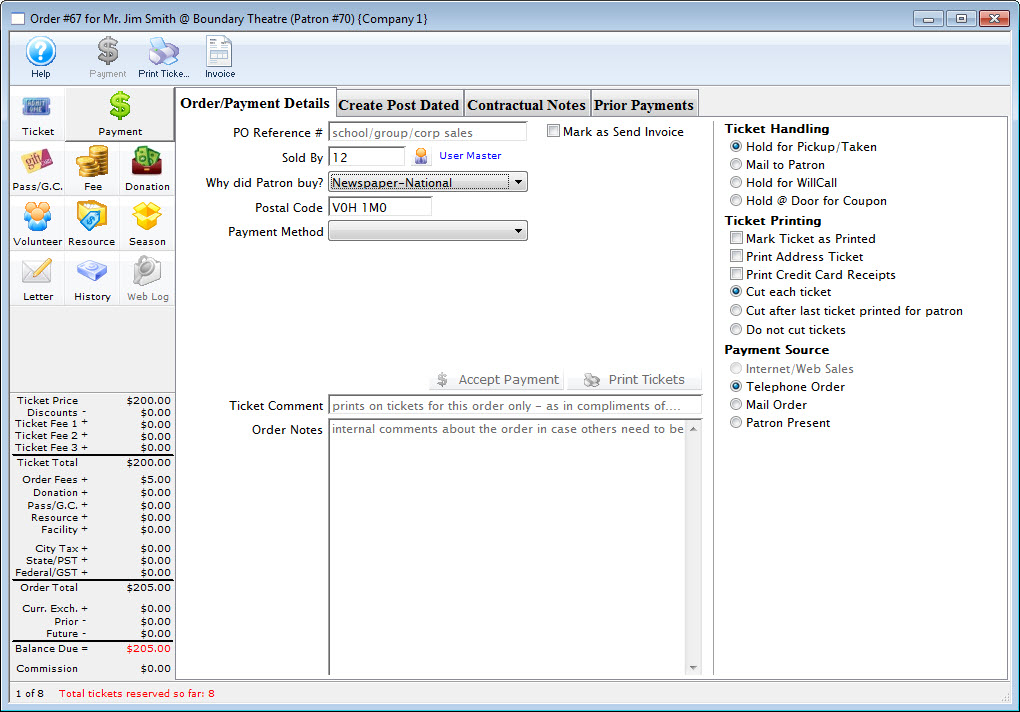
- Select Gift in Kind from the Payment Method pull down menu.
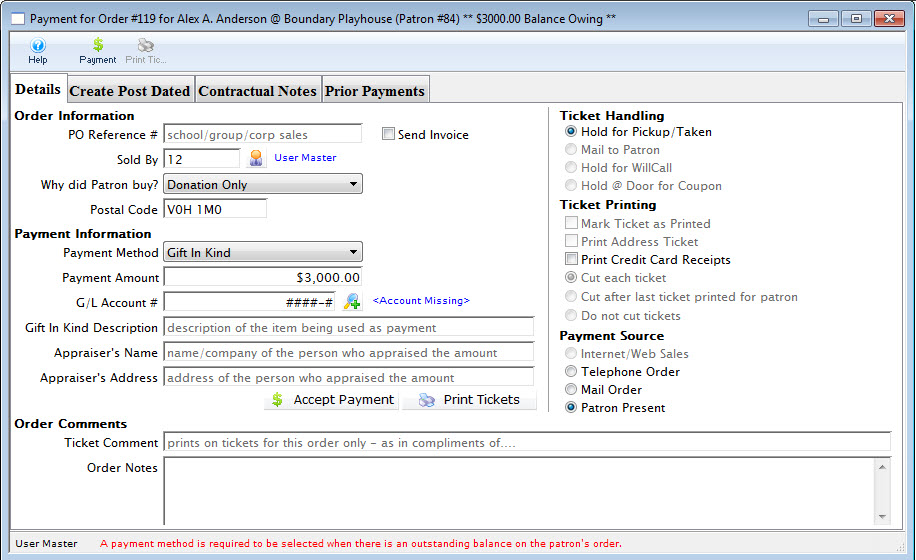
- Fill in the Gift in Kind field with a brief description of what the gift is.
- Select the G/L account you wish to charge the item to.
A G/L number can be typed directly into the field or the Account Lookup
 button to select the account from the list of GL accounts. Double click the account or click the Select
  button to accept the account.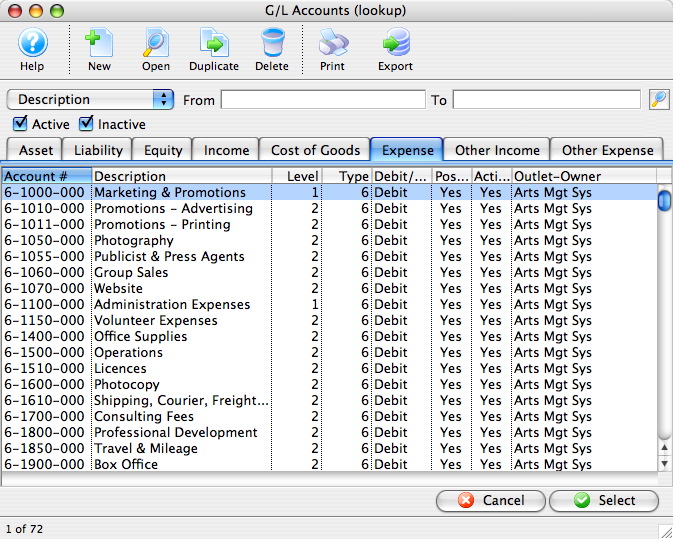
- Fill in the appraiser's name.
This may be required for audit purposes or for printing on tax receipts if the payment is for a donation.
- Click the Accept Payment
 button to complete the payment.
| For Quick Reference Information on Gifts In Kind, You can download a Screencast (online video demonstrations of the functions with narration). |
Flash ScreenCast |
MP4 ScreenCast |

