
Main menu
You are here
Voiding a Pass / GC Payment

Voiding a pass payment after it has been deposited involves the payment being voided and, if needed, a new payment entered for the purchase.
For example, I purchase 2 tickets to an event using a gift certificate. The next day (the end of Day process has been run) I change my mind. You can void my purchase and return the amount of the purchase to my gift certificate, using the following steps:
- Open the Patron Payments Tab in the Patron Window.
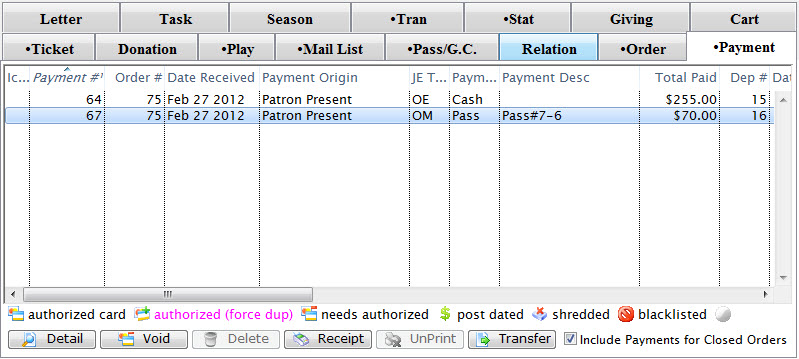
Click here for a description of this window and it's functions.
- Select the pass payment to be voided and click the Void
 button.
A Confirmation message displays in the footer and a new payment is added voiding the Pass / GC payment.
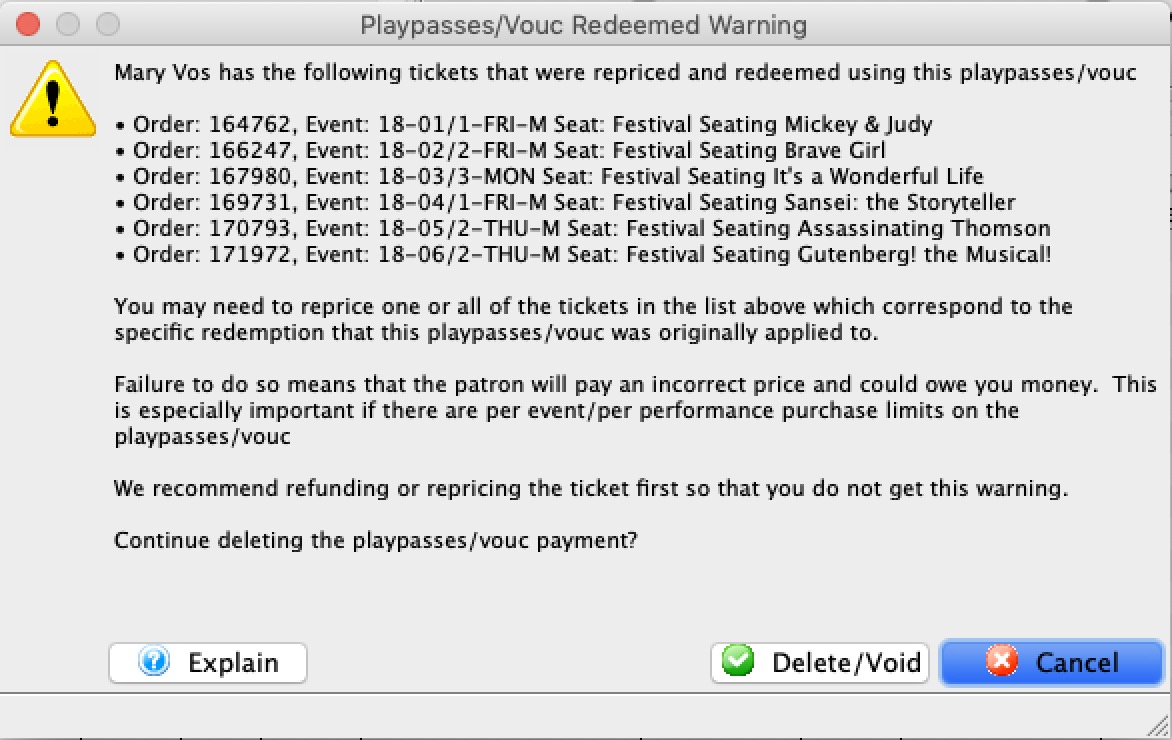
- Confirm that you want the pass voided and its value or quantity will be put back on the original pass
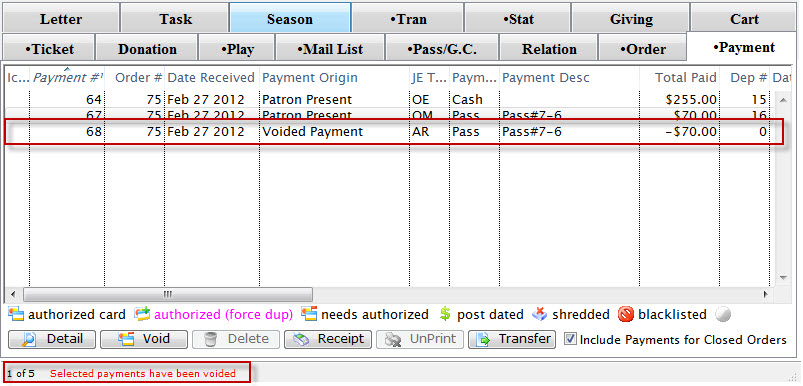
The patron will now have an outstanding balance on their account for the purchase total. Click Here for more information on making payments.
 |
Since a pass payment typically alters the price of the ticket, if you void the pass, you may need to: |
Diataxis: