
Main menu
You are here
Venue Management

First, we ought to begin with some terminology:
Venue
A venue is a location where activity takes place. This could be a theatre, an amphitheater, a concert hall, a church, an arena - or even a conference room, a foyer, a classroom or a rehearsal space. The options are limitless. The important designator for a "venue" is that it is a physical location. You may or may not even sell tickets to this space. It may be solely used as a gathering space or an ancillary space that supports an activity in a nearby, larger space. It matters less what goes on inside the space, than that the space is used for some kind of purpose.
Pricing Map
A Pricing Map is a slightly more esoteric concept at work inside a venue. It is not just a physical layout of seats for a venue, but can also be a different pricing structure for those seats.
- If the venue is a theatre, the seating may be fixed - but a Pricing Map allows you to have different pricing layouts for the same seating arrangement. For one event, all seats use the same Price Code. While for another event (still within the same venue, but using a different Pricing Map) you might break down the seating with the Center Orchestra being the highest price seats, the Side Orchestra being a little lower, and the Balcony lower still.
- If the venue is a Dinner Theatre, the seating may change from event to event. The overall capacity of the room stays the same, but the configuration of seats changes each time the venue is used. Each new configuration is the same Venue, but is a new Pricing Map.
- For conference room or classroom venues, it may suffice just to have a Festival Seating (or "General Admission") Pricing Map, or you can have a Festival Seating Pricing Map for some events, and a Reserved Seating Pricing Map for other events.
Your Organization can have multiple Venues.
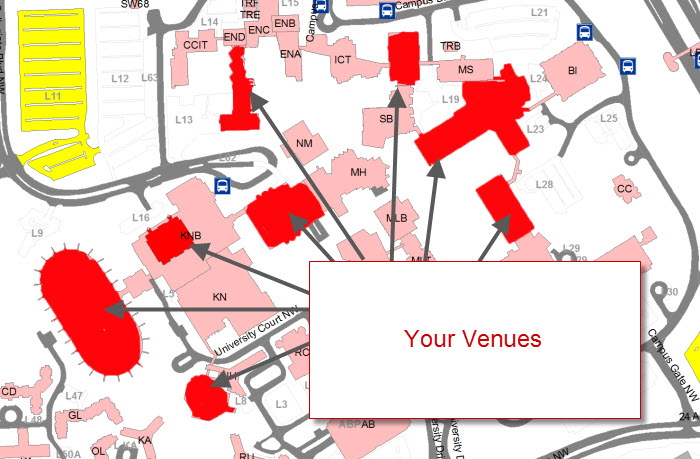
Each of these venues may be configured to serve special purposes. For example, you may have one set up for rock concerts and another for stage plays. Each different configuration can have different capacities.
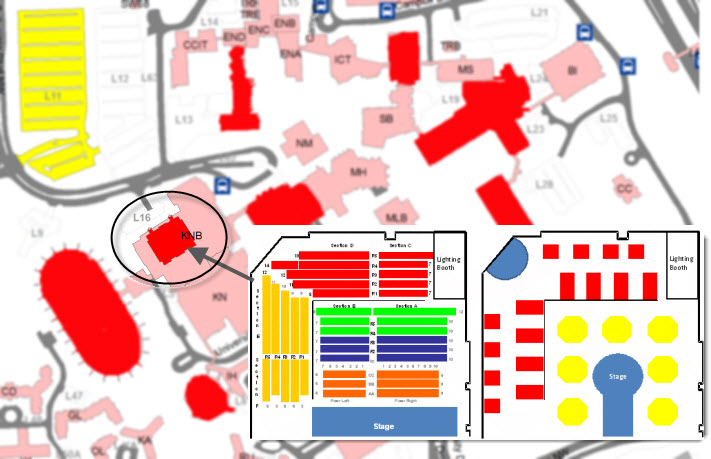
With Threatre Manager, you can manage the different venues and keep track of the different configurations. As a rule, you create one venue for each physical performance space, regardless of how your seating can be changed.
Managing the venue is separate from managing the Pricing Maps. You create your venue first. When you add the venue, you add:
- Venue Information (Name of the venue, Address, Phone number, etc.)
- Icons and Notes for internet sales and TicketTrove
Venues also have Plays, Tasks, Default Resources and G/L Entries attached to them.
|
If you are building a Festival ("General Admission") venue, then you do not need to add a graphic or Seat Names. Simply add a Pricing Map and its name, capacity and price codes. The following steps are only if you plan to use this Pricing Map as a reserved seating map. |

Next you add the Pricing Map(s). There are four steps to adding a Pricing map to a Venue in Theatre Manager:
- A graphic map or drawing of the basic outline of the space. The graphic map is a colourful representation of the space and different seating/pricing areas of the venue that makes it easier for customers and staff to visually locate the desired seating area. The graphic itself is just blocks of colour arranged so that they represent the space - the seats are added separately and do not need to be included on the drawing. The drawing also typically includes the EXIT locations and other text elements such as Row and Seat references. The graphic is created in a drawing program outside of Theatre Manager such as PowerPoint.
Click here to go to Step 1 - Creating the Graphic for the Map.
- The seat squares/circles/ovals that are added on top of the graphic map drawing. These are added using tools within Theatre Manager.
Click here to go to Step 2 - Placing the Seats on a Pricing Map.
- Numbering of the seats. This facilitates setting up the data file that tells each square/circle/oval "who" it is and "where" it is.
Click here to go to Step 3 - Creating the Logical Seat Order.
- The Seat Names, or data file, that tells Theatre Manager how the seats are arranged numerically into sections, rows, and seats. It also dictates which pricing zones (or price codes) apply to each seat, and which are the "best seats" for online sales search by best available seating.
The following Quick reference Information is available for Theatres and Maps
Theatres / Venues and Pricing Maps | ||||
| Adding a Theatre Map to Theatre Manager Quick Reference Guide |
|
|||
| Editing Tools Cheatsheet |
|
|||
| Changing Theatre Manager's Appearance for Buttons and Labels |
|
|
||
| Add a Venue and Step 1 - Creating the Graphic for the Map |
|
|||
| Placing Seats on a Pricing Map - Step 2 |
|
|
||
| Creating the Logical Seat Order - Step 3 |
|
|
||


