
Main menu
You are here
Naming Seats for the Price Map

 |
Making changes to the Seat Names file of existing maps used for events either active or past may affect the tickets sold in terms of placement. Prior to making edits to "live" maps, please contact Arts Management Systems support at support@artsman.com . |
 |
Seat codes and seat numbers are also discussed on other pages. |
Alphabetic Sorting on Computers
For purposes of discussing the following pages, you need to be aware of how computers sort alphabetic information. In some columns (door, section, row, seat), we likely do not care and can simply call the seats what they are. For most other columns, you need to be aware how computers sort things (Seat Code and Best Available Area). You will need to remember this when building a strategy for assigning best seats automatically
| Door, Section, Row, Seat |
Every seat must be given a physical location that the patrons understand. Theatre Manager provides a four level naming convention of door, section, row and seat (entrance door is optional). Each of these fields is alpha-numeric, so directions to the seat can be provided that represent the venues current naming conventions. Examples:
|
||
| Seat Code |
Seat codes need to be created in a mannder so that they sort properly using alphabetic sort. For example: computers sort alpha-numeric values like:
This way, when you print the tickets out for an order, they will print in the proper numeric sequence by seat code. If the highest seat number in your venue is three digits such as 115, then be sure to use three digits throughout (001, 002, 003, etc.) A good example of seat codes for Orchestra Left, AA 1 through 101 would be OLAA001, OLAA002 etc through OLAA101 |
||
| Best Available Area |
Generally, Best area is very similar to the Seat Code, but without the actual seat number on it. If the seat code for Orchestra Left, AA 101 is OLAA101, then the Best Area might be OLAA.
You many need some additional characters on the best area if you need to separate left side and right side of a vomitorium or aisle and its the same row. But in general, the Best Area defines a unique row, or pert of a row where if seats are purchased in that area, they are considered to be together.
|
||
| Best Seat Number |
These should be in sequential order within a Best Available Area so that Theatre Manager knows which seats are together.
For example: if your Orch Left, Row AA is Best Area is OLAA as per the above discussion on Best Area, then you would want seats to be in increasing order from the Aisle to the edge of the venue. Number the seats like 1 (for seats 109), 2 (for seat 108), 3 (for seats 107) etc up to 9 (for seat 101) then start the next row at seat 10 (in other words, do not duplicate the best seat numbers). |
|
In order to determine the Best Seats, Theatre Manager can use a two-pass system. This two-pass system can protect seats for a second pass. This is particularly helpful in a dinner theatre setting where two seats to each table want to be sold before additional seats to the table are sold. Please click the link above for more information on this advanced topic. |

Naming Seats
- Ensure all seats are in logical sequence.
- Click the Seat Names
 tab.
tab.
- The Initial Seat Setup confirmation window will appear.
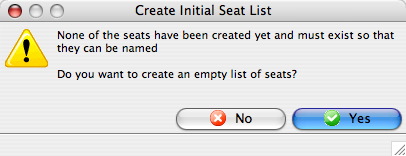
Click the Yes
 button.
The Seat Names window will populate.
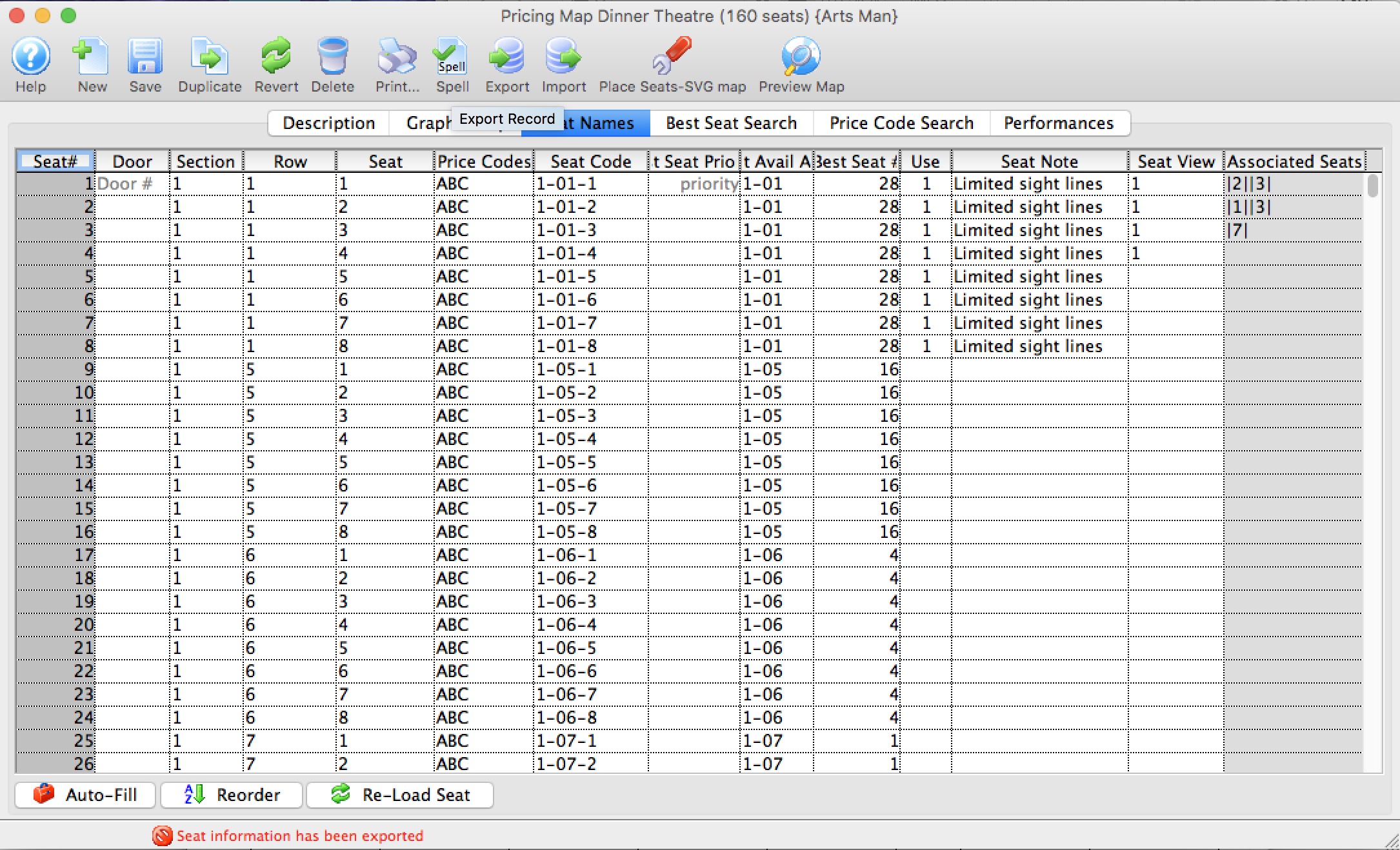
- There are two options for inputting seat names:
a) Export the data out of Theatre Manager to a file and open the data in a spreadsheet program such as Microsoft Excel, edit and save the document in a tab-delimited format and import them back into Theatre Manager.
b) Click into each field in Theatre Manager and enter the data manually. Theatre Manager will assist in populating some of the data using predefined equations.
- Enter values for Section, Row and Seat Code.
Change the values of these fields to something meaningful to the theatre.
- Indicate which price codes are valid for the seat.
If the seat is in the front row, then a balcony price code would not be valid.
- Enter the Best Available Area and Best Available #.
Theatre Manager will use the area and number to create a sequential order from which to decide what the best available seats are. Have the best seats (or the seats to sell first) in a higher (ie. A-D) alphabetical area. The seat numbers are used for the system to decide on how many seats are available in an area.
If entering names manually in Theatre Manager, the Auto-Fill
 button can be used to assign the best seating area, best seat number and the seat code.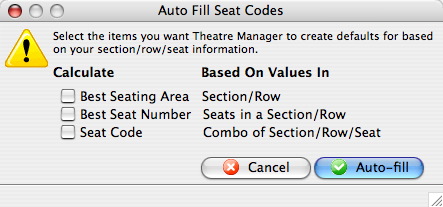
- Repeat the above steps until all data for all the logical seats are entered for the venue.
- Click the Save
 button.
All seats must be named before the data can be saved.
Return to the Graphic map tab and hold the mouse over seats at random. Double check the seat location is correct and that each seat is named properly.
|
Using Excel is, by far, the easiest method of naming the seats. |
|
A few handy tricks when naming seats:
|
|
If you change a venue map, when there are events already on sale, you MUST verify the seats on each performance to re-index the new name to the seat in the event. Click here, for more information on verifying seats. |