
Main menu
You are here
Best Seat Search Tab

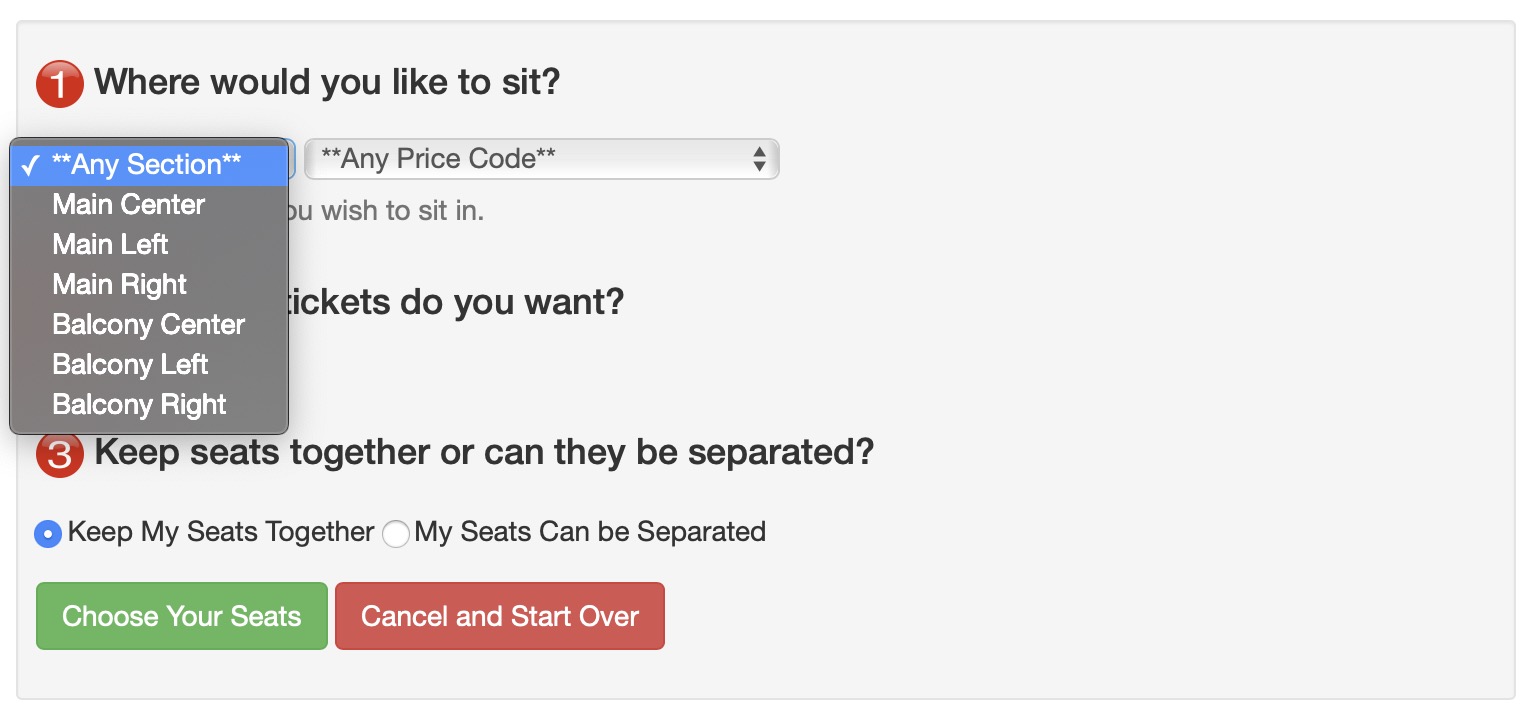 Using the Best Seat Settings tab, you can create a list of sections for patron's to choose from on your website.
Using the seats you have defined, the patrons find the best seats in their preferred section. This is particularly practical when there is tiered pricing. Patrons do not have to keep looking for seats to find ones in the pricing section they desire.
 |
This is useful for venues where people like certain places within the venue. The search limits for only seats in that area. |
|
Searching by area may have limited usefulness if you have enabled pick your own seating. If that is the case, you can turn this feature of on the description tab. |
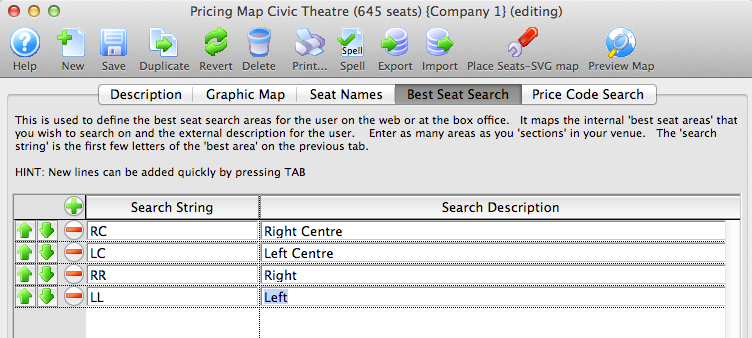
The Search String is what is used in the Seat Names tab to associate the seat with a section.
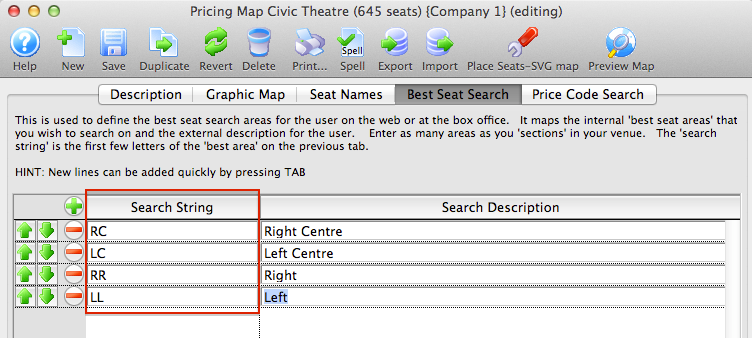
For example, for every seat you want in the "Right Centre" section, the Best Available Area column for the seats must contain the search string "RC".
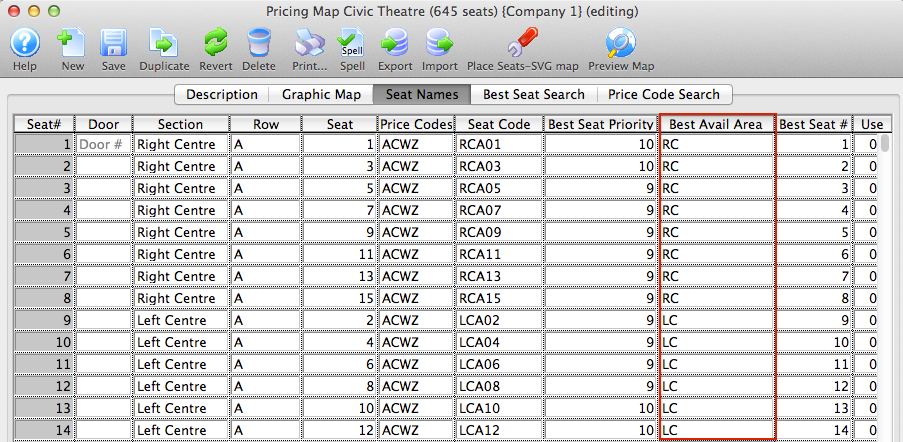
The Search Description is what is displayed online for the section.
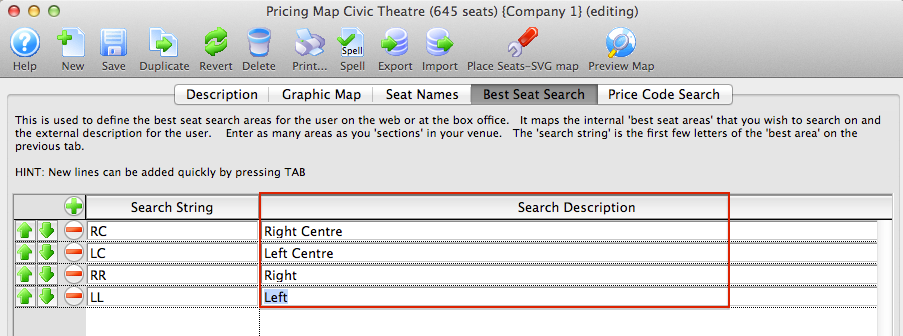
Search strings can be added by pressing the  button, or by pressing the tab key on the keyboard while the cursor is in the previous line.
Search strings can be removed by pressing the  button next to the corresponding line.
Search strings can be reordered for online display by highlighting the corresponding line and clicking the  buttons. This allows you to list the preferred sections first, followed by the less desirable sections towards the end of the list.