
Main menu
You are here
Contractual Payment

Contractual Payments are used to maintain the order date, deposit date amount, final payment date amount, co-payer payment date amount. It is not applicable for most sales. However, it may be useful for educational or group sales where there is an initial deposit and a final payment due date. Or, if a second patron is paying a portion of the ticket order for example a granting agency for educational tickets), you can track who is to be co-invoiced.
- Click the Contractual Tab in the Payment view of the Orders Window.
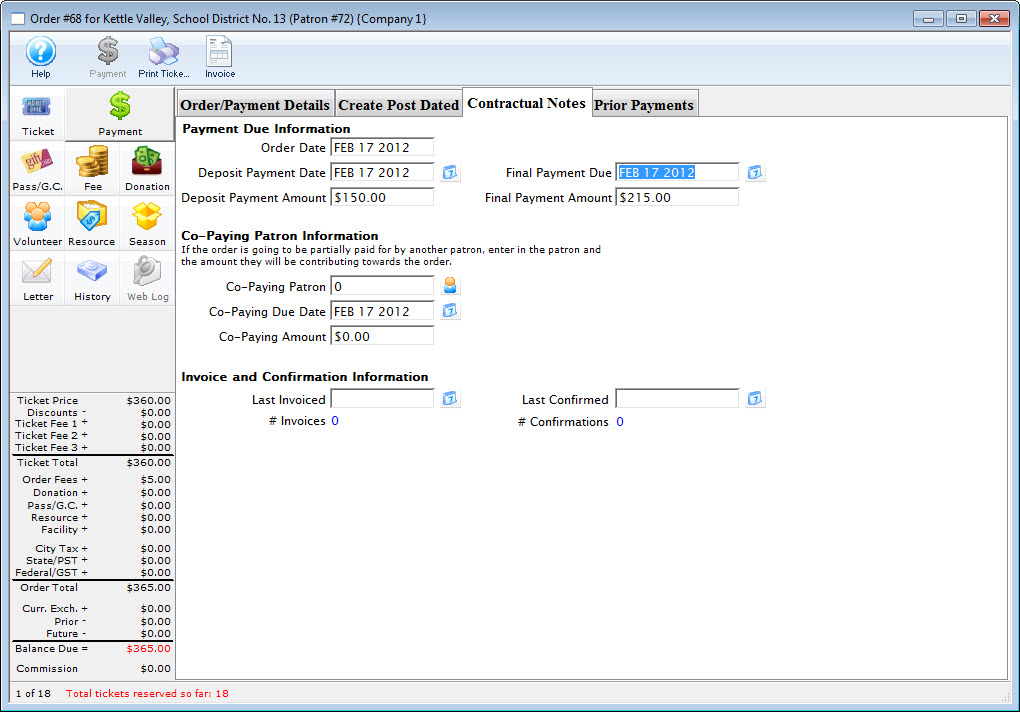
Click Here for a detailed description of this window and it's functions.
- Enter the date and the amount of the initial deposit.
- Enter the final payment due date.
- If their is a Co-Payer enter there patron number.
You can also use the Patron
 icon to search for a patron. Click Here for more information on finding patrons using the contact list.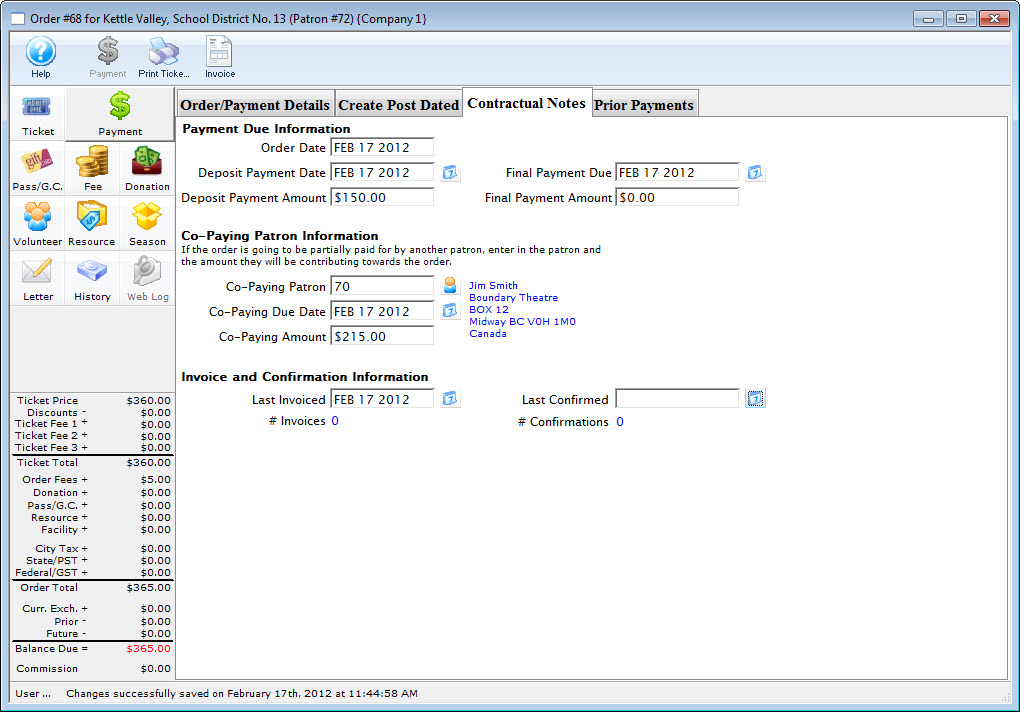
- Enter the payment date and amount that the co-payer is contributing.
- Return to the Detail
 tab.
tab.
- Complete the payment process. Click here for more information.
Diataxis: