
Main menu
You are here
Transferring Payments from One Order to Another

These instructions will guide you though the process of transferring a payment from one order to another. If a payment has been accepted for the wrong purchase it can be corrected by transferring the payment from within the Patron Payment Window.
 |
You can only transfer payments between orders for the same patron, not between patrons. |
|
There is also a feature that allows using a single payment to pay for multiple orders
Sometimes this may be better than transferring the payment if the payment is a credit card, especially if your merchant provider only allows linked refunds. Transferring a card payment to another order will affect ability to refund. |
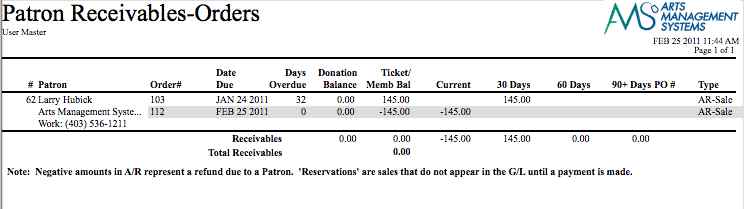
This circumstance can happen, if a sale is refunded from an order but no refund payment is applied. This means, On Account, then a new sale is created and the order is paid On Account. This results in two orders in a patron record, one will show money is owed to the patron and a second showing the patron owes money. It will reflect on the Receivables Based on Order Balances report traditionally run with the End of Day Reports. See the following example.
- Find the Patron with the payment to be transferred.
Click here for information on finding Patrons.
- Click on the Payment
 Tab in the Patron Record to display a list of payments.

- Locate the payment you want to transfer and single click to highlight it.
- Click the Transfer
 button located at the bottom of the window.
The Transfer Payment window opens.
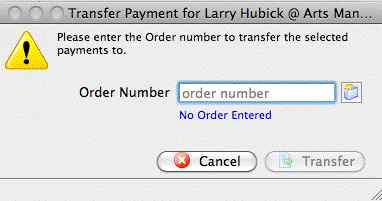
- Click the Order
 lookup button to display a list of the patron's payments.
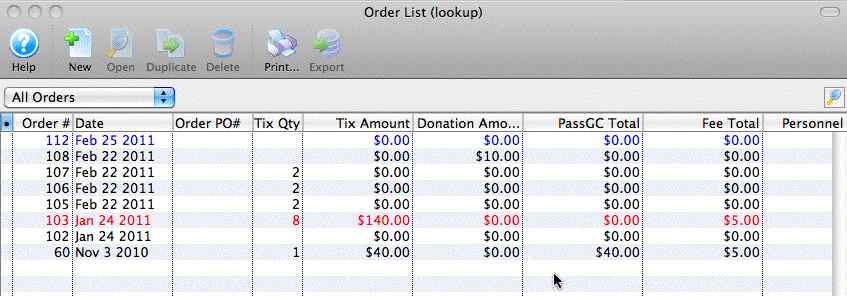
- Single Click on the payment in the list you want to transfer.
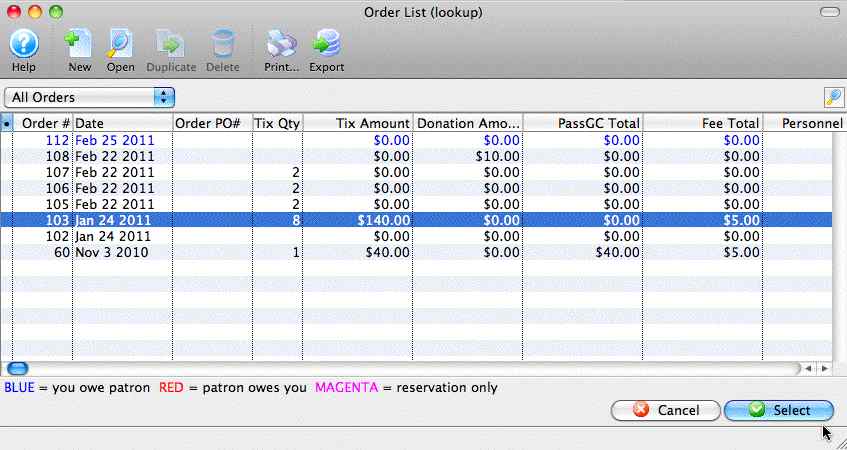
- Click the Select
 button.
The selected order information now appears in the transfer payment window.
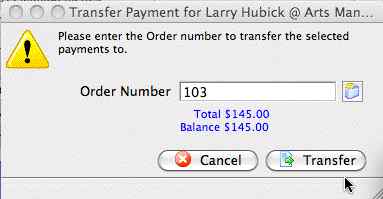
- Click the Transfer
 button.
The payment is now transferred to the selected order.