
Main menu
You are here
Adding a Ticket to an Order

To add tickets to an order, you perform the following steps:
- Find the Patron wishing to add tickets to an already existing order.
Click Here to learn how to find Patrons.
- Click the Ticket
 tab.
tab.
Locate a ticket already in the order. Click on the ticket to highlight it.

- Click the Tickets
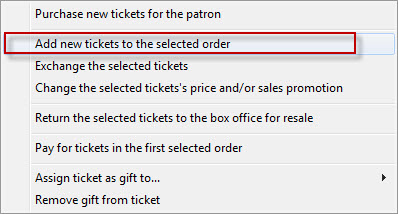
 button and choose the Add New Tickets to Slected Order option.
The Order window opens.
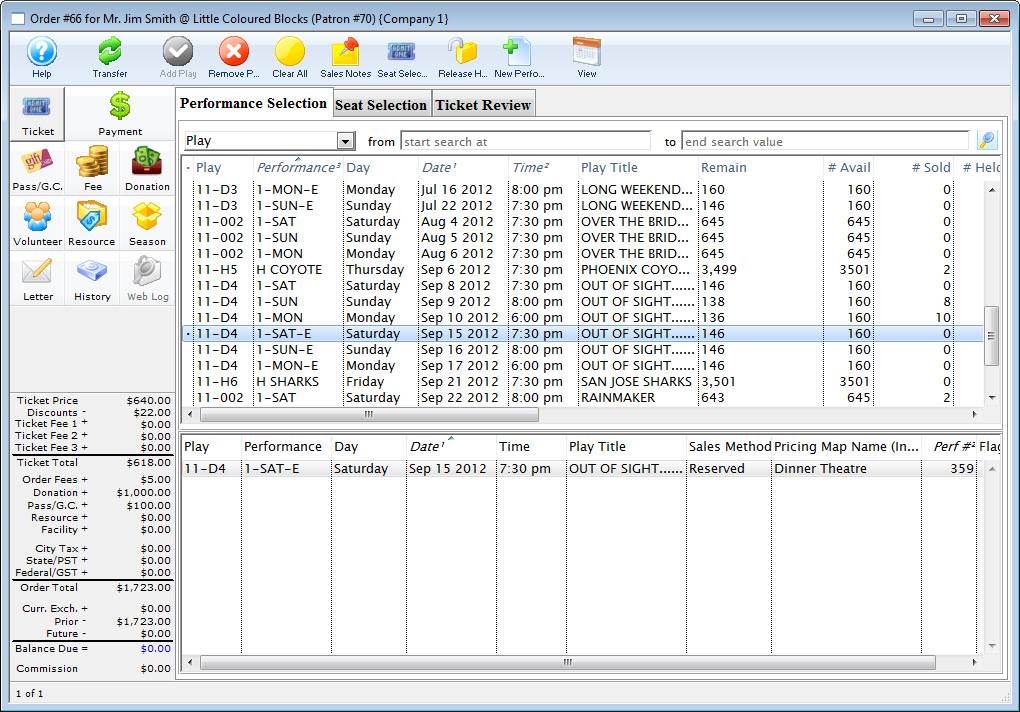
- Choose the event to add tickets, and click the Seat Selection
 tab.
tab.
The Seat Selection window opens. The seats already a part of the order will appear in red.
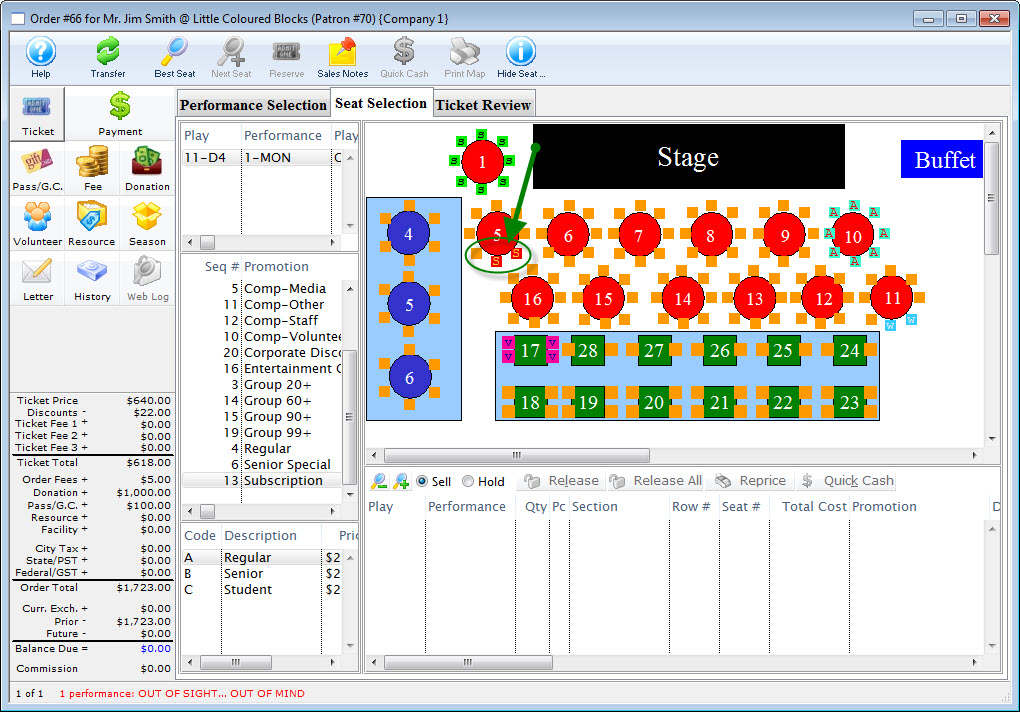
- Select any additional seats, as needed.
- Click the Payment
 button.
Process the payment and complete the transaction. The new tickets are purchased and added to the existing order.
| The following are available for quick reference information on adding Tickets to an Existing Order |
Cheatsheet |
Flash Screencast |
Mp4 Screencast |


Diataxis: