
Main menu
You are here
Transferring an Order to Another Patron

If an order has been made through the wrong patron you can transfer the order and all payments to the correct patron through the Orders Window.
To transfer an order to another patron, you perform the following steps:
- Find the Patron with the order to be transferred.
Click Here to learn how to find Patrons.
- Click on the Orders Tab
 on the Patron Window.
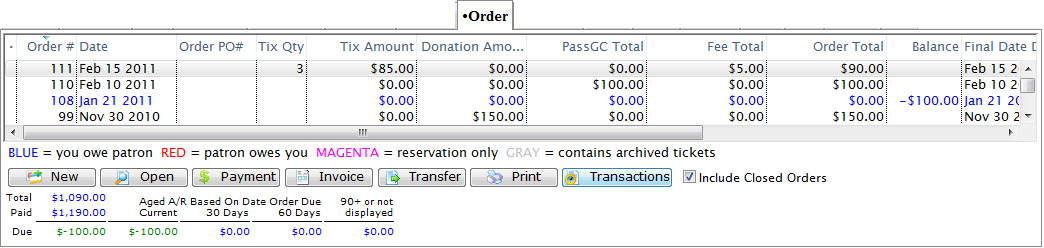
- Find the order(s) which you would like to transfer and highlight it.
Do this by single clicking the order for multiple orders hold the <ctrl> key while clicking the orders.
- Click the Transfer
 button.
The Transfer Order window opens.
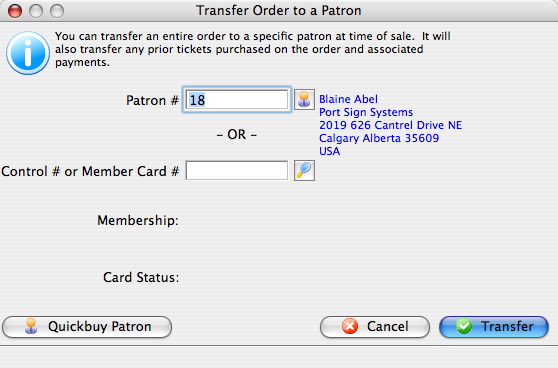
- Click the Patron
 button.
Use the Contact List to locate the patron to transfer the order to. Single click on the patron the order will be transferred to.
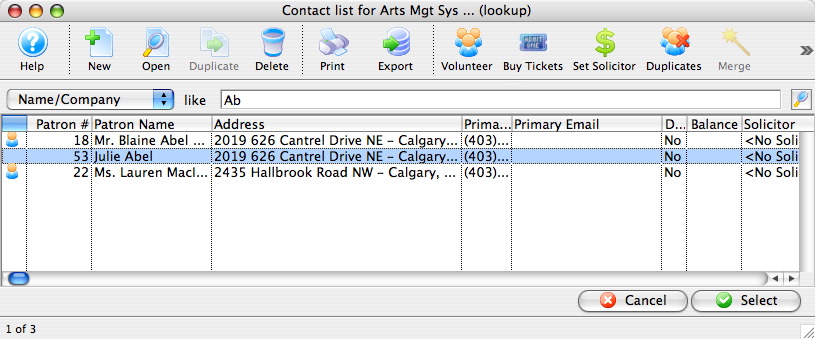
- Click the Select
 button.
The selected patron information will now appear in the transfer order window.
- Click the Transfer
 button.
A Confirmation Window opens.
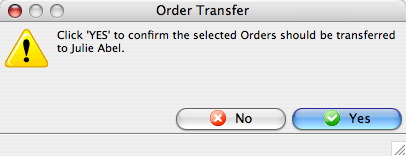
- Click the Yes
 button.
The order is now transferred to the selected patron.
Diataxis: