
Main menu
You are here
Consignment Ticket Sales

Consignment ticketing is used when you sell tickets for a performance at another venue. The venue would give you a specific number of tickets for you to sell. To sell a Consignment performance, an event must be created for the sale to be assigned to a patron. Click here for more information on creating a new event.
The tickets are setup under plays and dates as any ordinary performance would be. For the GL Account setup you would likely setup accounts specifically for consignment sales. Once setup, add a performance to sell tickets toand select the amount to be sold as consignment. Once setup, the performance will be shown in the Buy list. The selling of consignment tickets is the same as selling regular tickets. Consignment ticket performances cannot be oversold. Only Festival Seating performances can be setup to be oversold.
- Open the Select Events(s) Window and search for a consignment performance
Click here for more information on Creating a Buy List.
In some situations, you may wish to limit the list by searching only for consignment performances. To do so:
Change the Performance Search drop down to "Sales Method"
Choose "Consignment" from the list.
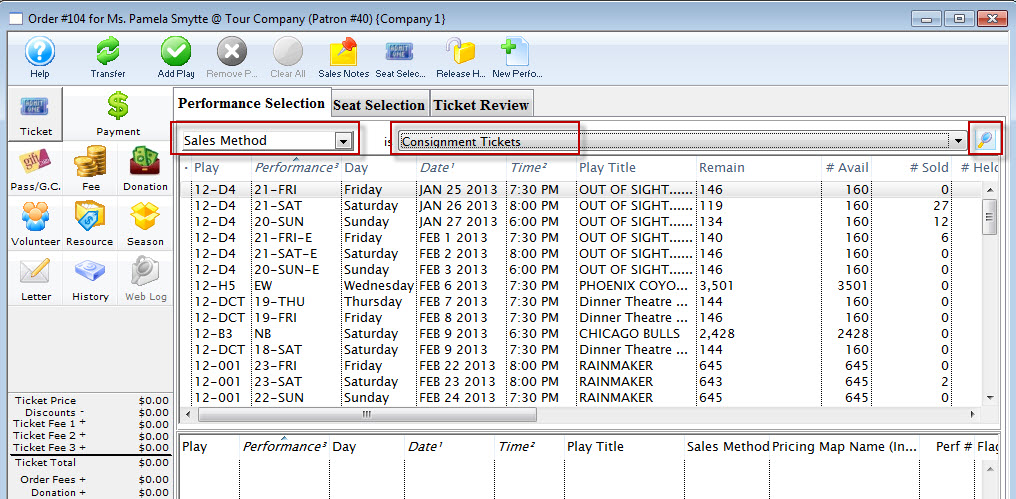
- Click the Find
 icon.
icon.
- Select the performance.
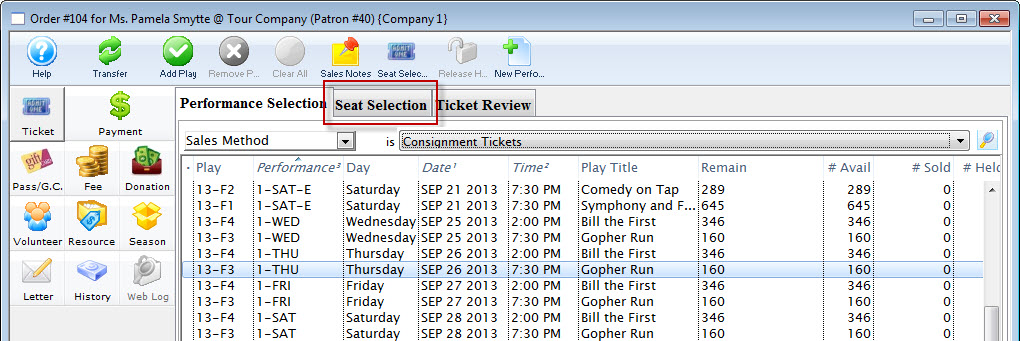
- Click the
 tab.
tab.
The Selection window for Consignment tickets opens.
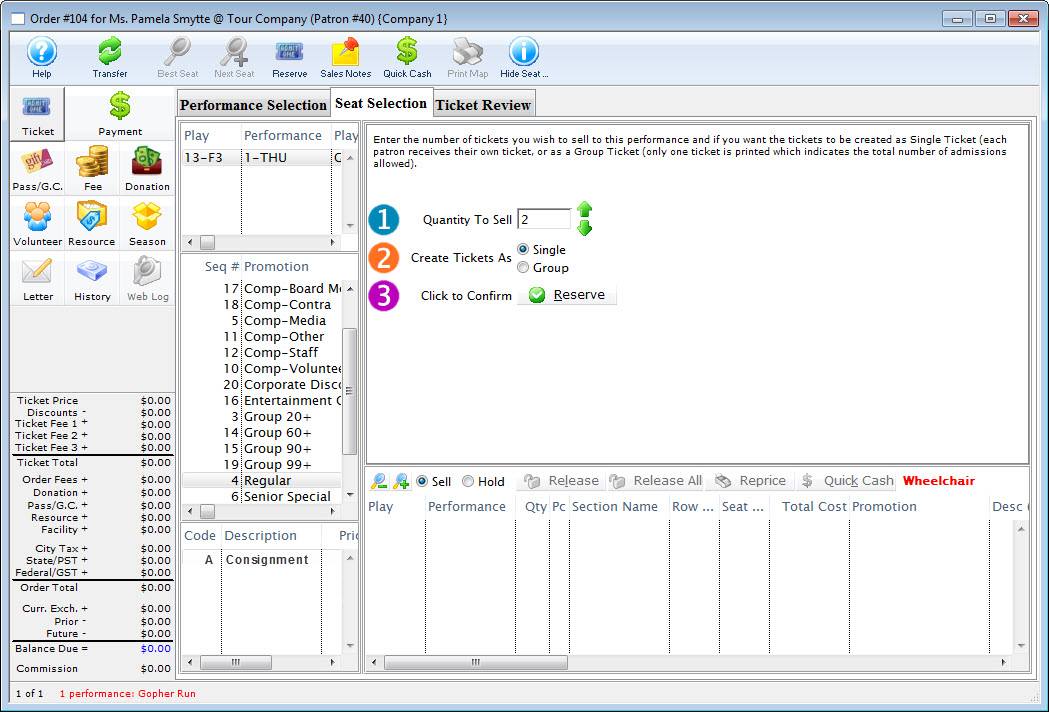
- Indicate how many tickets you wish to sell in
 Quantity To Sell.
- Click the
 button.
- Click the Payment
 button.
Click here to learn how to accept payments for tickets.
Parts of the Ticket Sales Window
 |
Transfers the sale to the correct patron at the reserve item window or after the items have been sold. Click here to learn how to transfer items to another patron. |
 |
Opens the Best Seat Available search function. This feature is unavailable in Consignment Sales. |
 |
Find the next Best Seat Available using the previous search criteria. This feature is unavailable in Consignment Sales. |
 |
Reserves the current number of items selected. |
 |
Allows the user to view the Sales Notes that apply to the item. |
 |
Accepts a cash payment for the exact amount owed and completes the sale. The user is returned to the previous window. |
 |
Prints the current seating chart with the current "house dressing." This feature is unavailable in Consignment Sales. |
 |
Turns on/off the tooltip showing the user the status of a seat on the Graphic Map. This feature is unavailable in Consignment Sales. |
 |
The Ticket processing window. This is the window that the user is currently in. |
 |
The Fee processing window. Click here for more information. |
 |
The Donation processing window. Click here for more information. |
 |
The Pass G.C. processing window. Click here for more information. |
 |
The Season processing window. Click here for more information. |
| |
The Payment Processing window. Click here for more information. |
 |
A record of the transaction. Click here for more information. |
| Event/Play | The section at the top of the window displays all of the events that are being purchased. |
| Promotion | Select the sales promotion if applicable. The sales promotions determine if there is a discount or markup on the ticket(s) being sold. Click here for more information on setting up sales promotions. |
| Code | Displays all the price codes applicable to the performance. Click here for more information on pricing. |
| Quantity to Sell | The current quantity of items to be sold to the patron for the specified performance. This field is only available when selling Consignment, inventory Items or Festival Seats. |
| Create Tickets As | Select the type of ticket that will be printed. i.e. one ticket for each ticket sold or one ticket that will admit the total number of patrons. |
| Click to Confirm | Reserves the number of items that have been entered above. |
 |
Allows the user to switch between Sell and Hold modes. This feature is unavailable in Consignment Sales. |
|
Releases the selected item(s). Click here for more information. |
 |
Releases all items that are currently reserved in the order. |
 |
Changes the pricing for the selected item(s). Click here for more information. |
| Tickets Selection | The bottom of the window displays the item(s) booked for the current item(s) highlighted in the performance section. |