
Main menu
You are here
Refunding Tickets

Theatre Manager calculates the refund amount from the ticket prices the tickets were sold for, calculates a portion of the exchange fee, adds in the order fee and presents the user with the final cost of the ticket refund. The portion of the exchange fee is only calculate if the tickets selected for refund were part of an exchange. If they were not on the payment window the exchange fee will not be refunded. The only condition when refunding tickets is the tickets selected must exist within the same order number. There are security controls within Theatre Manager that can be set up for each employee or as an organization default. Click here for more information on the controls. Some of the controls are:
- Allowing refunds for performances of past performances.
- Allowing refunds for printed tickets.
- Refund ticket when higher performance security and refund tickets when lower performance security.
- Allowing order, exchange, and ticket fees to be refunded.
To refund a patron's tickets, you perform the following steps:
- Find the patron wanting to refund tickets.
Click here to learn how to find patrons.
- Highlight the tickets to be refunded.
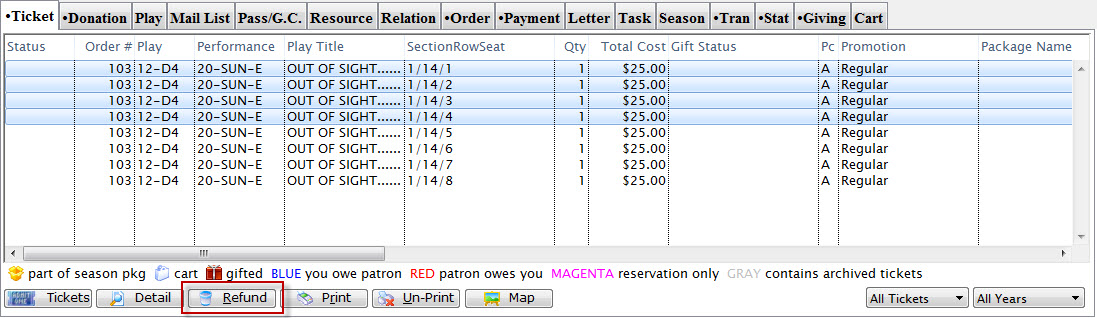
- Click the Refund
 button.
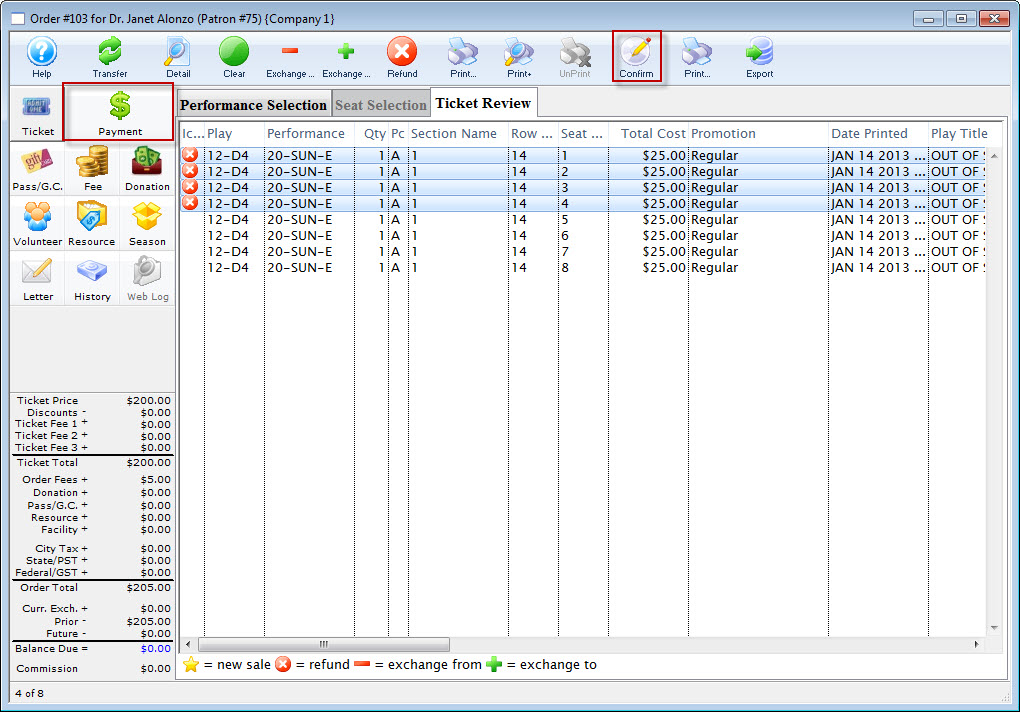
The Ticket Refund window opens, displaying the full refund amount. The Donation Button can be used to quickly turn the amount of the refunded tickets into a donation. Click here for more information on creating a donation from a ticket refund.
Click here to see the Refund to a Donation Screencast.
 - Click the Confirm
 button.
- Click the Payment
 button.
The Payment window opens.
- Select the Refund Method.
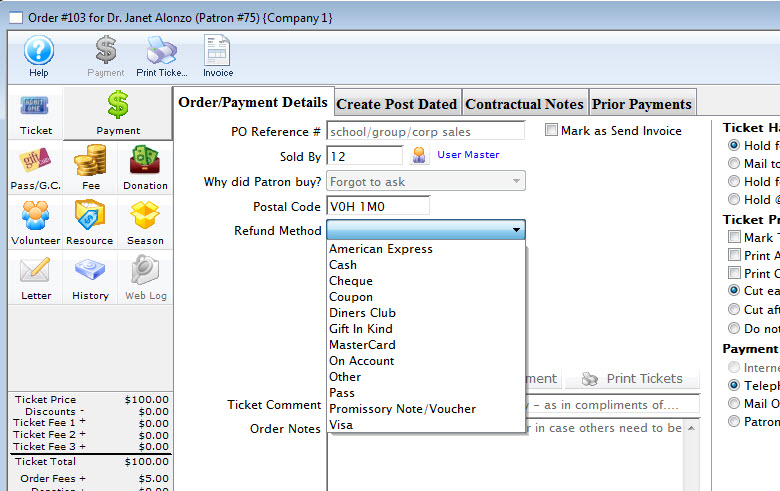
- Enter any relevant information.
Order comments should be entered when refunds are issued indicating the reason for the refund and the supervisor who authorized the refund. This information will assist in reviewing the daily activity to insure the refund was processed correctly and was authorized.

To not refund the order or exchange fee remove them in the fees window.

- Click the Accept
 button.
Theatre Manager will return the ticket for resale and return the user to the Patron Household Window.
| The following quick reference information is available for Exchanging or Refunding Tickets |
Reference Guide (pdf) |
Cheatsheet (pdf) |
Flash ScreenCast |
MP4 ScreenCast |


