
Main menu
You are here
Locating a patron's seat sold by another outlet

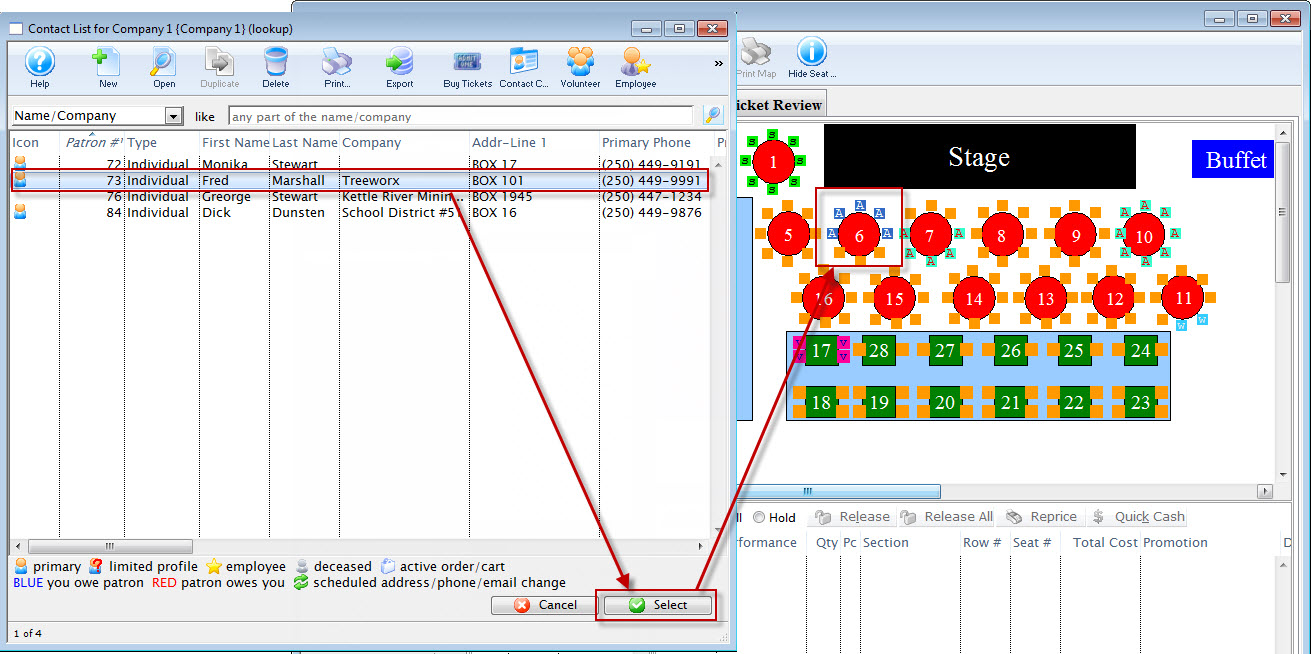
In the Outlet version of Theatre Manager, you may need to know where a particular patron is sitting to accommodate a seating request for a new buyer. In the attached picture, where you are selling tickets for somebody, they may say, 'I want to sit with Fred.'
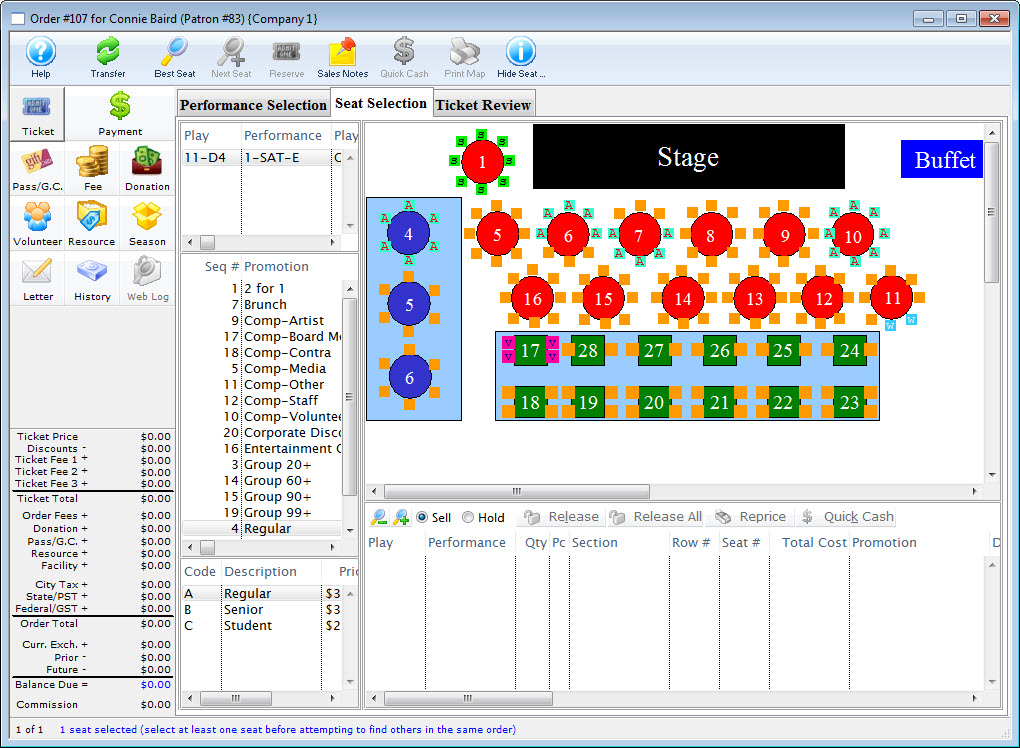
To locate seats sold to a particular patron, you perform the following steps:
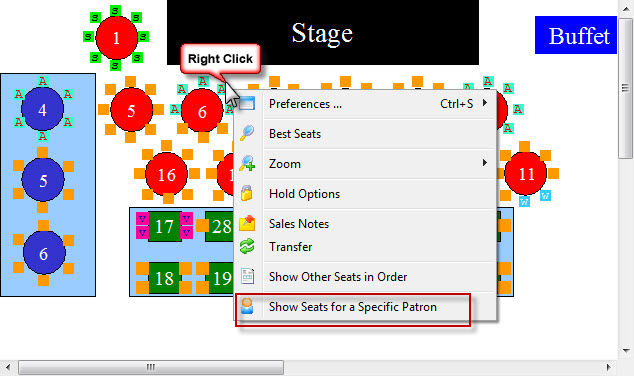
- Right click on the map, to open the Right Click menu.
- Select Show Seat for a Specific Patron.
- Click the Search
 button.
 - Click on the name of the patron, and click the Select
 button.
The seats belonging to the selected individual blink and change color.
Alternatively: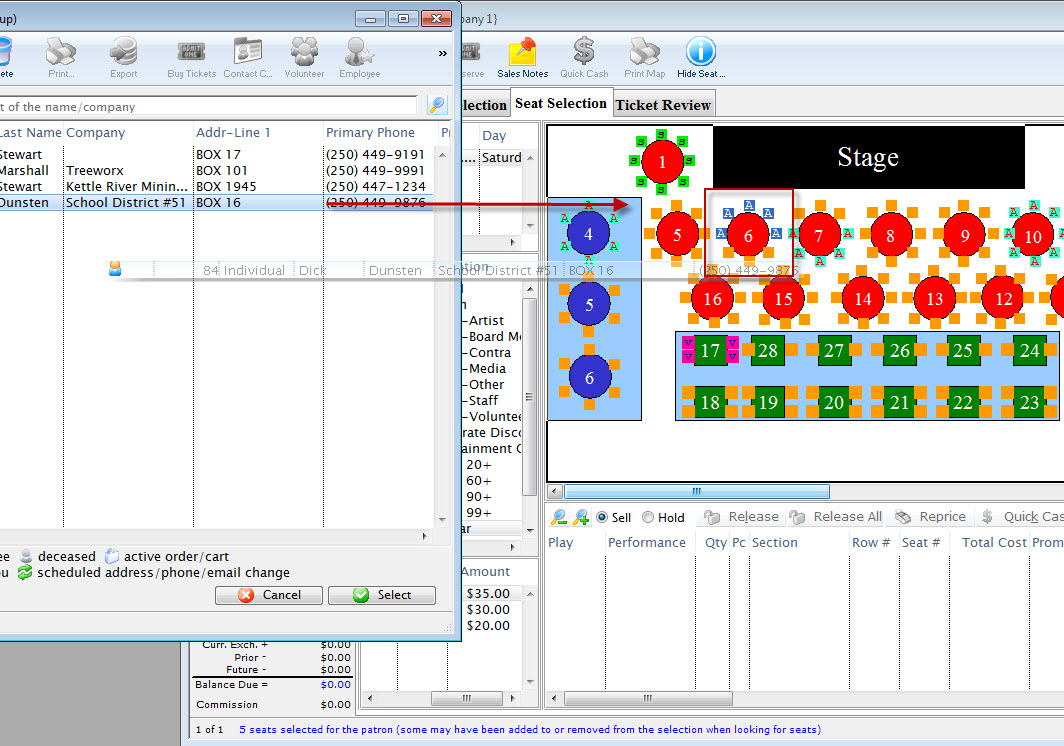
- Click on the name of the patron, and drag them onto the map.
The seats belonging to the selected individual blink and change color.
The Contact List opens.
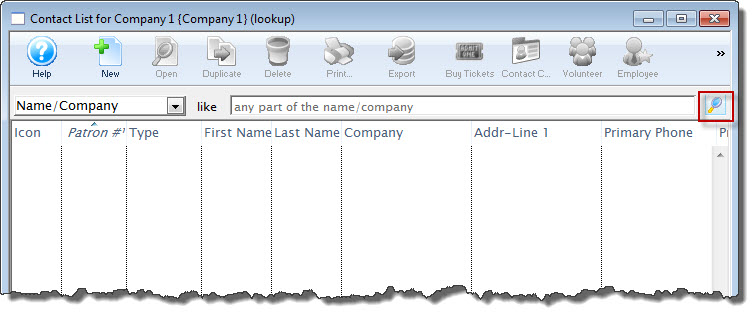
The list populates limited to people who have purchased a ticket to the specific performance -- and nobody else. You can use the standard search tools to search for the specific patron by name or search for all.
Diataxis: