
Main menu
You are here
Traveling Troupe Ticket Sales

To sell a Traveling Troupe performance a performance must be created for the sale to be assigned to a patron. Click here for more information on creating a new traveling troupe event.
Once the event is available, to sell a Traveling troupe ticket, you perform the following steps:
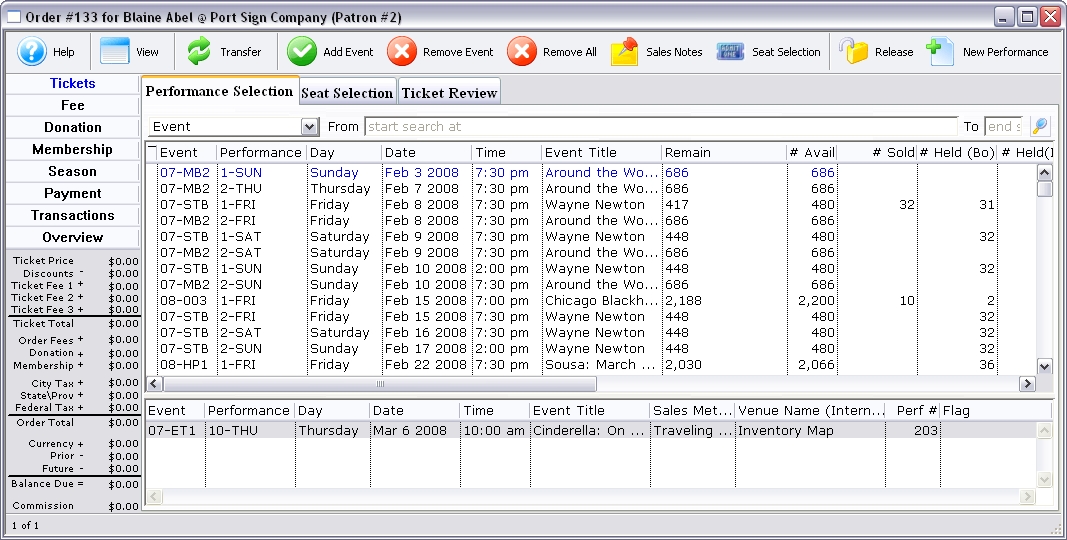
- Open the Select Events(s) Window and search for a traveling troupe
Performance.
Click here for more information on Creating a Buy List.
- Select the traveling troupe performance.
- Click the Seat Select
 tab.
tab.
The Selection window for Traveling Troupe opens.
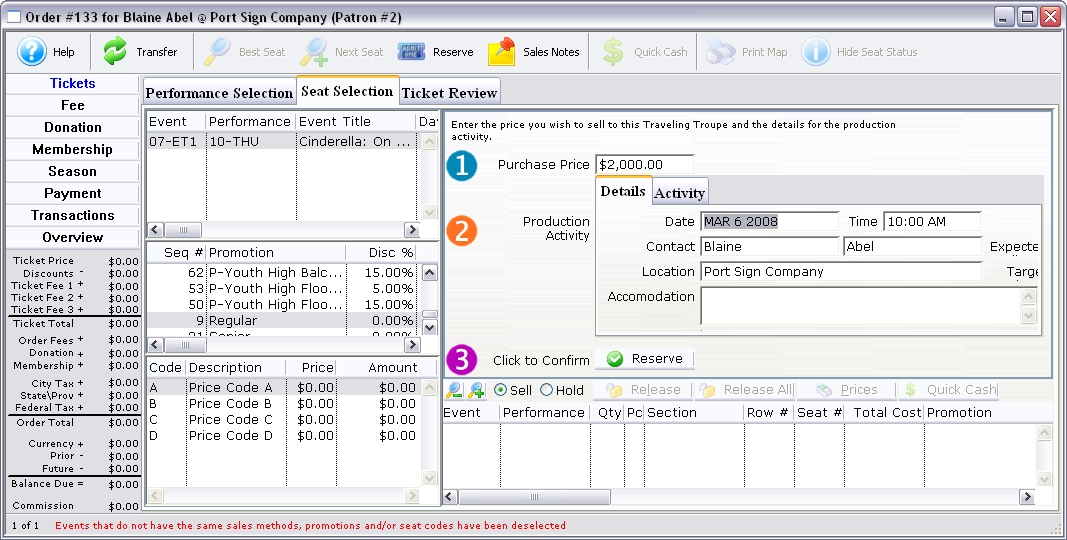
Purchase Price The cost of the traveling troup 
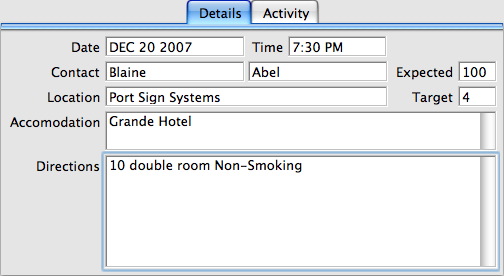
Shows details pertaining to the performance. Date Date the event will take place. Time Time of the event. Contact The contact person for the performance. Expected Estimated audience size. Location Venue or address of the event. Target Target audience age. Accommodations A note area for name, location, telephone and details of the accommodations. Directions Directions to the venue and or accommodations. 
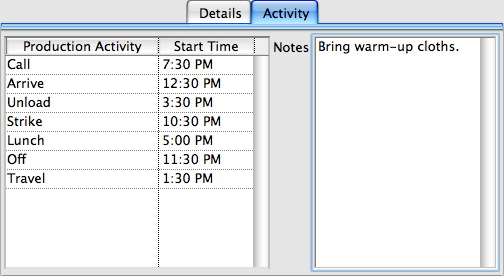
A list of activities and a timeline for the performance. Production Activity A list of potential activities pertaining to the performance. This list can be altered or added in the Code Tables. Click here for more information. Start Time Start time of an activity. Notes Overall notes about the run out. - Edit the fields as needed.
- Click the Reserve
 button.
This new performance will now appear in the lower portion of the buy window and the new performance will be added to the Buy List.
- If necessary, create additional Traveling Troupe performances at this
time.
There is a
 New Performance button in the toolbar of the Order Window > Performance Selection Tab that allows you to create new performances for the traveling troupe "on the fly" from the sales window. Clicking the button opens the wizard to add one or more new performances of the event. Click here for more information on the performance wizard.
Repeat steps 2-5.
- Click the Payments
 button
to accept payment.
button
to accept payment.
Click here to learn how to accept payments.
* Note that the Calendar and Facility Management - Calendar of Events - Daily View will produce a report of the Traveling Troupe Itinerary entered during the sale.