You are here

Web Options Tab

Subscribe to Syndicate

Web Sales Options

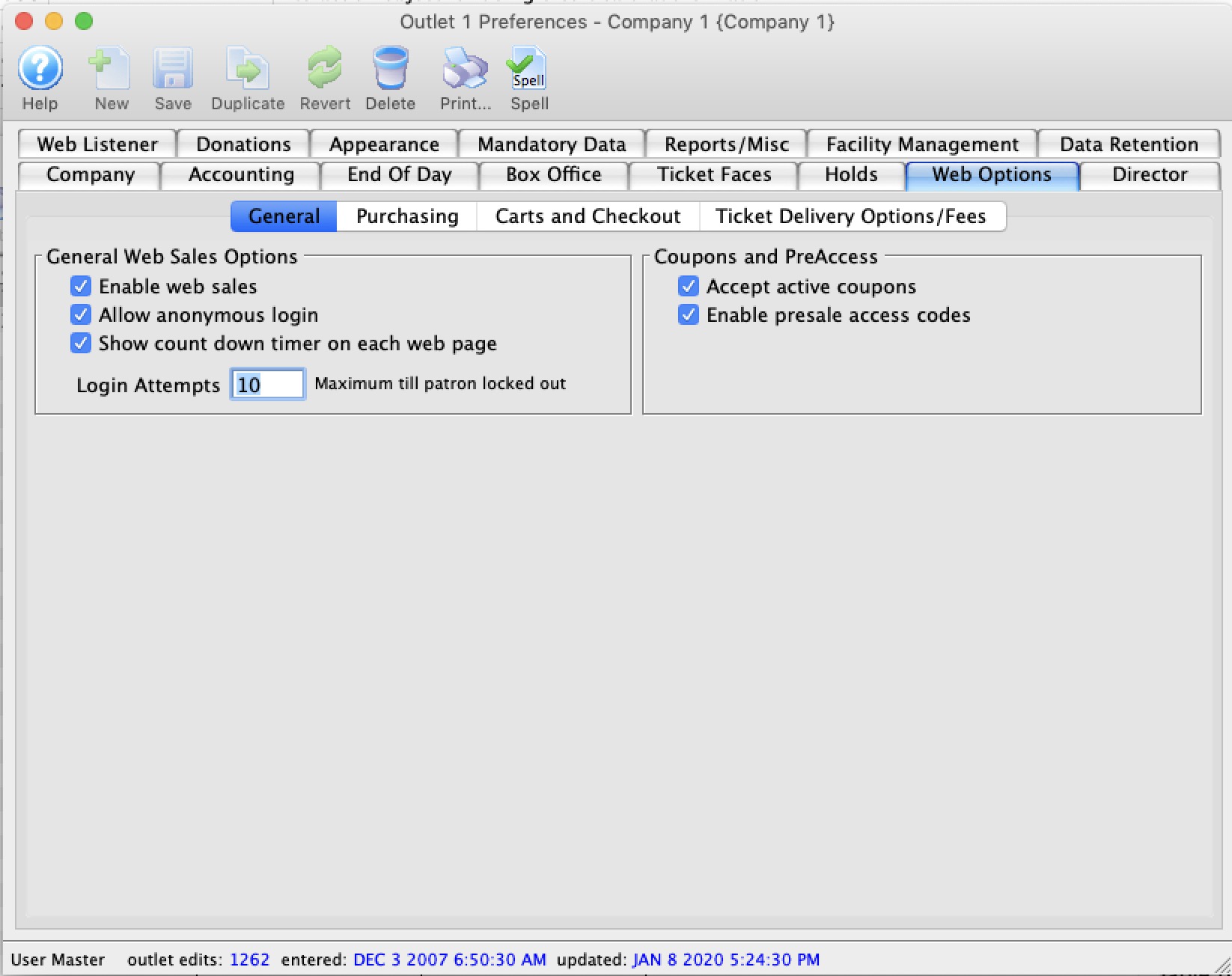
Enable Web Sales
Enables sales to occur on the web. If turned off, users will receive a message that the site is down.
Auto Start
Automatically starts the web listener when the web sales listener window is opened.
Allow Anonymous Login
Patrons can shop and add items to a web sales baskets without logging in.
Send web log to disk.
When selected, web logs will be saved to disk in addition to be saved in the database.
Look Ahead
Number of days in advance events should be displayed for.
Max Events
The maximum number of events to be displayed on the events page.
Timeout
The number of minutes a patron accesses a page without activity before the cart becomes inactive and the items released.
Log Size
The maximum number of lines in the web listener display log. Larger numbers require more memory.

Permitted Web Ticket Printing Options

Mail to patron Tickets purchased on the internet are marked for printing and mailing by the box office. A Mail Fee must be entered above in order for this option to be selected. When selected, online patrons are presented with a Mail My Tickets option at checkout.
Mail Fee The number of the order fee designated as a Mail Fee in Fee Tables.
Print At Home Tickets Tickets purchased on the internet are marked as printed and patrons are presented with the option to print their own bar-coded tickets.
Hold for Will Call When selected, patrons online can select to have the box office print and hold their tickets in Will Call.

HTML Page Substitution Options

Show sales promotion
When selected, the sales promotion's external description will be visible to patrons online during seat selection.
Show price code
When selected, the Price Code description will be visible to patrons online during seat selection.
Accept active coupons
When selected, patrons will be able to enter a coupon code at checkout. For more about coupons, click here.
Enable presale access codes
When selected, patrons will be able to enter a presale access code on the Events list online in order to see shows which are not online for sale to the general public. For more about presale access codes, click here.
Suggest donation in cart
When selected, patrons will be asked to include a donation with their order at checkout.
Acknowledge terms
When selected, patrons will be required to read/accept the terms and conditions at checkout. For information about the tmtermsandconditions.html page, click here.