Main menu
You are here
Events / Plays and Dates

In this section, we explain the Event/Play setup window and take you through the set up of an event. During the installation of your software, several naming conventions were setup in the Appearance section of Company Preferences. This allows you to name the events "Plays," "Concerts," "Games," "Events," or whatever term your organization uses. The terms are completely interchangeable and mean the same thing. For the purposes of these web pages, we will refer to them as either a Play or an Event.
You must enter Play and date information before tickets can be sold. Each play can have a number of performance dates, called a series. The price code values for each series can be unique.
Opening the Plays and Dates Window
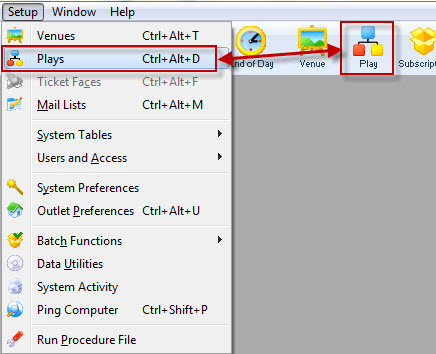
Select Setup >> Plays from Theatre Manager's main menu. Alternatively, click the Play  button in the main Theatre Manager toolbar / ribbon bar.
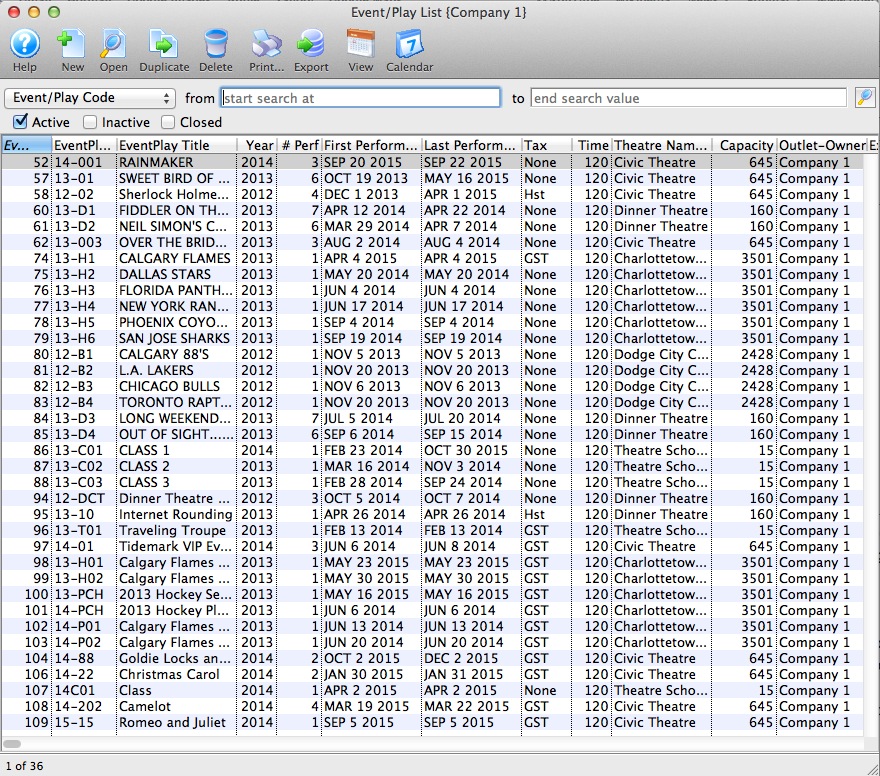
The Play List window opens.