
Main menu
You are here
Web Listener Tab

The Web Listener tab controls ways that the Web Listeners operate.
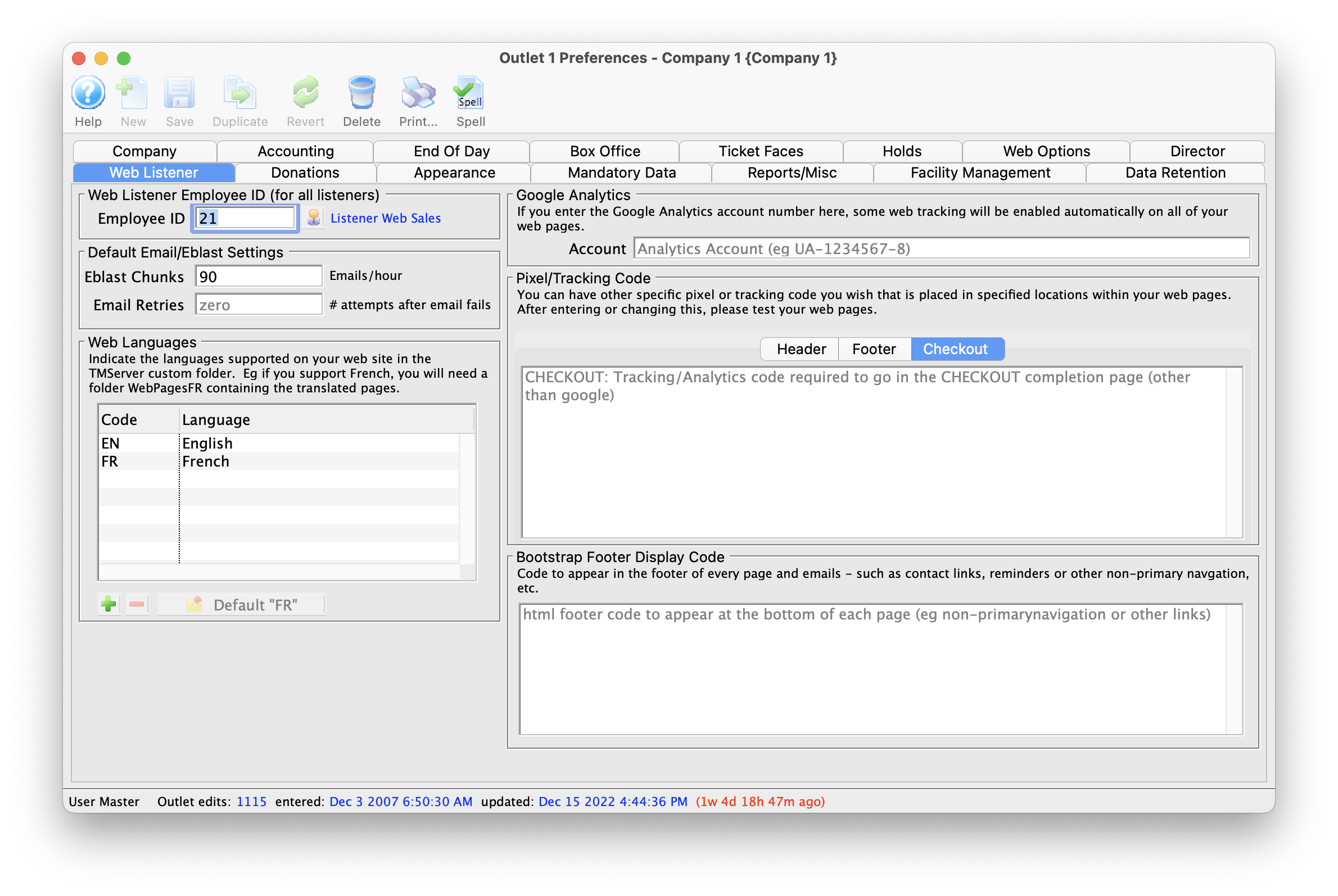
Parts of the Web Listener Tab
| Employee ID | This is the user id under which all web sales will occur and is reserved for use by the web listener processes | Default Email/Eblast and Performance Settings |
|
| Eblast Chunks | The default number of emails to send per hour through the SMTP server. Set to zero of there are no limits imposed by the SMTP server or your ISP. Set to a value a bit smaller than any hourly rate imposed by your ISP. | ||
| Email Retries | If an email fails, the number of times that it should be retried before being marked as in error. This should normally always be zero -- and should only be changed upon consultation with AMS support. | ||
| Transactions - create at time of sale | The web listener (like the Box Office) creates transactions at the completion of the order. However you can change this to defer transaction creation in order to improve the performance of the web listener (this is the default setting).
Deferring transaction creation for web sales affects when notifications are sent for web sales. |
||
| Google Analytics Account | If you have a google analytics account number, then all you need to do is enter it here - and TM will automatically enable analytics for the entire web site. For more on Google Analytics, click here. | ||
| Bootstrap Web Page Footer | Any code that goes here will appear at the bottom of your web site or emails. For more on eblasts, click here. | ||
| Web Languages | The languages supported in your WebPages folder (web pages). Each is designated by a two-character language code (eg, EN for English, FR for French) and will also be designated in the name of the WebPages folder(s) inside WebPages (eg. WebPagesEN and WebPagesFR). | Pixel/tracking Code |
|
| Header | If the tracking code your use is required to go into the header of the page, paste it into this area. Please test your web pages after putting anything here. | ||
| Footer | If the tracking code your use is required to go into the footer of the page, paste it into this area. Please test your web pages after putting anything here. | ||
| Checkout | If the tracking code your use is required to go on the checkout page, paste it into this area. Please test your web pages after putting anything here.
|
