Main menu
You are here
Mandatory Data Tab

Defining Mandatory Data for Marketing Purposes
On the Mandatory Data tab, you can define which information is required when adding new patrons, households and companies. Normally, you would want:
- Patron name or company so that you can identify the patron when they call back or have tickets printed for them
- Full Address Information (street, city, state/province, zip/postal) so that you can mail items, obtain better credit card rates with AVS (address verification) and better identify patrons with similar names during your next interaction with them
- A Phone Number in case you need to contact them in cases of a show being cancelled, time altered, moved venues, or any other emergency requirement
- Email cannot be made mandatory at the box office since there is no guarantee that a patron has one and email addresses must be unique to a patron or household
Full Profile vs Limited Profile (AKA Guest Checkout)
The behaviour of patrons can be different for phone/walk up sales and to online/web sales. You can indicate what kind of data is mandatory in either case:
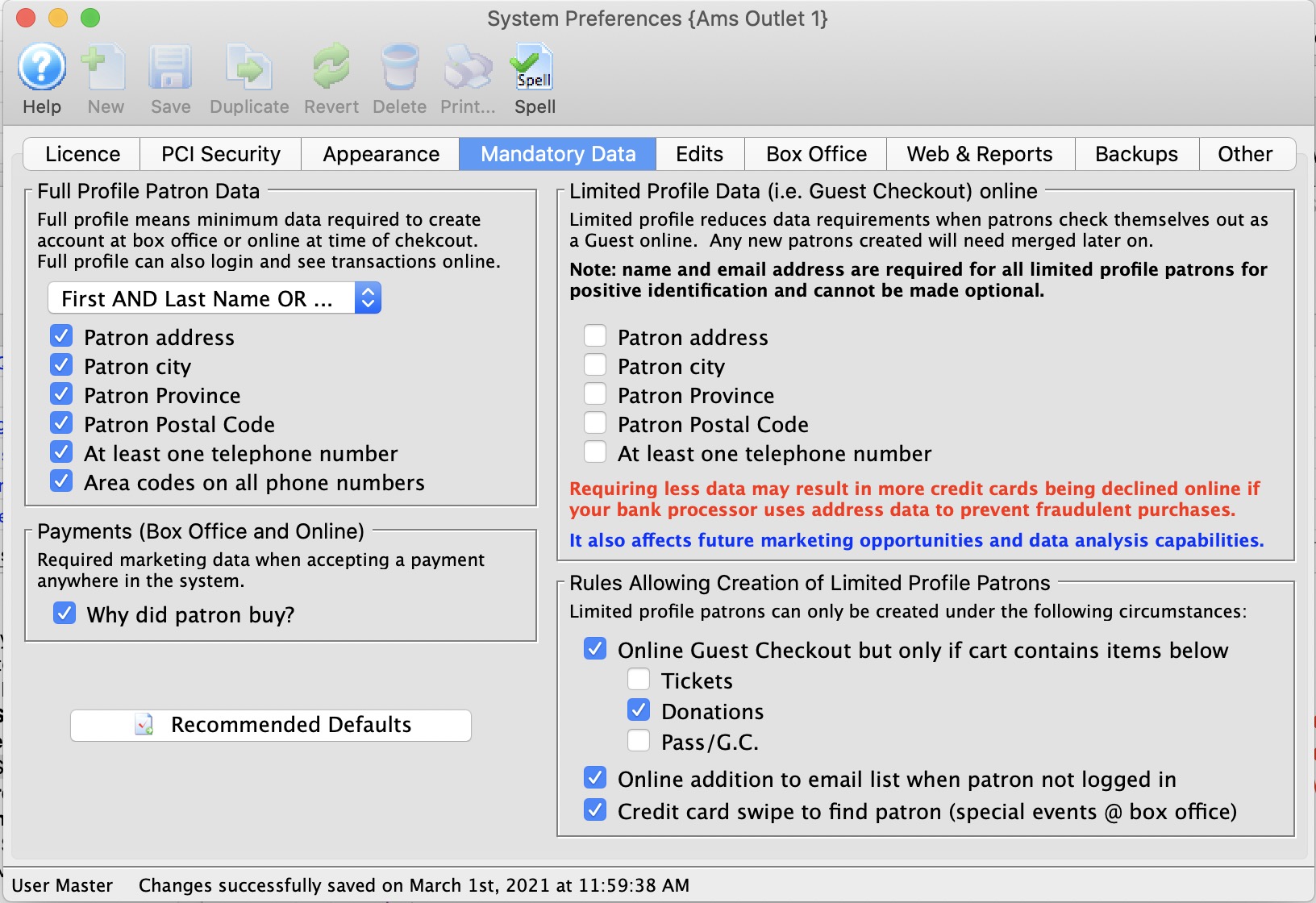
- BoxOffice/Phone Orders the left side of the mandatory screen indicates which data is mandatory for patrons who contact you at the box office or via phone. This is considered the complete set of data for a full patron. Typically is is the name, address, and phone information described above
- There are good reasons to have Online Sales follow the same data requirements as box office. Implications include consolidation of all interactions with the same patron under one account.
It is possible to relax those rules and gather less data for online sales by indicating what the minimum data is for Partial Profile Patrons on the right side of the screen. If you gather less data than a full profile, the patron record created is called a Partial Profile patron.
 |
Full profile patron information applies to BOTH box office and web sales, unless you choose to allow Guest Checkout for online sales, which has some operational and data merging implications |
|
Guest Checkout causes a NEW Limited Profile Patron to be created each time the patron purchases, unless the patron chooses to supply all the mandatory information of their own volition along with password when buying online.
The reason a new patron is created is to allow theatre manager to provide absolute privacy between online purchases, since the patron has not provided enough identification to allow accounts to be merged automatically. If two people just happen to use the same email address, allowing each to access the others information and tickets is a privacy violation - so Theatre Manager keeps them separate If you use Guest Checkout, the box office will then need to MERGE all patrons in the same household with the same name and email on a periodic basis after determining that they are, in fat, the same patron. |
Full Profile Patron Data Requirements |
|||
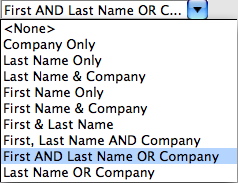
| Name Info | Select what names must be given before a patron record can be saved.
Full profile patron information is for BOTH the box office and web patron sale data, unless you are allowing Limited Patron Profiles for online sales. |
||
| Patron Address | Checking this box means that the patron's address must be entered before a patron record can be saved. Only one out of the two address lines need to contain information. | ||
| Patron City | Checking this box means that the patron's city must be entered before a patron record can be saved. | ||
| Patron Province | Checking this box means that the patron's province must be entered before a patron record can be saved. | ||
| Patron Postal Code | Checking this box means that the patron's postal/zip code must be entered before a patron record can be saved. | ||
| At least on telephone number | Checking this box will require a minimum of one phone number be given before a patron record can be saved. | ||
| Area codes on all phone numbers | Checking this box will require all phone numbers given be accompanied by an area code before a patron record can be saved. These days, this option should always be enabled du to the prevalence of 10 digit dialing and cell phones | ||
Payment Data |
|||
| Why Did Patron Buy | Checking this box means that the reason that the patron has made a purchase must be provided before a sale can be completed.
The why did patron buy data is entered via:
|
||
 |
Pressing this button will set the above options to the default settings that Theatre Manager recommends. | ||
Limited Profile Patron |
|||
| Mandatory Data Options | Please refer to a more complete description of the Limited Patron feature and the ramifications. | ||