
Main menu
You are here
Box Office Tab

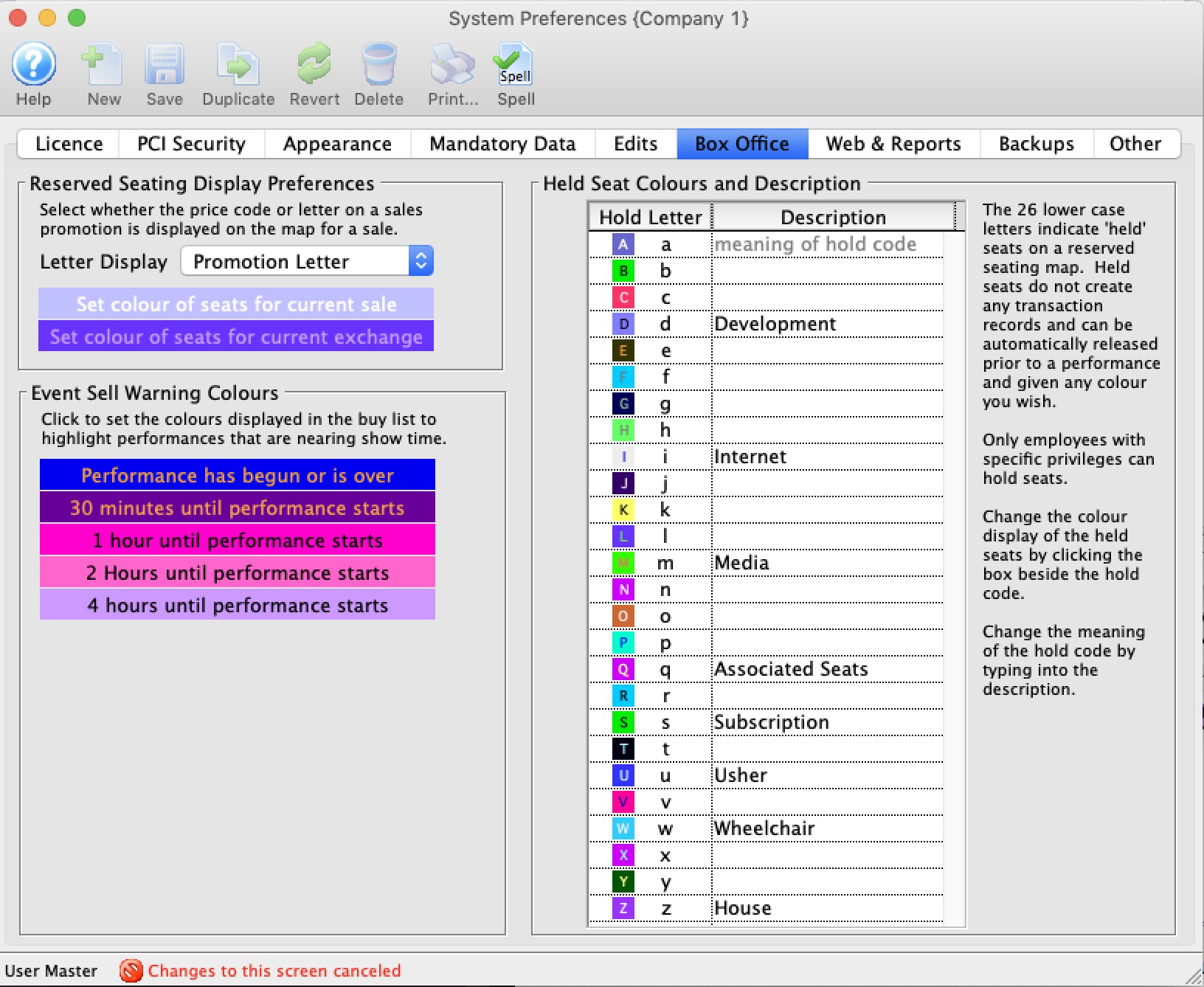
Ticket Reservation Display Letters |
|
| Letter Display | Determine if the price code or the seat code from the Buy Window shows on the seat in the map display.
If you change the setting to or from 'Price Code' and 'Promotion Letter', you will need to verify future performances to change the actual letter display on the map. |
| Set Colour of seats for current sale | Click on this box to bring up the colour palette window. You can select both the foreground and background colours. |
| Set Colour of seats for current exchange | Click on this box to bring up the colour palette window. You can select both the foreground and background colours. |
Play Sell Warning Colours |
|
| Performance has begun or is over | Click on this box to bring up the colour palette window. You can select both the foreground and background colours. |
| 30 minutes until Performance starts | Click on this box to bring up the colour palette window. You can select both the foreground and background colours. |
| 1 hour until Performance starts | Click on this box to bring up the colour palette window. You can select both the foreground and background colours. |
| 2 Hours until Performance starts | Click on this box to bring up the colour palette window. You can select both the foreground and background colours. |
| 4 hours until Performance starts | Click on this box to bring up the colour palette window. You can select both the foreground and background colours. |
Held Seat Setup |
|
| Hold Letter | Clicking on each letter brings up the colour palette window allowing you to select both the foreground and background colours. Seat hold letters are always represented with lowercase letters. |
| Hold Description | You can define the meaning of the seat hold code by entering a description beside each of the 26 lower case letter codes. |
Diataxis: