
Main menu
You are here
Soft Credits

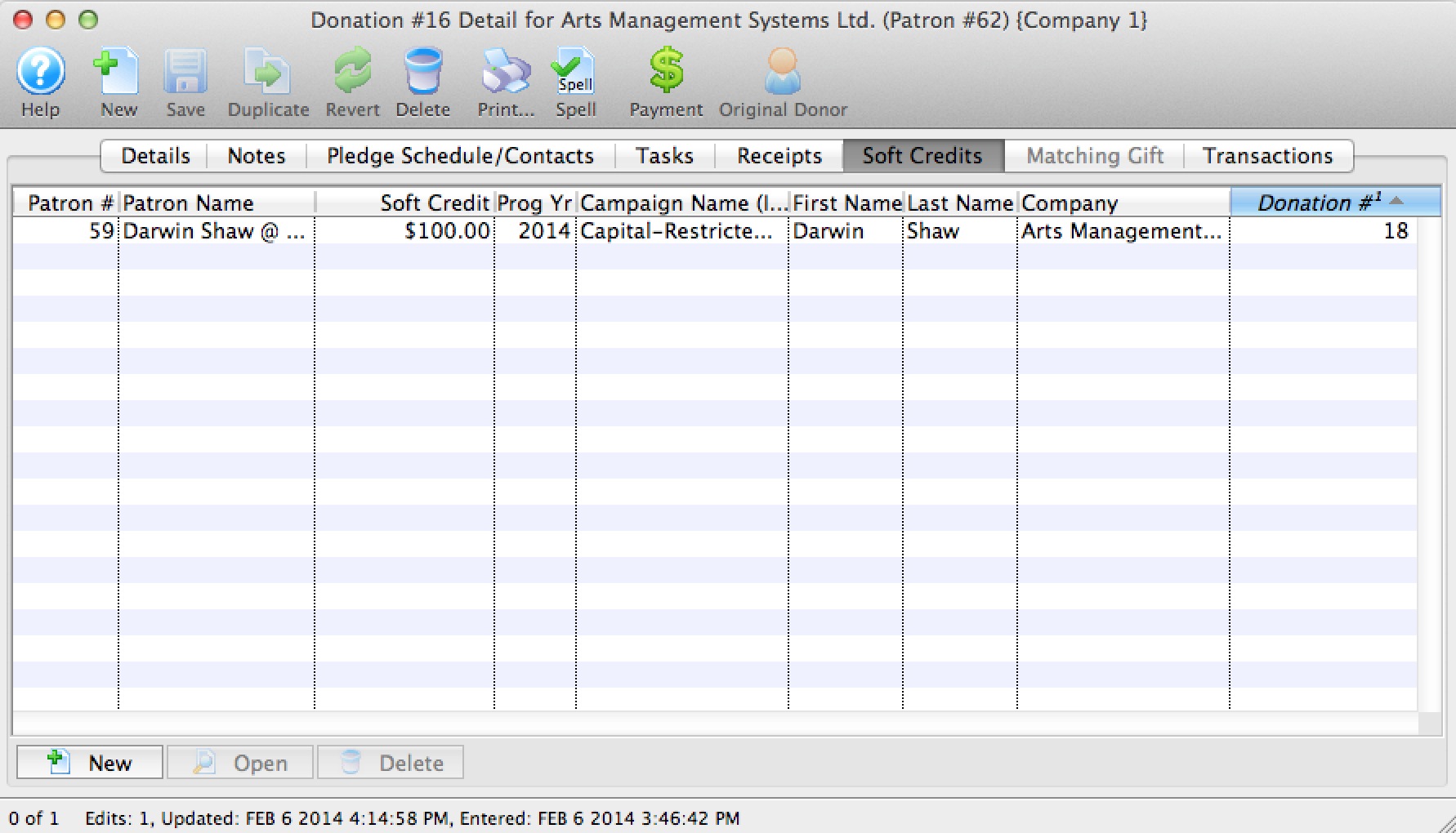
The donation module contains a system for tracking donation soft credits. This allows you to enter any number of soft credits to any number of other patrons, for a gift given by one person.
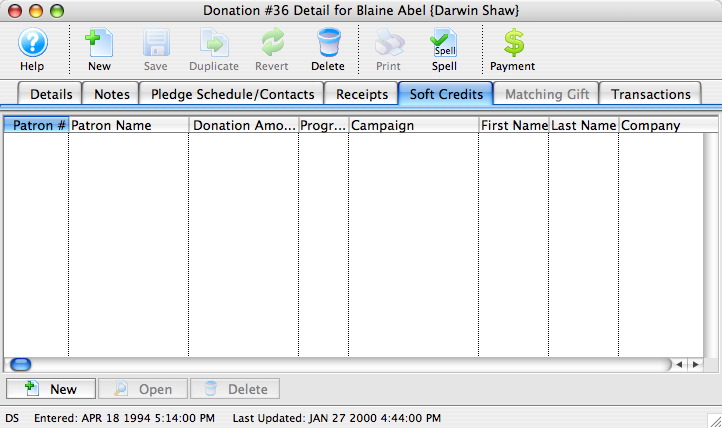
A soft credit is a way to give recognition to someone who 'encouraged' the original hard donation without entering a real donation.
For example:
- Patron 'A' was encouraged to give a real gift or pledge of $500 by a Board member.
- Enter the full donation under Patron 'A'
- In the soft credit tab, you can assign an amount to the Board member that will increase their recognition total in the donation module without causing a real donation to be entered.
- The donation program listing can be told to accumulate real donations, soft credits and matching gifts to provide the aggregate recognition
When producing the program listing, Theatre Manager lets you determine if you want to include soft credits in the summary, just like you can optionally include matching gifts.
Theatre Manager keeps totals for current soft credits, prior year soft credits, and total soft credits - just like it does for actual donations. This means you can find people who had soft credits last year but not this, etc.
Almost all the donation reports have the ability to show soft credit data.
- Click the New
 button.
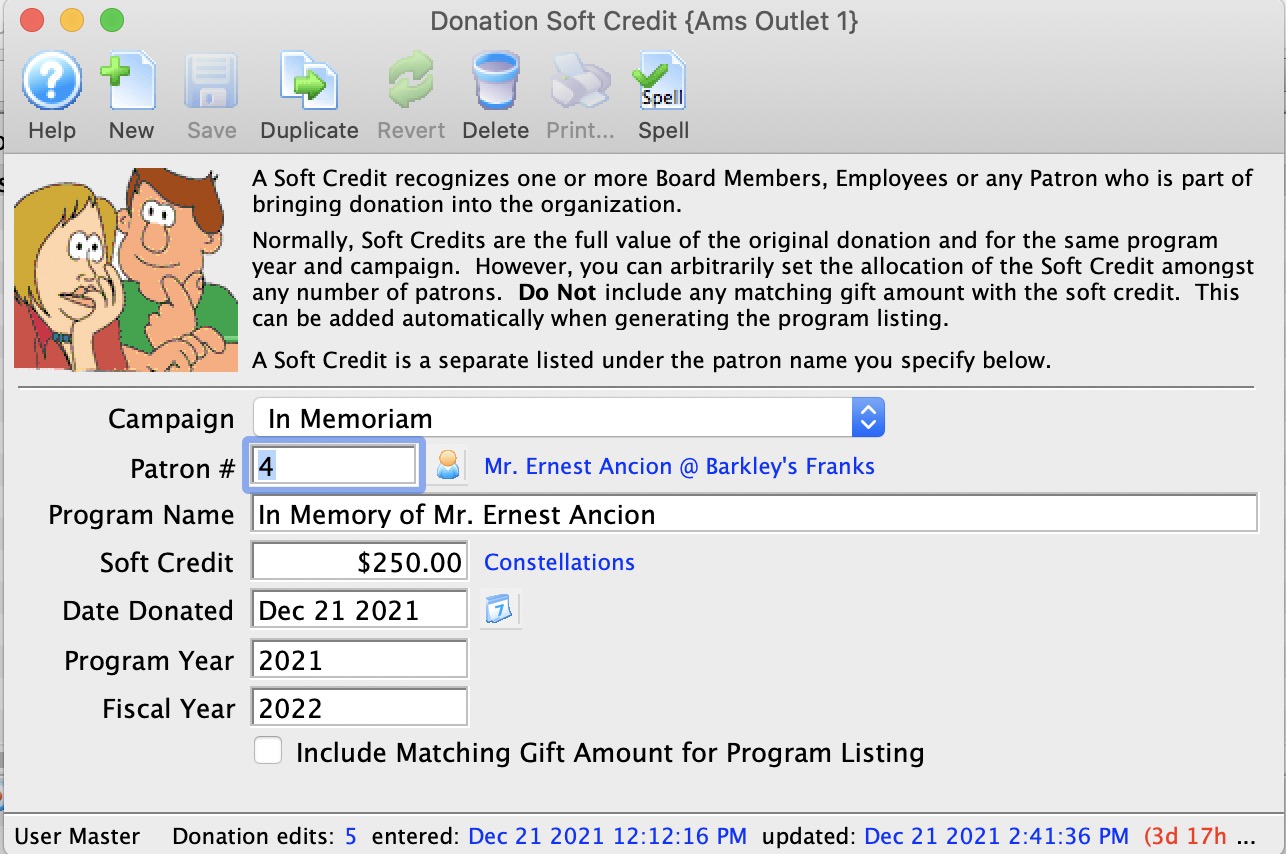
Alter the values as required.
- Click the Save
 button.
| Patron # | This is the Patron account that you wish to add a soft
credit for. You can use the  button to access the list of records to find the patron.
 |
| Soft Credit | This is the amount of the soft credit that you wish to add. This assigns a giving level to the credit. |
| Campaign | This allows you to set the soft credit for a different campaign than the original donation. This allows you to have a corporate donation, but the person who solicited the donation will be getting the soft credits, which can appear on an individual campaign |
| Program Year | Allows you to determine which program year this soft credit will apply to. This is the year that this soft credit will appear in the Program Insert. |
| Fiscal Year | Allows you to determine which program year this soft credit will apply to. This is the year that this soft credit will appear in the Program Insert. |
| Include matching gift amount... | This allows you to determine whether or not to include the matching gift amount when determining program list recognition. |
| For Quick Reference Soft Credits, You can download: Screencasts (online video demonstrations of the functions with narration) |
 Flash |
Mp4 |

Diataxis: