
Main menu
You are here
Gift In Kind

Gift in Kind is a donation of gift or services rather than money. For example: the donation of a computer or other office equipment, building materials and paint supplies for props, clothing for wardrobe or the donation of one's time. There is a perceived value for these goods and services which can be considered a donation and are subject to a receipt for tax purposes.
- Open the Patron Record.
For details on locating a Patron Record click here.
- Click the Donation
 tab.
tab.
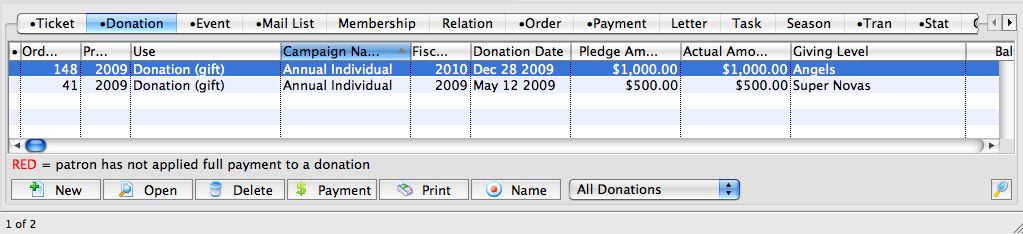
- Click the New
 button.
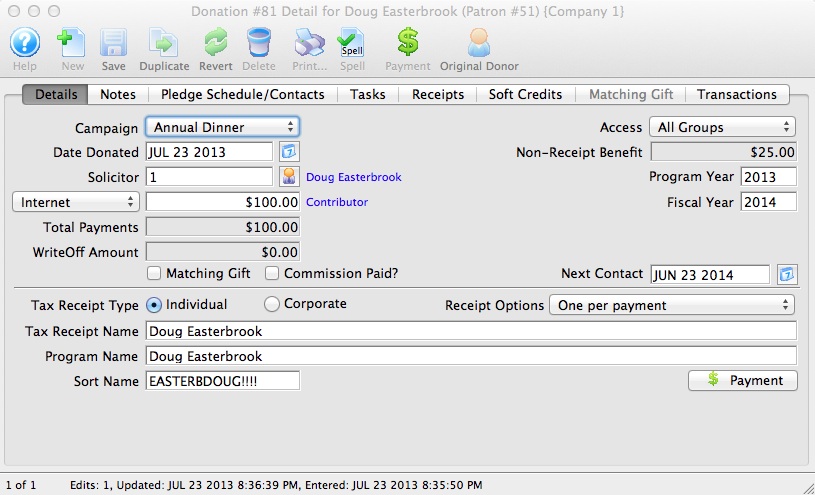
- Select the Donation Campaign from the drop down.
- Fill in the Donation Amount as the appraised amount of the gift.
- Enter remaining information.
- Click the Payment
 button.
This opens the Order Payment window.
- Select Gift in Kind from the Payment Method drop down menu.
>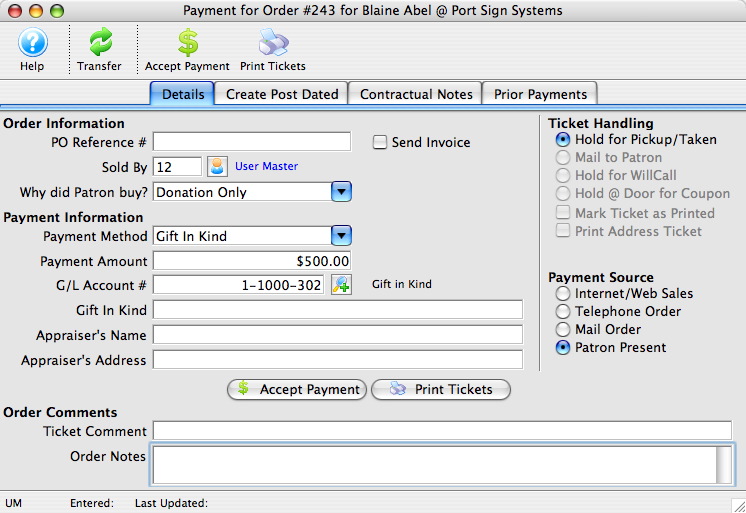
- Enter a description of the Gift In Kind, the Appraiser's Name and the Appraiser's Address for reference.
This information may be required for auditing purposes.
- Click the Accept Payment
 button.
- Close the Donation Detail Window
The gift in kind donation will now appear on the Donation List window. Details on the payment type can be seen under the Payment
 tab.
tab.
| For Gift In Kind Quick Reference, You can download: Screencasts (online video demonstrations of the functions with narration) |

Flash |
Mp4 |

Diataxis: