
Main menu
You are here
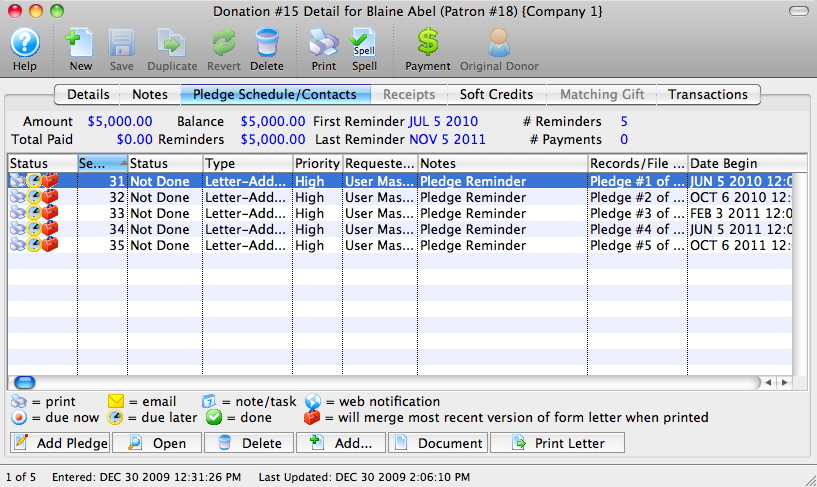
Pledge Schedule

A Pledge Schedule allows you to assign pledge reminder letters to a donation, so that at a certain time (weekly, monthly, quarterly, etc.) you can print letters reminding donors that their payments are due.
To set up a pledge schedule, you perform the following steps:
- Open the Pledge Schedule/Contacts
 tab in the Donation Detail window.
Click here to learn more about adding pledges.
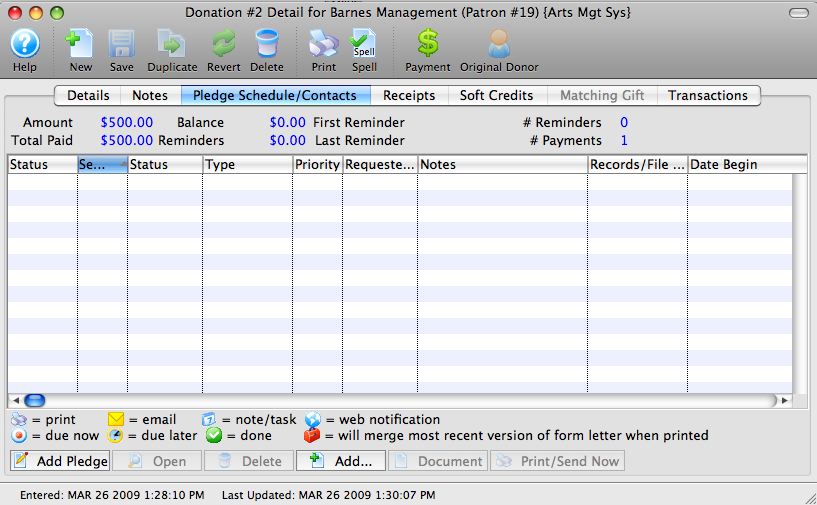
- Click the Add Pledge
 button.
The Donation Pledge Reminder Setup window opens.
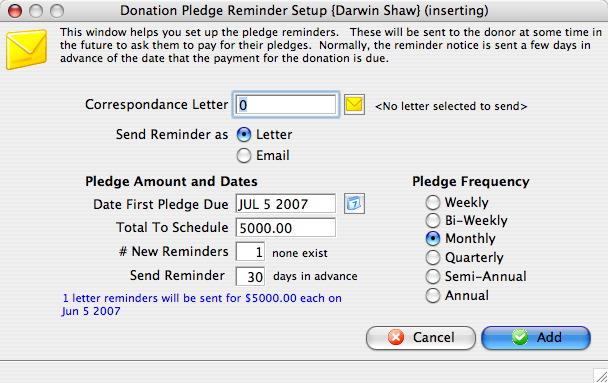
Correspondence Letter Select a letter to be sent as the reminder. Send Reminder as Choose to send pledge reminders as a letter or an email. Date First Pledge Due Date the first reminder will be sent. Total To Schedule Amount added to the pledge schedule at this time. # New Reminders Number of pledge reminders to be added to the donation. Send Reminder Number of days ahead of the pledge due date the letter should be sent out. Pledge Frequency Amount of time reminders are to be spread out over. - Click the Letter Search
 button.
The Form Letter Selection window will open.
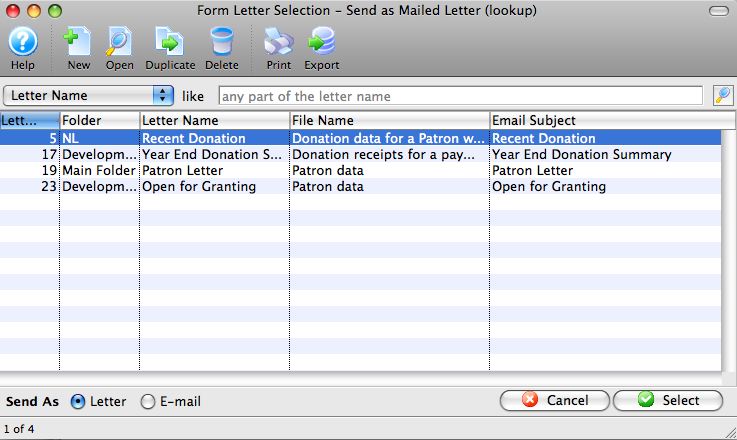
- Select a Form Letter.
Single click on a letter to select it.
- Click the Select
 button.
- Alter the remaining values as required.
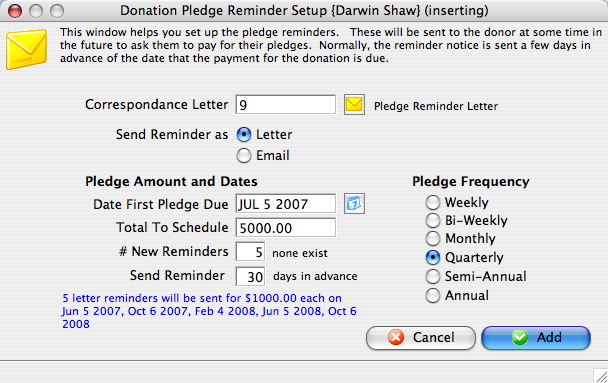
- Click the Add
 button.
| For Quick Reference Pledge Scheduling, You can download: Cheatsheets (1-2 pages) and
Screencasts (online video demonstrations of the functions with narration) |
Cheatsheet |
Mp4 |


Diataxis: