
Main menu
You are here
How to Toggle Between Individual and Company Donations

|
There MUST be a company name in the patron record for a donation to become a Corporate donation. |

You have discovered a donation and receipt for an individual should have been made in the individual's company name. In Theatre Manager, if the donation is not printed (or you unprint it), you can easily change from:
- an individual to their company
- the corporation to the individual, -or-
- one individual name to another in the household
Please be aware of Revenue Canada's Policy Commentary CPC-010 for legal interpretations regarding the donor name in Canada.
For quick reference information, see the following information on Toggling Between Individual and Corporate Donations.
|
For quick reference information on Toggling Between Individual and Corporate Donations |


To toggle between corporate and individual donations, you perform the following steps:
- Open the donation.
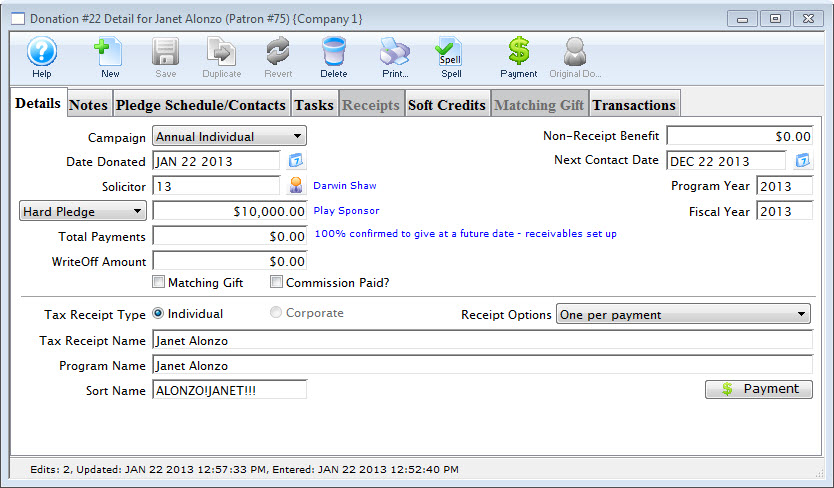
Click here for more information on how to open the donation.
- Click the Receipt Tab.
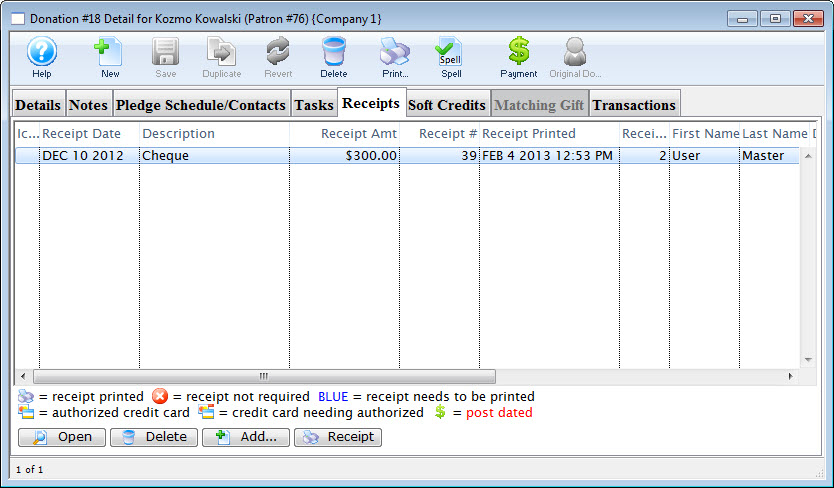
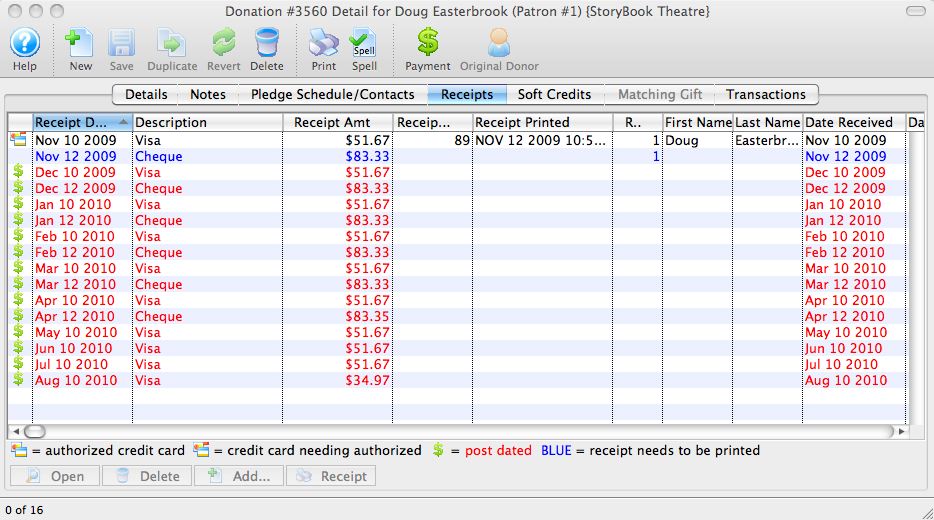
- Double-click on the receipt to apply the changes to.
The receipt detail window opens.
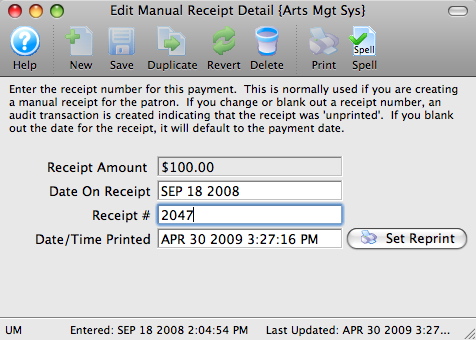
- Click in the Receipt # box and delete the number.
The date will automatically clear from the Date/Time Printed field.
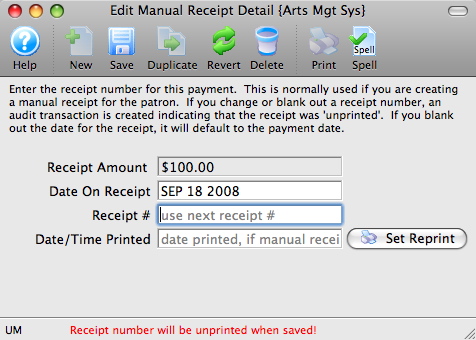
- Click the Save
 button.
Repeat Steps 3 - 5 for every receipt listed for the donation (if there is more than one).
- Close the receipt detail window.
- Tax Receipt Type: Click the button to change who the donation and receipt is applied to.
Click Corporate if you are switching from an individual donation to a company donation.
Click Individual if you are switching from a company donation, to an individual donation.
When you click the appropriate tax receipt type, the Tax Receipt Name, Program Name and Sort Name fields will switch to the company/individual name.