
Main menu
You are here
Payment Window

 |
This section describes the payment processes. Click if you would like to see the general features of the order window and selling other things.
|
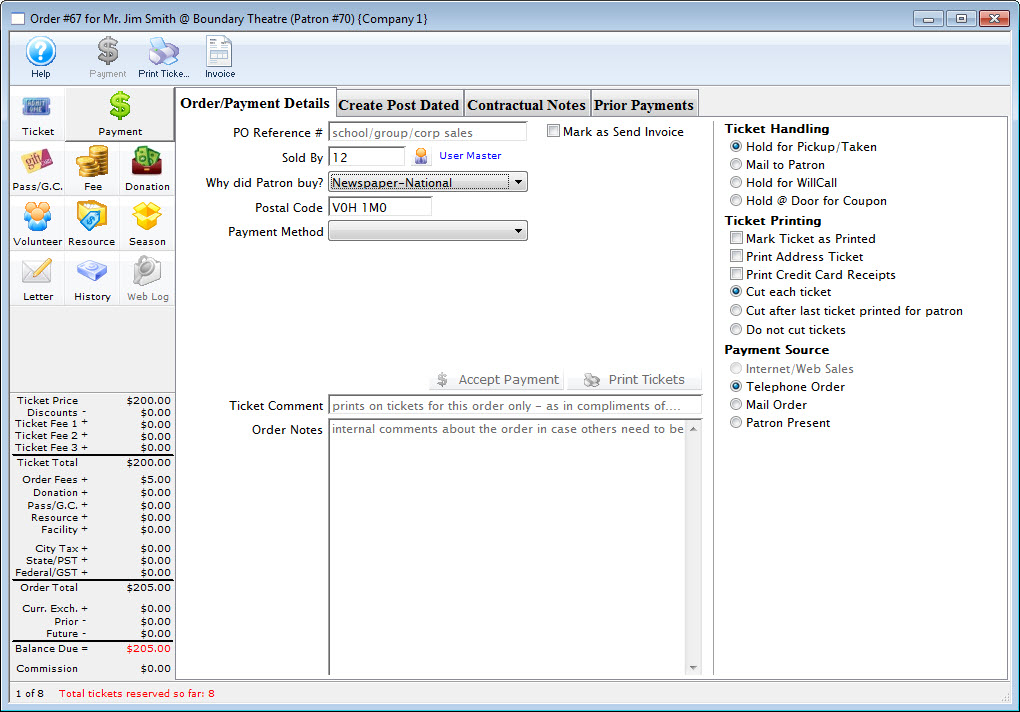
The payment window has four tabs. These are:
| Order/Payment Details |
Allows entry of key data about the order such as:
|
| Create Post Dated |
This allows for several future payments to be added to the order so that it can be paid off over time. Typically these payments will be:
Click here for a complete description of the Create Post Dated tab. |
| Contractual Notes |
Contract information is used to:
|
| Prior Payments | Displays any payments that have previously made on this order. |
Diataxis: