
Main menu
You are here
Options Tab

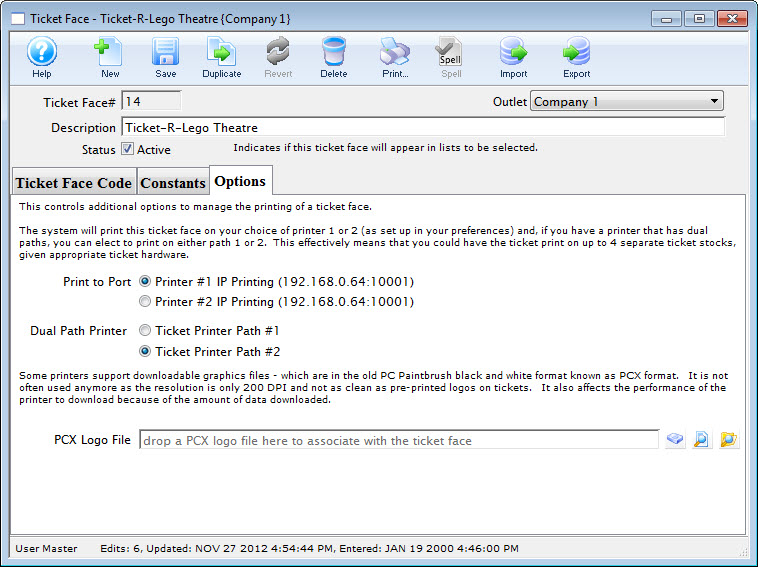
Parts of the Options Tab
Print to Port |
|||
| Printer #1 | Option 1 for ticket printing. Any ticket printed using this ticket face will be sent to the printer specified in the hardware setup as printer #1
This allows you to print a batch of tickets to two printers with different stock in them, depending on the event purchased. Printers do not have to be identical types or models or ports. |
||
| Printer #2 | Option 2 for ticket printing. Any ticket printed using this ticket face will be sent to the printer specified in hardware preferences identified as printer #2.
This allows you to print a batch of tickets to two printers with different stock in them, depending on the event purchased. Printers do not have to be identical types or models or ports - they have to be the same manufacturer. |
||
Dual Path Printer |
|||
| Ticket Printer Path #1 | Port 1 on the ticket printer. Select this option if the ticket should print to this port. | ||
| Ticket Printer Path #2 | Port 2 on the ticket printer. Select this option if the ticket should print to this port. | ||
Logo |
|
||
| PCX Logo File | File name of the logo to be printed on the ticket | ||
 |
Search button to locate the logo file. | ||
 |
Opens the logo in it's designated program for viewing. | ||
 |
Opens the folder the logo resides in. | ||
