
Main menu
You are here
Adding Performances

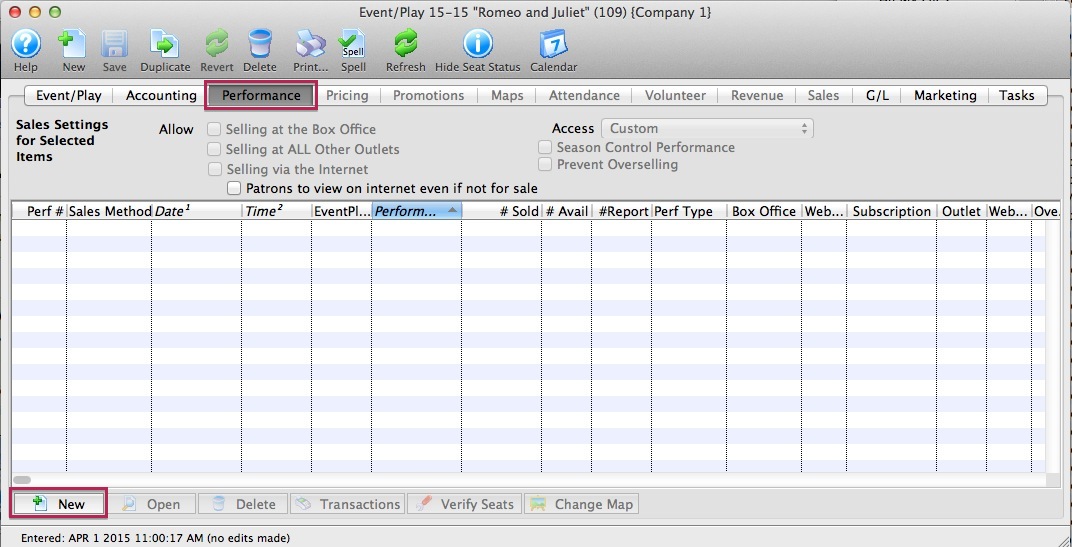 Once you have created an event you can add the performances to sell tickets to.
If you have:
- created your event, refer to the add performance wizard that guides you through the process.
- Click on the New button on the performance tab to start.
- not yet created an event, click to learn how to create an event
There a subtle difference when the actual ticket inventory is created.
Reserved Seating
Tickets are created at the same time as the performance is created. One ticket is created for each seat in the theatre so that tickets always exist for every seat. This ensures that there can never be a double seating issue!
All other sales methods
Tickets are created at time of sale and a ticket can represent an admission of a number of people (e.g. admit 10). If a ticket always represents one admission, the number of tickets created will be similar to reserved seating.
Diataxis: