
Main menu
You are here
Creating an Event for Traveling Troupe Performances

Theatre Manager has a Performance Type/Sales Mode for Traveling Troupe performances. It is a method to record each run-out performance traveling group does, including the income from the run-out, activities of the group while they're traveling, and attendance/demographic data about the audience.
There are a few steps to setting up a Traveling Troupe performance.
- Create an Event under which to add the performances.
Typically, all traveling troupe performances are recorded under one Event. For step-by-step instructions on setting up events in Theatre Manager, click here.
- Assign a map to the event.
The traveling troupe method only sells 1 "ticket" to the venue contact for the show, so it does not matter which map is assigned here. Location details are filled out on a per-performance basis, so the map location/seats/etc are truly immaterial to this particular Event.
- Fill out the Accounting Tab with the appropriate accounts for the income from the various run-outs.
- Select a Genre from the dropdown list on the Marketing tab.
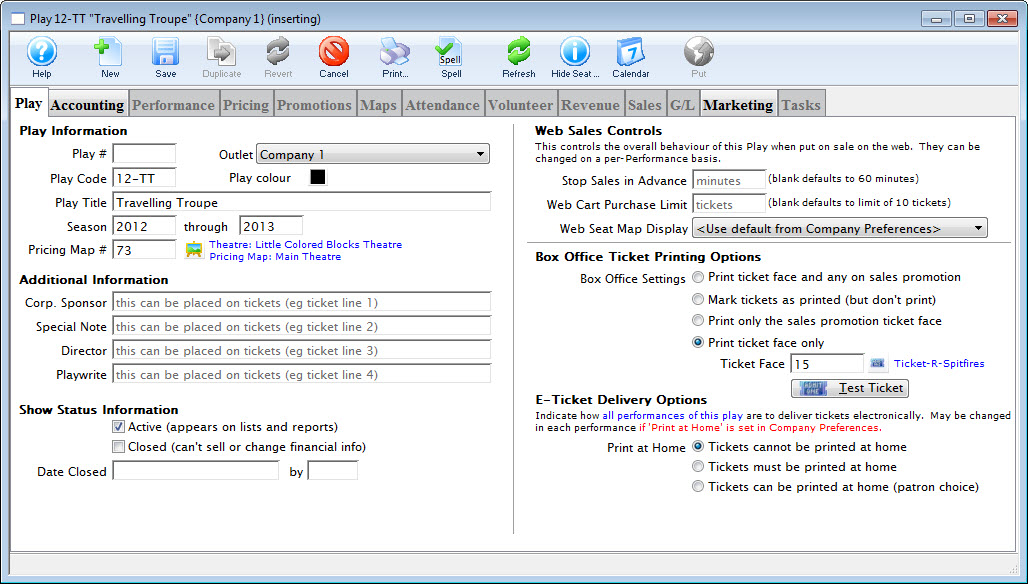
- Click the Save
 button.
 - On the Performance tab, click the New
 to add a new performance.
You can start with just one or as many as you'd like. The traveling troupe sales method allows for quick adding of performances directly from the sales window, so not all shows need be set up at once.
- Select "Traveling Troupe" for the performance type.
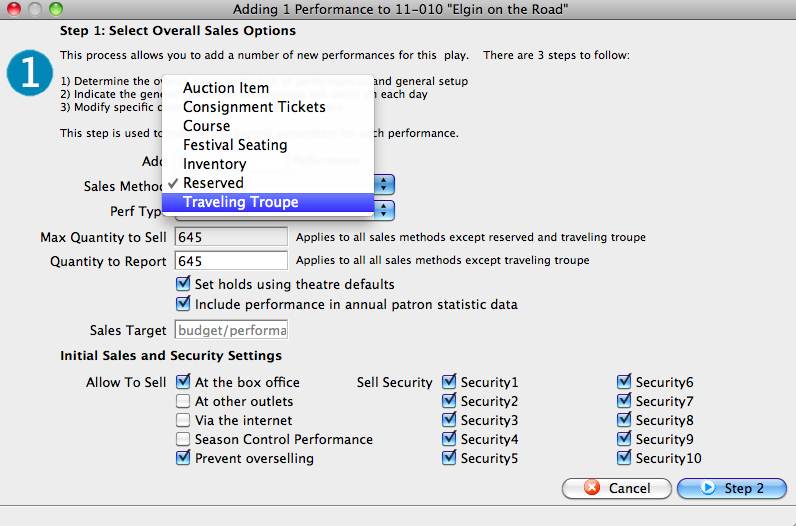
This "triggers" Theatre Manager to display the traveling troupe sales window when you sell the performance. For more information about creating Performances, click here.
- Set up a promotion to use for traveling troupe performances.
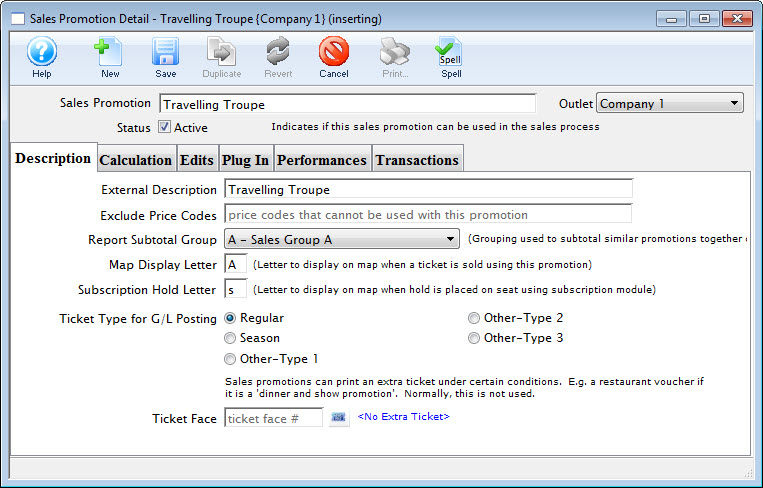
Tickets and revenue for all the performances will need to be recorded under a promotion, so it is best to set one up for the specific use.
The calculation could be for $0 (a comp) because the sales process allows for an override of the cost of the performance to match the contracted amount for the show. For instructions for creating promotions, click here.
There is an option in Setup >> System Tables >> Code Tables used in the Traveling Troupe sales process to record important activities/times for the chamber group (call times, rehearsals, etc).
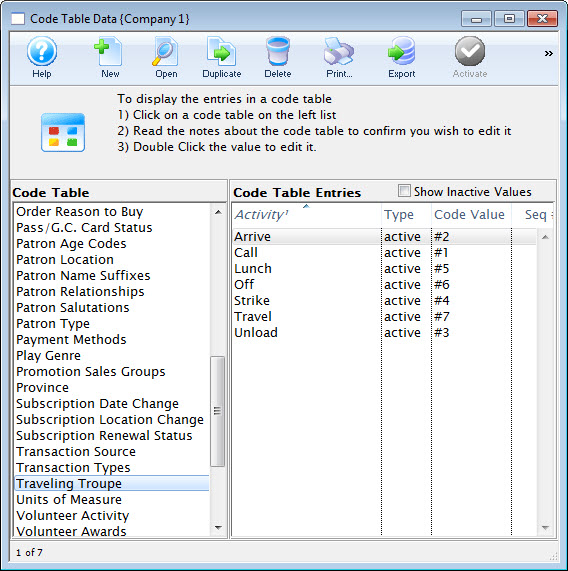
For information this option in code tables, click here. To learn how to add values to code tables, click here.
- Set the access for the employees who will be selling the traveling troupe performances.
Go to Setup >> Users and Access >> Employee List. Revise the employee access settings revised to include the ability to adjust the price of the performance.
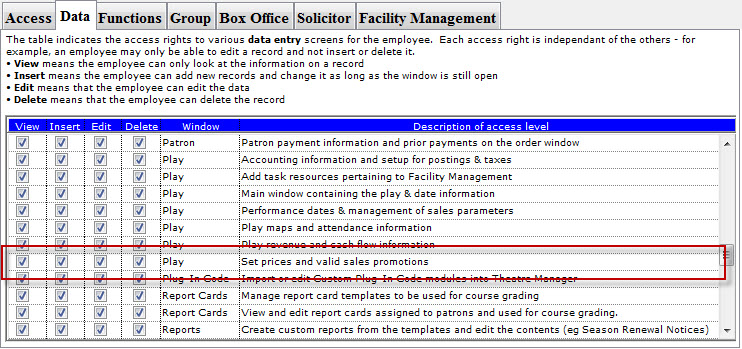
Select the employees one by one.
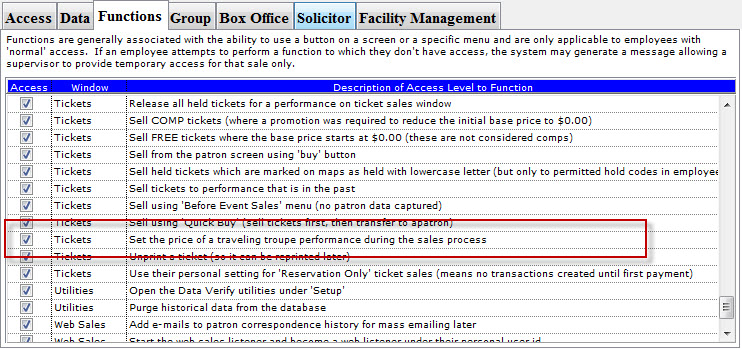
- On the Functions Tab of the access settings, ensure the employee(s) have a check next to Ticket Sales - Set the price of a traveling troupe performance during the sales process.
- Then you sell the performance to the road venue, using the primary contact at the venue as the patron to whom the performance is sold.
For instructions on how to do so, click here.
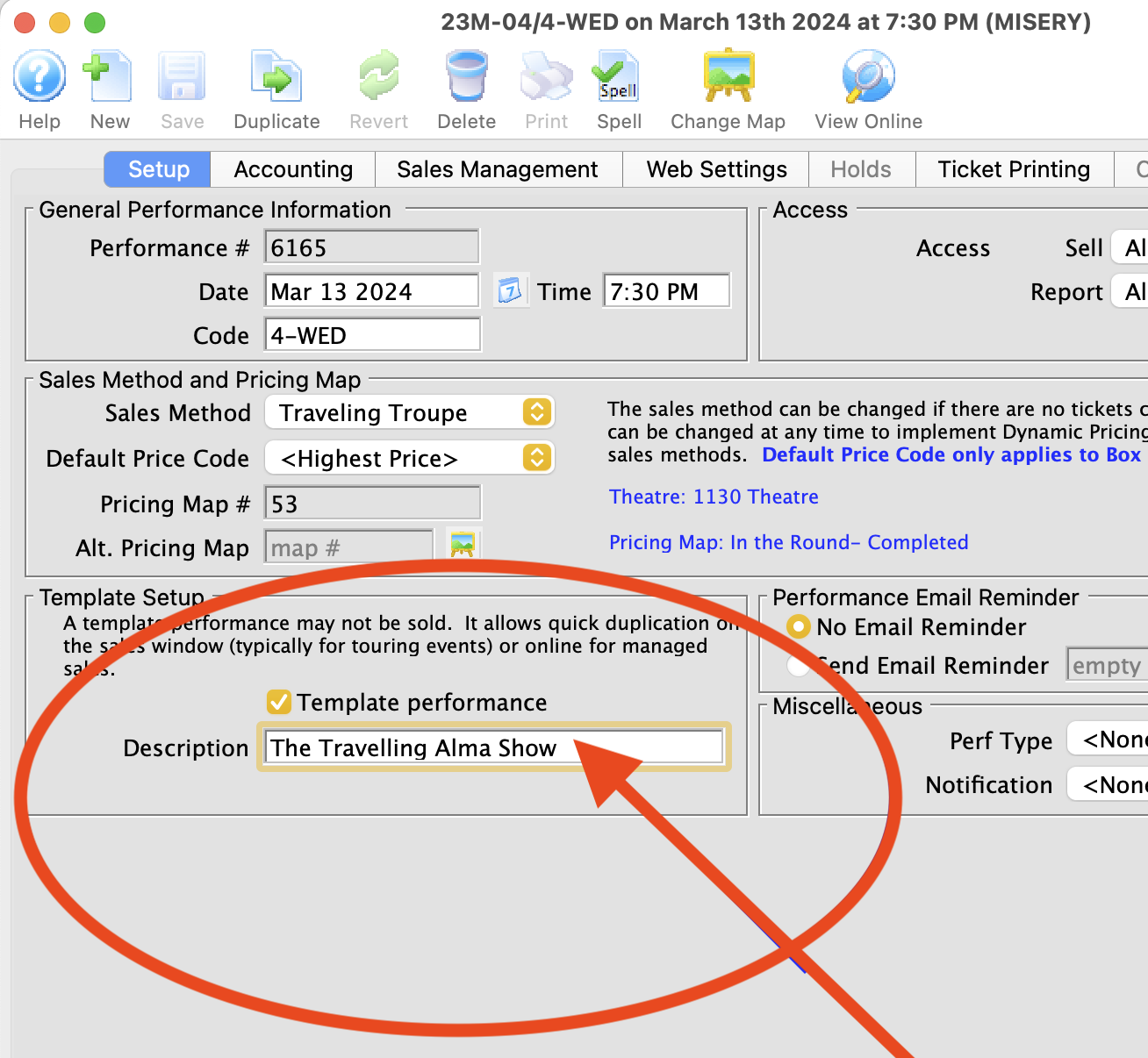
- Creating a Travelling Troupe Performance (just for the purpose of the template)
- Next, go to the performance setup tab >> On the Template Performance Section, check the template performance checkbox and enter a description.
You can also add performances on the fly from the Order window. Highlight the Travelling Troupe performance, from the right-click menu, choose New performance.
or
Click the Add Play button in the Order window toolbar / ribbon bar.
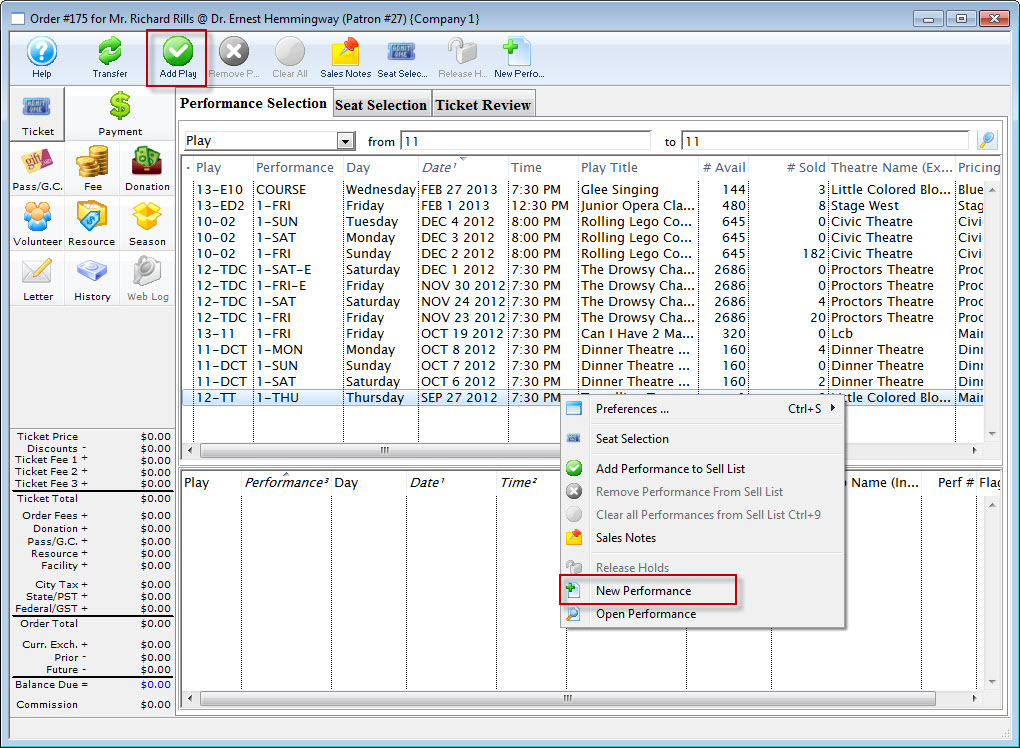
Note: Adding performances on the fly from the Order window requires the creation of a Performance Template with a future date that can be duplicated.
A Performance Template can be setup by;