
Main menu
You are here
Renewing Memberships, Passes and G/Cs

This feature is used when a member type has been set as renewable. Once the membership has expired the patron can renew it and Theatre Manager will maintain the same control number. Once a membership has been renewed, the History Tab in the Membership Detail Window will be accessible. The tab contains the history of membership.
In most cases of Flex Passes and Gift Certificates, Memberships should not be renewed. A new Flex Pass or Gift Certificate is simply sold to the patron.
In cases where there is an ongoing membership, such as a guild, league, or other membership for a special designation (generally "Can't Buy A Thing" or "Use Promotion" memberships), then renewing an existing membership is a viable option.
- Locate the patron who's membership needs to be renewed.
For details on how to locate a patron click here.
- Click the Membership
 tab.
tab.
- Select the Membership you want to renew.
- Click the Open
 button.
The Membership Detail window opens.
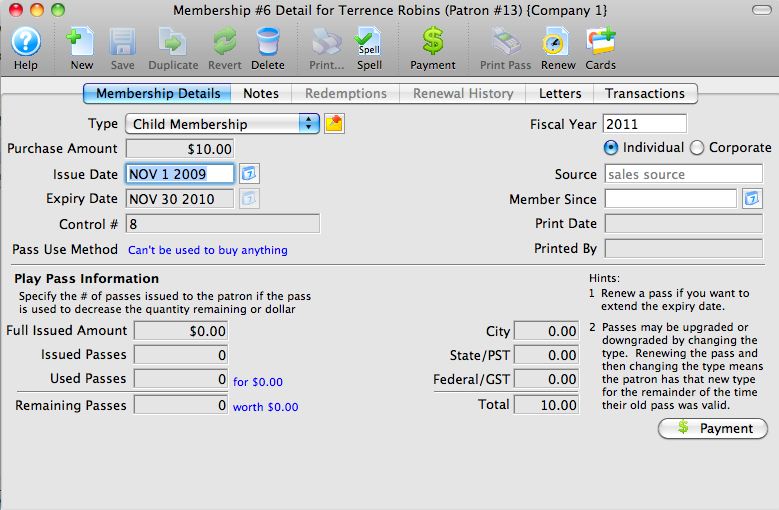
- Click the Renew
 button.
The renewal confirmation window opens.
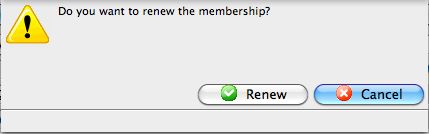
- Click the Renew
 button.
The renewal reminder window opens.
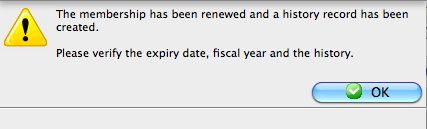
- Click the Ok
 button.
- Click the Payment
 button.
Process the payment. For more information on processing payments click here.