
Main menu
You are here
Editing Membership, Pass, G/C

The following describes how you can insert or edit a pass, membership or gift certificate.
- Open the Patron Window.
Click here to learn how to access this window.
- Click on the Membership
 tab.
tab.
Click here for more information on this tab.
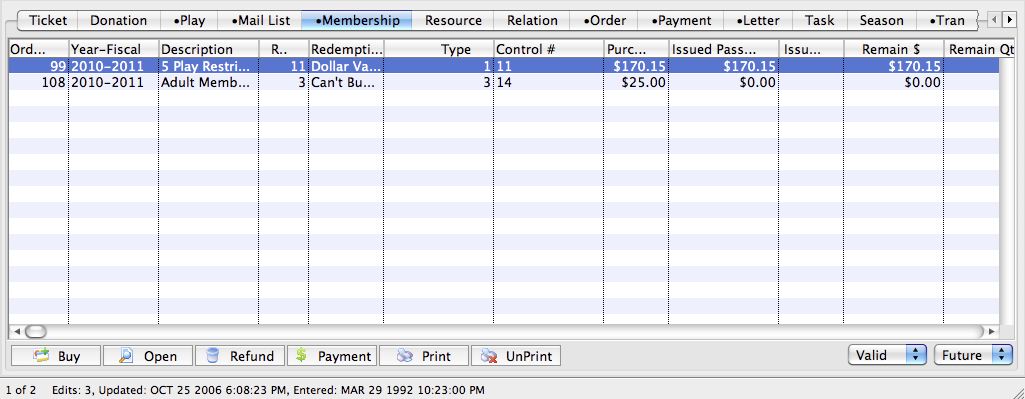
- Select the Membership, Pass, G/C to be edited.
Single click on a Membership, Pass, G/C to select it.
- Click the Open
 button.
This will open the Membership Detail window.
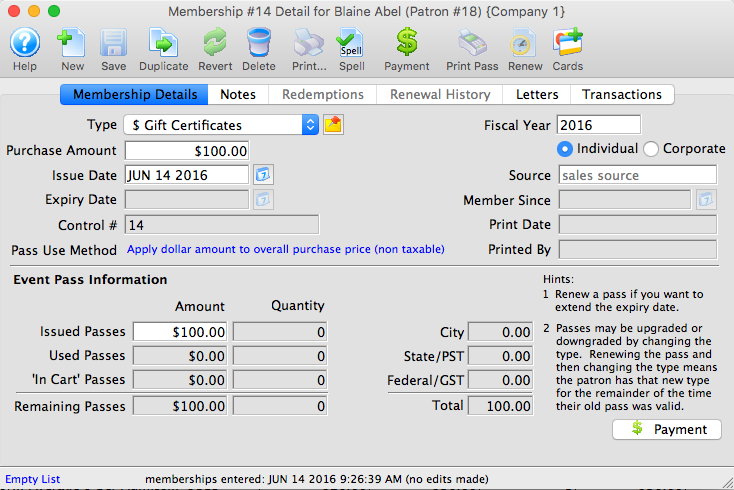
- Edit the data as needed.
Click here to view a description of all the data options under each tab.
- Click the Save
 button when changes are complete.
The changes are saved and the Membership, Pass, G/C window can be closed. Clicking the Revert
 button
will abort any changes made to the membership.
button
will abort any changes made to the membership.
Diataxis: