Where did money get refunded to?
Where did money get refunded to?
- a gift certificate
- a donation
- being left on account, or
- actually refunded to the patron?
It is a very good question. There is no one report that can tell you all this, primarily because of the fundamental nature of how accrual accounting works. But if you refund to donations or gift certificates, there is a way get reports for this
 |
Before you do any refunding, please make sure to set up gift certificates and donation campaigns to track refunds appropriately if you are not giving money back.
Do not leave the order on account. |
 |
Theatre Manager uses accrual accounting. In simplistic terms, it means a payment only pays down the balance of an order - you cannot tell how a particular ticket was paid for. Please read a detailed explanation
When trying to report on refunds, a similar dilemma occurs. If you refund some tickets in an order that contains donations, passes, or other items, you cannot tell exactly what the refund was for, since it only decreases the balance payable on the order to the patron. |
The following sections describe:
- A quick outline of what happens in accrual accounting during a ticket refund
- How to best track what money was refunded to (gift certificate, donation or refund)
- The 3 key report areas/data sources that can be used to determine how you gave money back
What happens to accounting during a ticket refund?
What happens to accounting during a ticket refund?
- Refunding one or more tickets causes:
- you to owe the patron something in return -and-
- until you SELL them something, the order will have a balance owing. This shows up throughout order and patron lists in Theatre Manager in blue.
- To address the order balance payable to the patron, you need to one of the following to convert the payable owed the patron:
- convert the order balance payable to a donation, - or -
- convert the balance payable to a gift certificates -or-
- give the patron money (cash or refund to credit card)
|
Before you do any refunding, please make sure to set up gift certificates and donation campaigns to track refunds appropriately if you are not giving money back.
Do not leave the order on account. |
|
You can tell how much you refunded to an event using the Transaction history by event report (see also the youtube video explanation).
However, this report only tells you how much you refunded, and not what you refunded money to. |
|
You can refer to reports that show where money went if you've refunded tickets to passes, gift certificates and/or donations. |
How should we best track what we refunded money to?
How should we best track what we refunded money to?
|
VERY IMPORTANT: At a minimum, we suggest refunding the money to gift certificate or a donation that you give a very specific name to - which can then be tracked.
The mass refund of tickets option supports return to gift certificate or donation. Do not leave the order on account. |
|
EQUALLY IMPORTANT: If you want to track refunds by event, make a separate donation of gift certificate for each event that you are refunding and take care to refund only tickets to the appropriate campaign or gift certificate. |
By way of short example:
If you create one or both of these below, then refund tickets and buy:
- a gift certificate called COVID certificate, you can track refunds to passes by counting the passes.
- donation campaign called COVID donation campaign, you can track refunds to donations by looking at this campaign
What reports can I use to see where money went?
What reports can I use to see where money went?
|
If you refunded all tickets to donations or gift certificates, you can get an accurate sense of what you exchanged things to using a report from one of three report categories:
|
|
Any difference between ticket refunds and purchases of gift certificates/donations means that the patron received their refund by cash/card/or check. |
Finding where your money is
| How much ticket money was refunded? |
If you want to simply find the total value of tickets refunded and who you refunded them to refer to the transaction history report
If you want to see how much you refunded on a daily basis or by event, use
|
| How much was returned to gift certificates? |
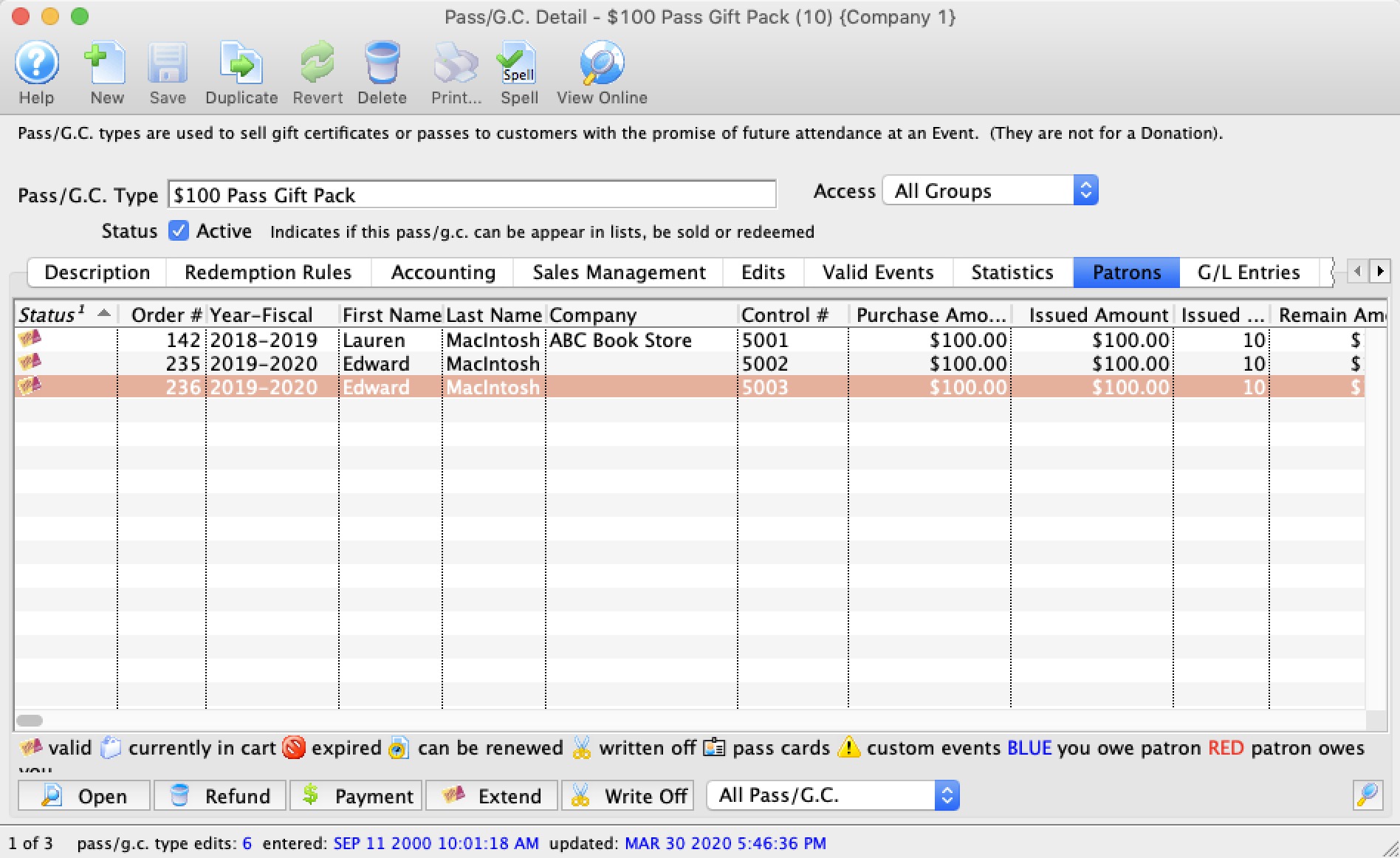 On the Gift Certificate patron tab you can see an accurate list of the patrons that have been given the gift certificate for their ticket return. You can use this data to:
|
| How much was returned to donations? |
 In the donation campaign donation tab, you can see a list of all donors whose tickets were returned for donations. You can use this data to:
|
| How much was returned to cash or credit card? |
Very simply, the difference of the
Total Ticket Refunds - Total Donations to COVID campaign - Total purchases of COVID Gift Certificates = Total Refunds to Cash and Credit Card. Ultimately accounting reports in your accounting system should tell you the net difference because the data comes changes to your accounts. These can be backed up with the GL reports, the daily sales summaries and the other reports mentioned above. |
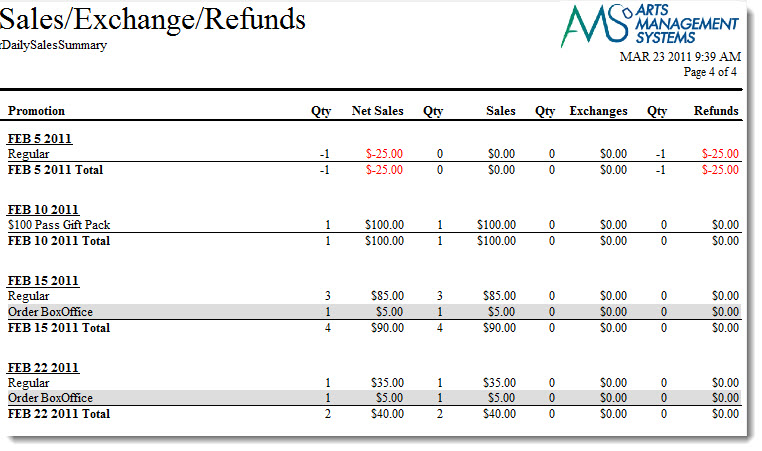
Finding the total value of tickets refunded
Finding the total value of tickets refunded
Some key ones are:
- Transaction History By Event - as explained by the youtube video in this page (click to see in youtube) This one is quite relevant since it shows all the refund transactions with the detail who you refunded to
- If you are only interested in totals for some events, some of the other transaction based reports might be better suited. Be sure to provide appropriate criteria for the report such as:
- The date range after after which you want to consider transactions - eg all transactions after a certain date
- Only look at the ticket refund transactions
|
Please read the steps of cancelling an event for more information |
|
If you have refunded some of the tickets to a donation or a gift certificate and want to find out the amount returned to the patron, then:
Total tickets returned - total donations purchased (for ticket return) - total gift certificates purchased (for ticket return> You can get all this from transaction reports. |
What if I didn't use Passes or Donations to track Refunds
What if I didn't use Passes or Donations to track Refunds
|
Before you do any refunding, please make sure to set up gift certificates and donation campaigns to track refunds appropriately if you are not giving money back.
Do not leave the order on account. |
|
HOWEVER: if you did not:
|
I just refunded tickets and left the orders on account
If you just left your orders on account when doing tickets refunds, you will have a lot of orders or patrons that show:
- in blue on the Receivables Window -or-
- negative on the Receivables Report
- Double click on the order that is blue (showing you owe the patron money)
- If you are sure this is from a ticket return and there are no other orders with this patron's name on it, refer to refunding to an individual patron and add one of following to take up the balance:
- Gift Certificate or Pass
- Donation - if the patron indicates that is their intent
- Refund the money - if the patron indicates that is their intent.
I didn't use a specific pass and I should have
If you didn't make a new gift certificate or pass to track ticket refunds for COVID, then:
- make the appropriate pass/gift certificate to suit your needs.
- find the patrons you used the incorrect or hard to track pass for:
- Edit the pass
- Change to your new, easier to track Pass/Gift Certificate Type (make sure its the same redemption type as the old one)
I didn't use a specific donation campaign and I should have
If you didn't make a new donation campaign to track ticket refunds for COVID, then:
- make the donation campaign to suit your needs.
- find the patrons you used the incorrect or hard to track campaign for:
- Edit the donation
- Change the campaign to your new, easier to track donation campaign.