
Main menu
You are here
Creating Giving Levels

To create a new Donation Giving Level, you perform the following steps:
- Open the Donation Giving Levels window.
Click here to learn how to access this window.
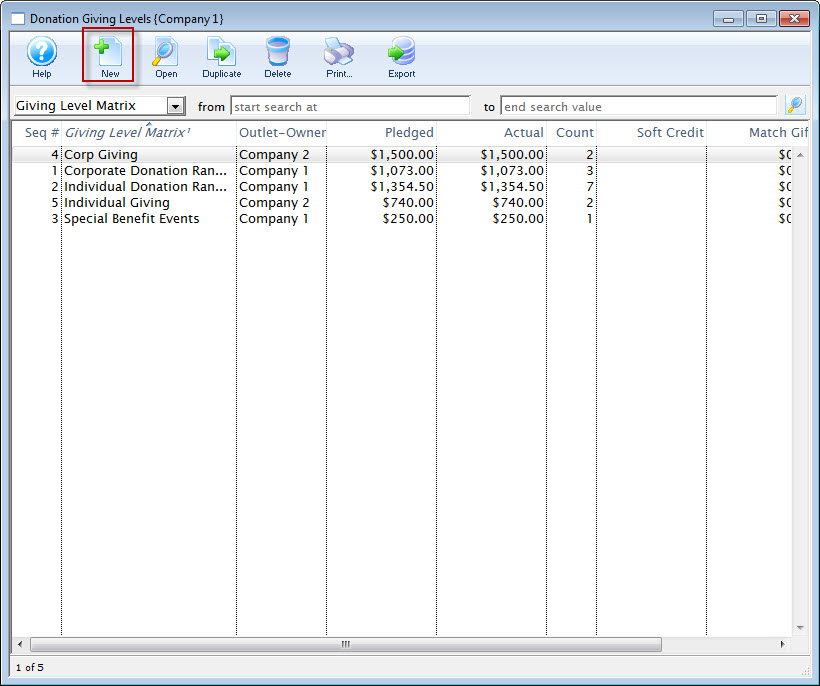
- Click the New
 button.
The Giving Level Detail window opens.
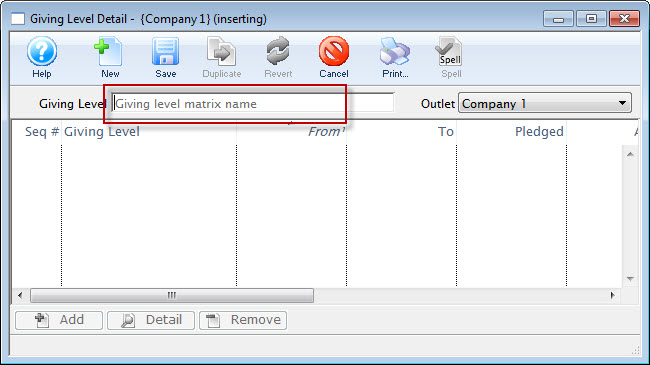
- Enter a name for the Giving Level.
- Click the Save
 button.
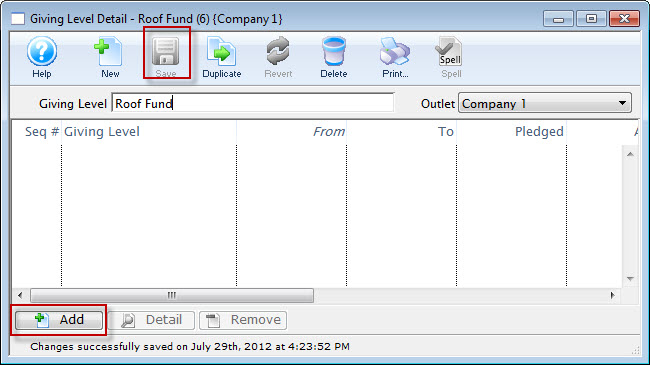
- Click the the Add
 button.
The button will become accessible once you have entered a matrix name.
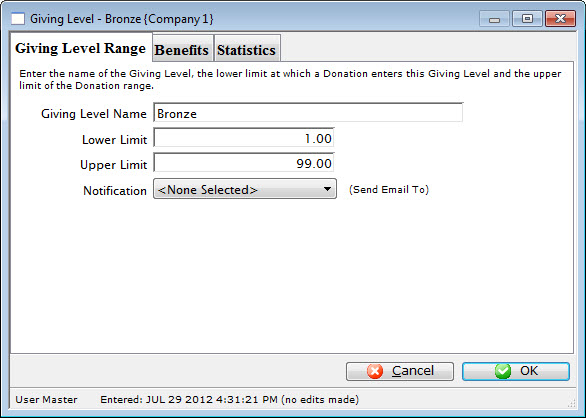
The Giving Level window opens.
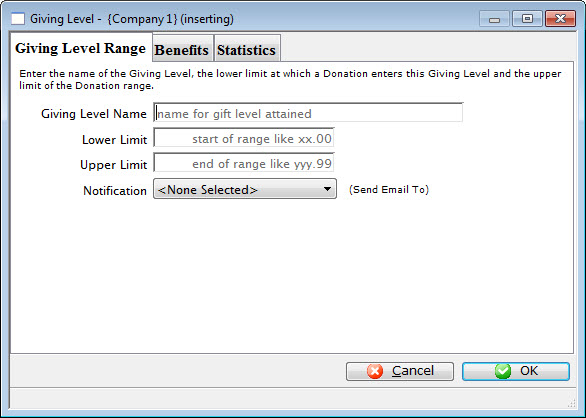
- Enter the name of the giving level.
i.e. Bronze
- Enter the lower limit of the giving level.
i.e. 1
- Enter the upper level of the giving level.
i.e. 99
- You can also select a Notification to be sent, by clicking the Drop Down List.
- On the 'BENEFITS' tab, you can:
- enter a description of the benefits associated with the giving level
- specify the non-tax-receiptable portion of the donation.
- For example, a give at the $100 level may include a dinner valued at $25, so the $25 would be entered as the non-receiptable portion
- In this way, you can assign different non-receiptable amounts and benefits at each giving level
- Click the Save to save the giving level.
- Repeat this procedure to add the different giving levels
Example Matrix:
- Bronze $ 0.01 - $99.99
- Silver $ 100.00 - $499.99
- Gold $ 500.00 - $999.99
- Platinum $ 1000 - $1000000.99
Diataxis: