Main menu
You are here
Shopping Cart Detail

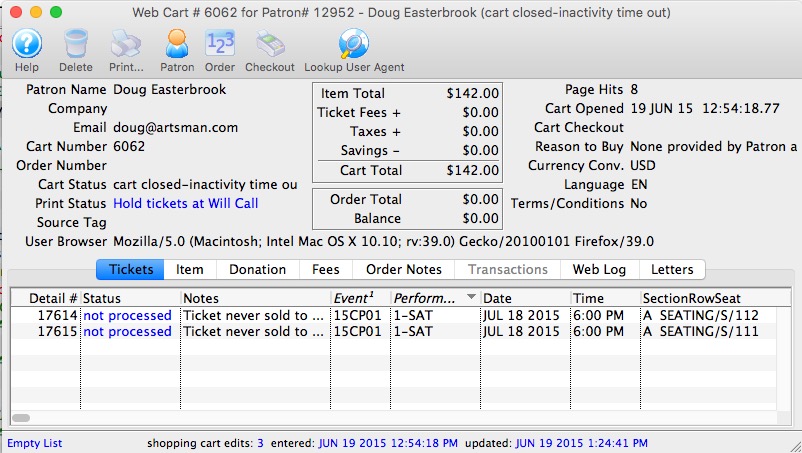
The shopping cart detail window shows what was in the patrons shopping cart and allows you do do some specific things for the patron. Each of the tabs is shown in separate sections.
On the main window, most of the fields deal with the status of the cart and its value. There are two other fields of particular interest:
- Source Tag - which is a convenient way of tying back how people started the shopping cart. This can be used to determine how many people bought from an eblast, or another web site referral -- if the &TMsource=xxx tag is placed on the referring URL.
- User Browser - is the complete string indicating the browser version, platform and application that was talking to the server. You can tell if somebody used a mobile phone, ticket trove, safari and/or a mac, PC or linux machine to talk to the web listener. Refer to the Lookup Use Agent button below.
The Toolbar works as follows:
- Help - Provides help
- Delete - allows a cart with no detail to be deleted
- Print - print some of the lists from the cart
- Customer - if the patron signed in, this will open the patron record for a complete view of the patron. If it is an anonymous cart, you cannot view the patron
- Order - if the patron went through the checkout process, then the cart will be tied to an order. The shopping cart window shows what they wanted to buy - clicking on the 'Order' will open up the order and let you change what they actually bought.
- Checkout - serves two functions, depending on the state of the cart.
- If the cart is 'Active' (and the patron logged in on the web), clicking on the 'Checkout' button will take the cart away from the web listener and add all the items in the cart to an order. At the end, you will be presented with the payment window so that you can ask the patron to provide a credit card.

This helps you assist customers who call in to complete their cart, especially if they are having issues with their card not being accepted or they are uncomfortable providing it online for some reason. - If the cart is 'complete' and already checked out, it is possible that there are some tickets that are still on hold in the cart. This can happen in very rare cases of high server load. If so, then you can complete the process and convert a ticket on hold in the cart to being sold to the patron at the click of a button.
- If the cart is 'Active' (and the patron logged in on the web), clicking on the 'Checkout' button will take the cart away from the web listener and add all the items in the cart to an order. At the end, you will be presented with the payment window so that you can ask the patron to provide a credit card.
- Lookup User Agent - this will
- copy the user agent string to the clipboard automatically for you
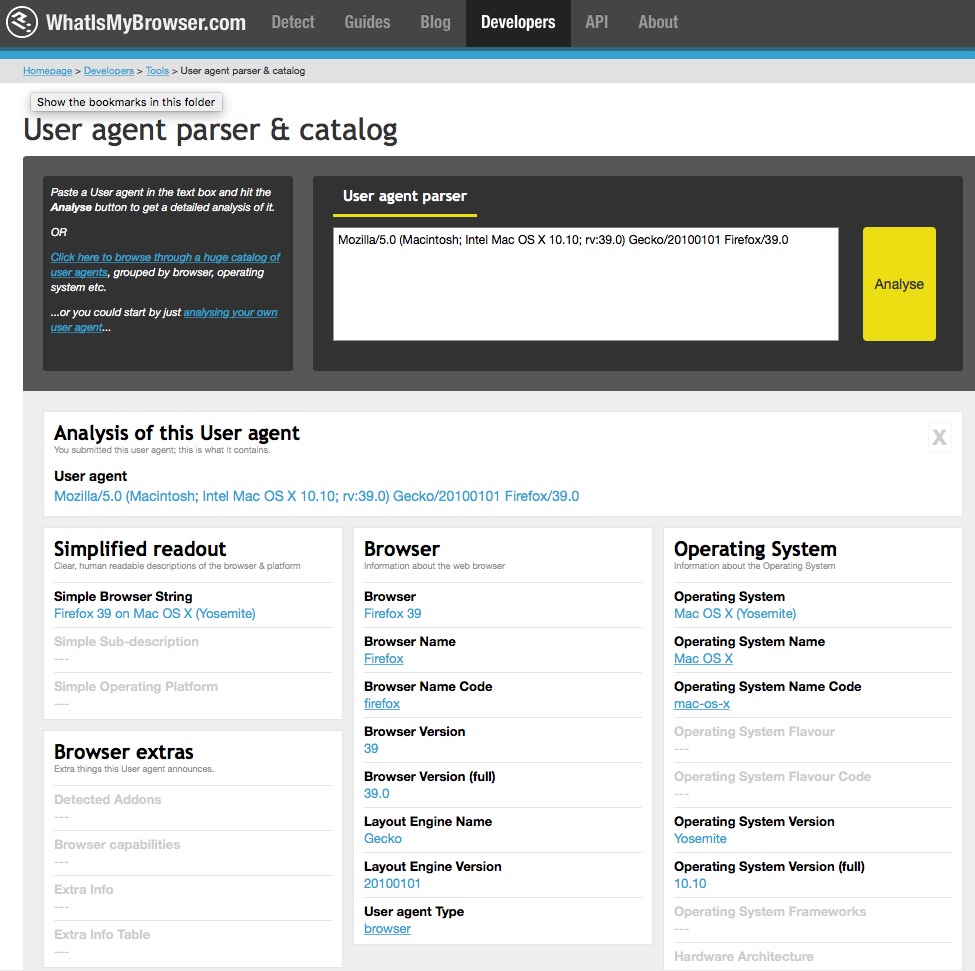
- Open a web site that analyzes what a user string means
- paste in the user string
- Click 'Analyze' and that will interpret what the user string is for you (you can see a sample in the image below).