
Main menu
You are here
Printing Raffle Tickets

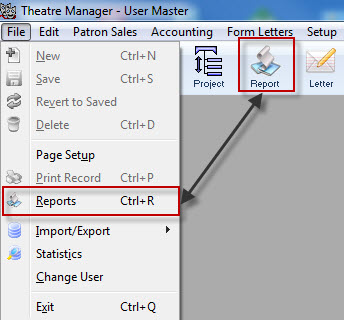
- Select the File >> Reports Menu or click the Reports Button in the main Theatre Manager toolbar / ribbon bar.
The Reports Window opens.
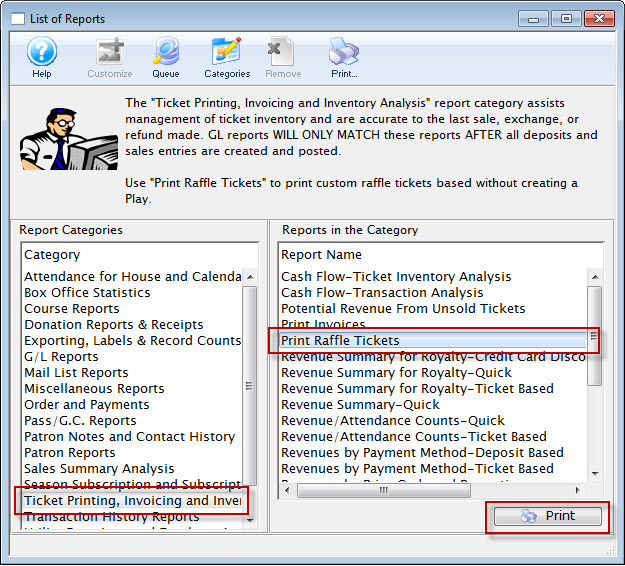
- Select Ticket Printing, Invoicing and Inventory Analysis Section and then Print Raffle Tickets Report.
- Click Print

The Parameters for Raffle Tickets Window opens.
- You must pick a ticket face that is based on tickets and has ticket information on it
- The ticket number that will print is the ticket number field on the ticket face
- Only the fields that are shown below will substitute on the ticket face. Any other specialized information must be hard coded on the ticket face
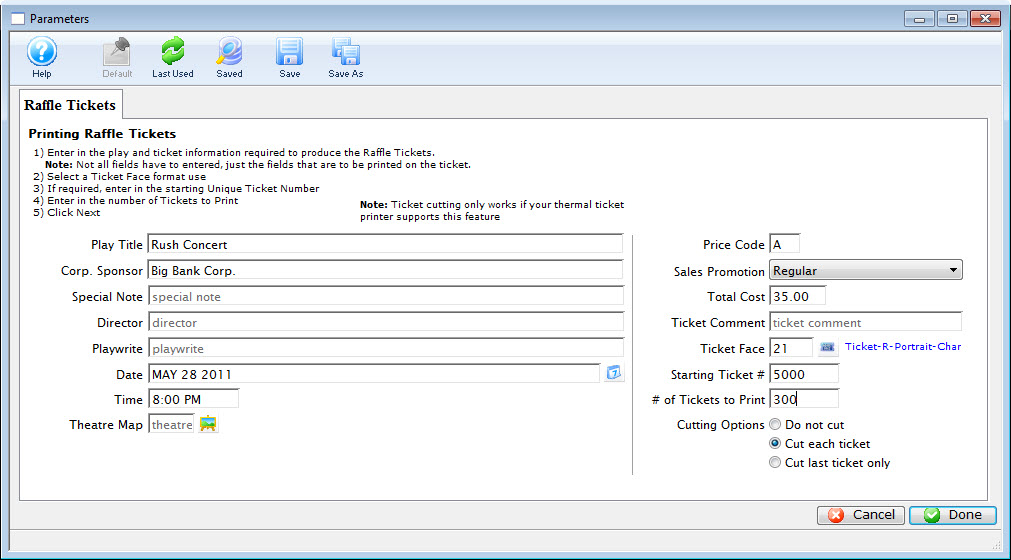
- Enter all of the applicable information.
- When complete, click the Done
 button.
- Confirm your Printer Setup,
Click Here for more information.
- Click OK/Print on your Printer setup Window.
The Raffle Tickets will be printed.