
Main menu
You are here
Mail List of all Current Subscribers

To create a mail list of all of your current subscribers, you perform the following steps:
- Open the Mail List Window.
Click Here to learn how to access this window.
- Click the New
 button.
- Enter a detailed name for the list.
2012 Subscribers.
- Enter a detailed description of the mail list.
This is a list of patrons who are season subscribers for the year.
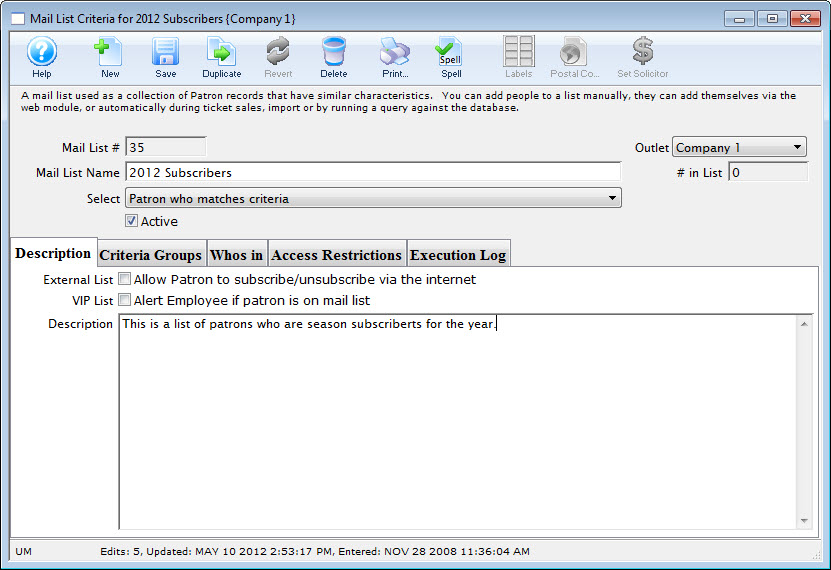
- Click the Save
 button.
- Click the Criteria Groups
 tab.
tab.
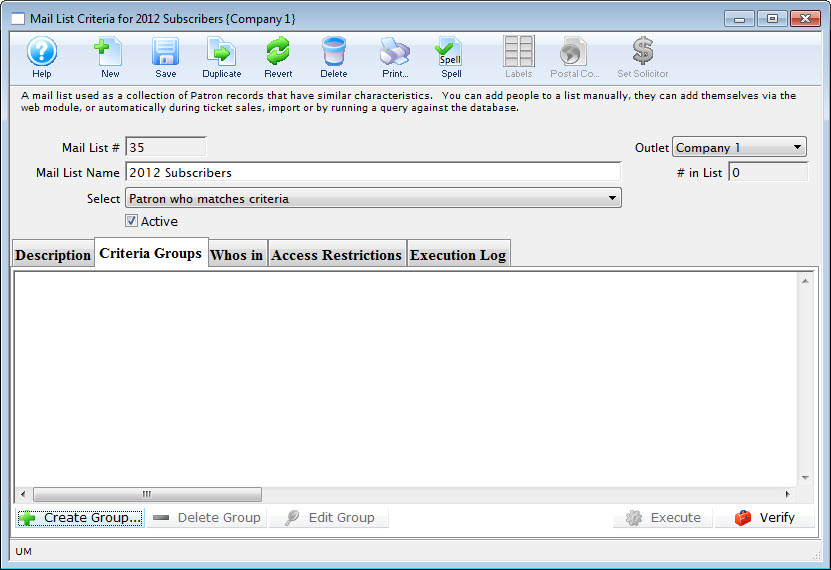
- Click the Create Group
 button.
- Choose To Add Patrons to the Mail List.
The Mail List Data Selection dialog opens.
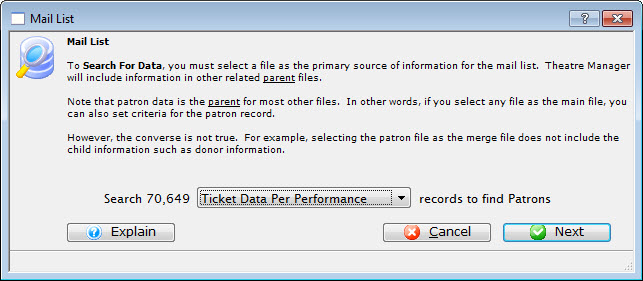
- Choose the "Ticket Data per Performance" file.
- Click the Next
 button.
The Parameter window opens.
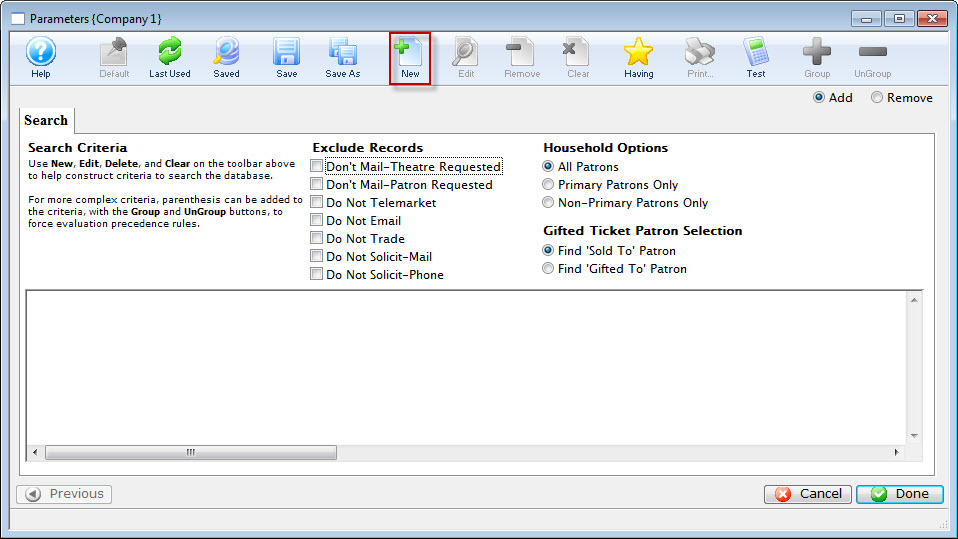
- Click the New button.
The Add/Edit Parameter window opens.
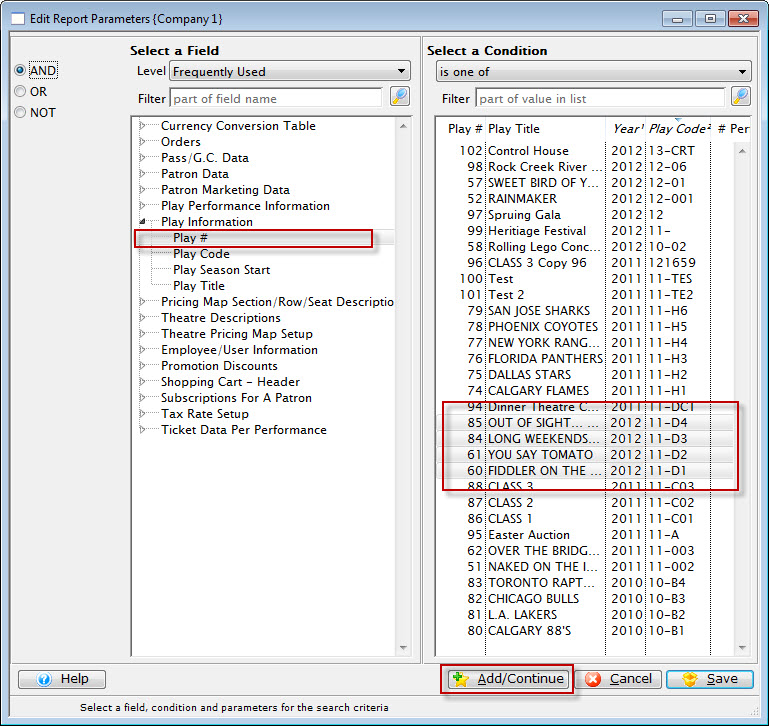
- Choose the Play Number, is one of, select the plays which are in the season subscription package.
- Click the Add / Continue
 button.
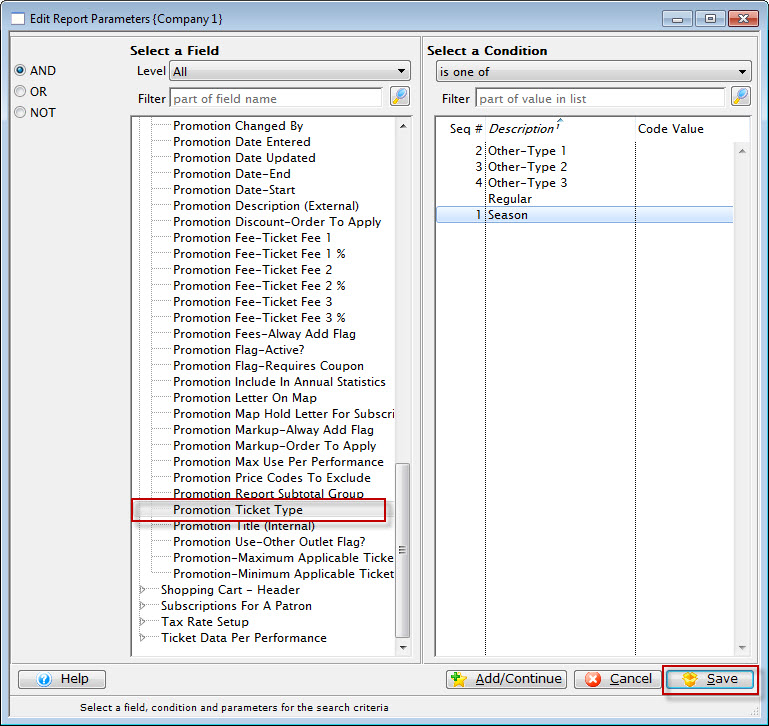
- Choose Promotion. is one of, select the promotion codes for all of the subscription types.
- Click the Save
 button.
You are returned to the Parameters window.
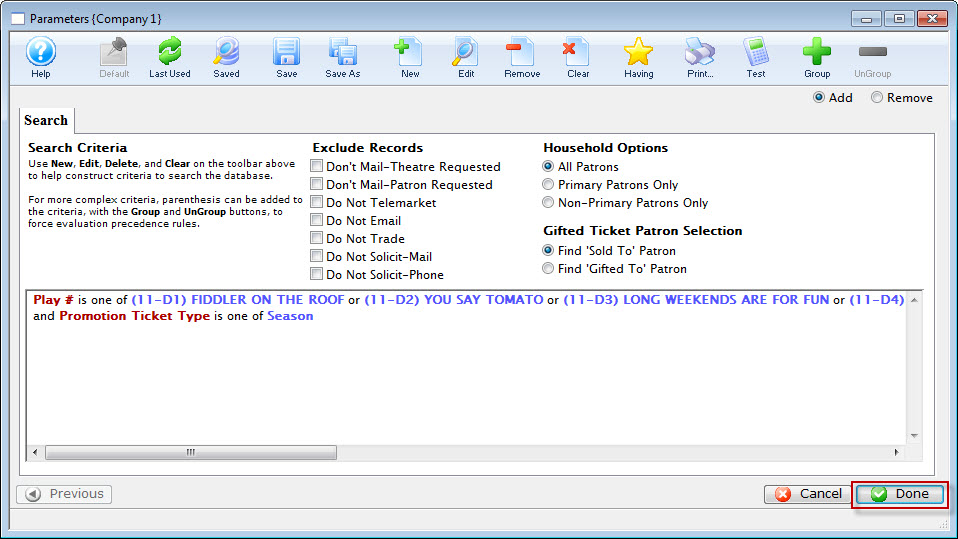

Order of Criteria is very important. If we had selected the Promotion FIRST, The query would search for the Subscription promotions in ALL performances, then search for the matching performance codes. To optimize searching, you would search for the performances and then the matching promotions. Click here to learn how to re-arrange criteria.
- Click the Done
 button.
You are returned to the Mail List, Criteria Groups tab.
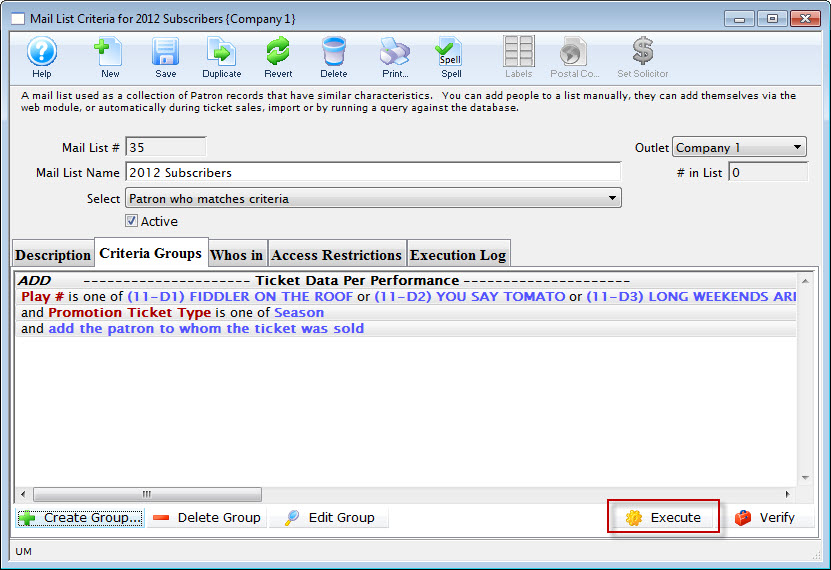
- Click the Execute
 button.