Main menu
You are here
Exporting Patrons from a Mail List

You can export patron data from a mail list into:
- Text, Tab Delimited (.txt)
- Text, Comma Delimited (.csv)
- Excel 97-2004 Workbook (.xls)
- Excel 2008 Workbook (.xlsx)
|
Exporting data from a Mail List means you export the names, addresses, phone numbers, and other general marketing data from the results of the Mail List. It is important to remember the Mail List results, for example, of a criteria set to "All Donors of $5,000 or more" does not list their donations. Rather, the results are a list of patrons who match the criteria. Similarly, a Mail List of Patrons who "Subscribe to the 2011 Main Stage Season" does not list their seats - only their names, addresses, phone number, etc. To obtain data on donations, subscriptions, ticket purchases, etc., you must use the results of the Mail List as criteria in a report. Mail Lists provide a list of patrons - not a list of data regarding the criteria that was used. |
- Open the mail list you want to export patron data from.
For more information on accessing the mail list window click here.
- Click on the Whos In
 tab.
tab.
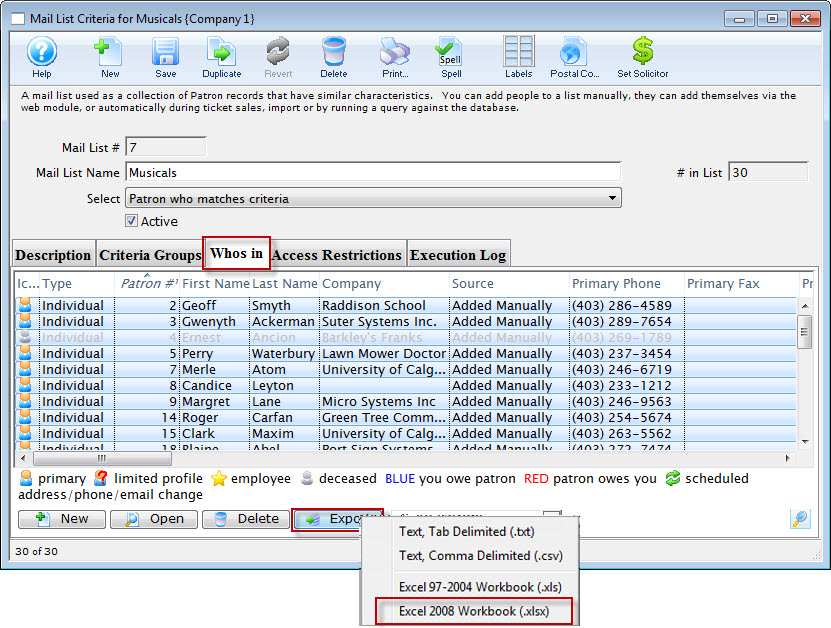
For more information on the Whos In and other mail list tabs click here.

During the export process, all of the columns displayed in the Whos In window will be exported. Click here, for information on how to change the displayed columns.
- Highlight all the records you want to export. If you want the entire list, highlight the top record, then SHIFT+click on the bottom record.
- Click the export
 button.
Your operating system's Save dialog wil open.
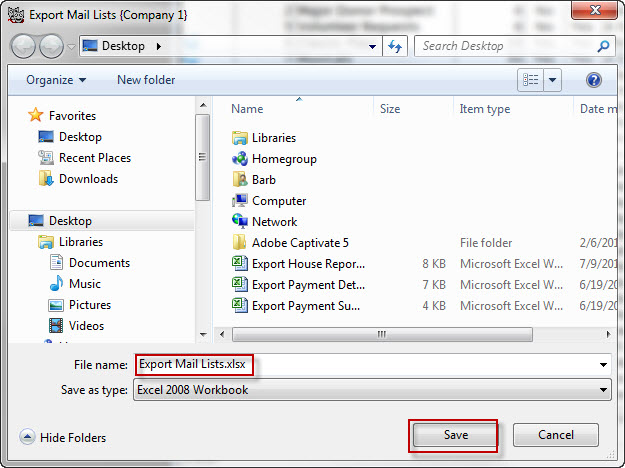
- Enter the name and the location of where you wish to save the file and click "Save".
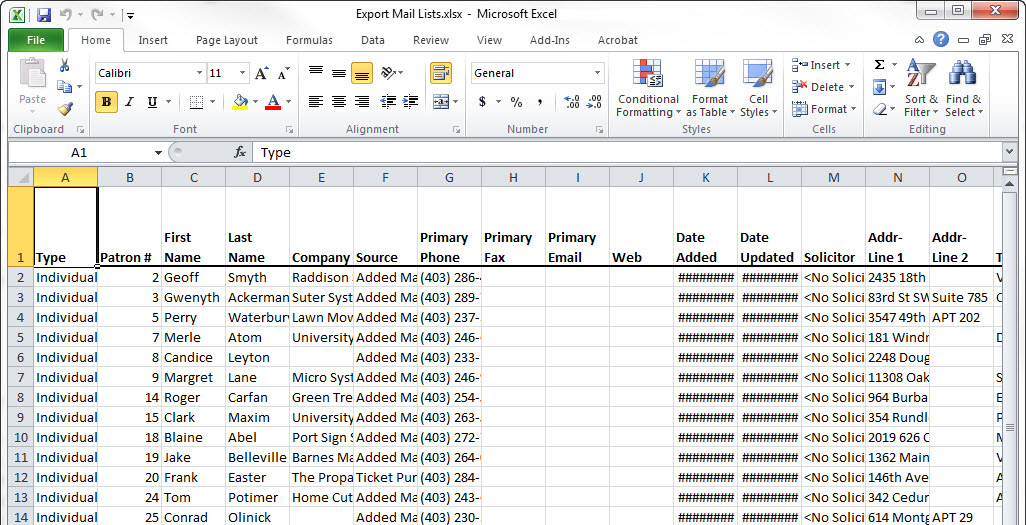
The file will now be saved in the location you specified.
-
To view the file, you can use a program, such as Excel.