Main menu
You are here
Mail List of Attendees to Multiple Events

- donated multiple times
- volunteered multiple times
- received multiple mailings or eblasts
- bought multiple gift certificates
The general steps to find purchasers to multiple events are:
- Open the Mail List Window.
Click here to learn how to open the window.
- Click the New
 button.
The Mail List Inserting window opens.
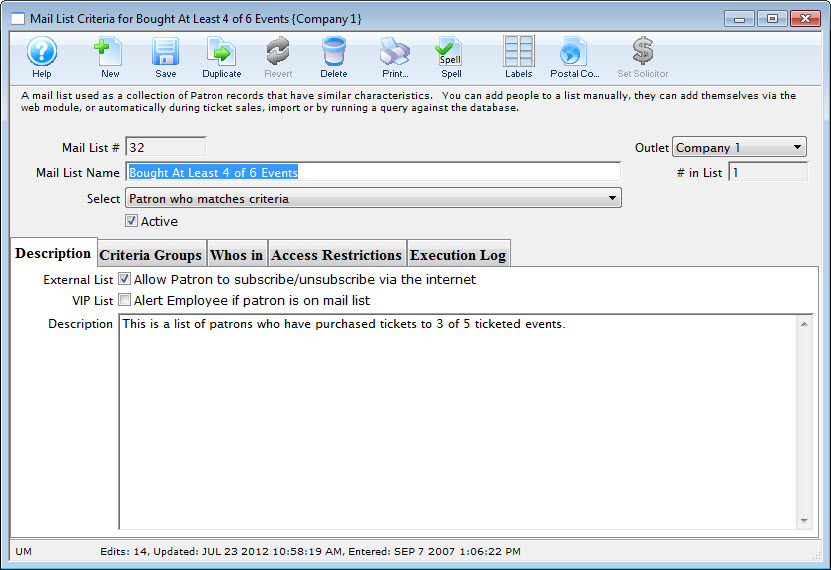
- Enter a Name and Description for the list.
- Click the Save
 button.
- In the Criteria Groups tab, click the Create Group
 button.
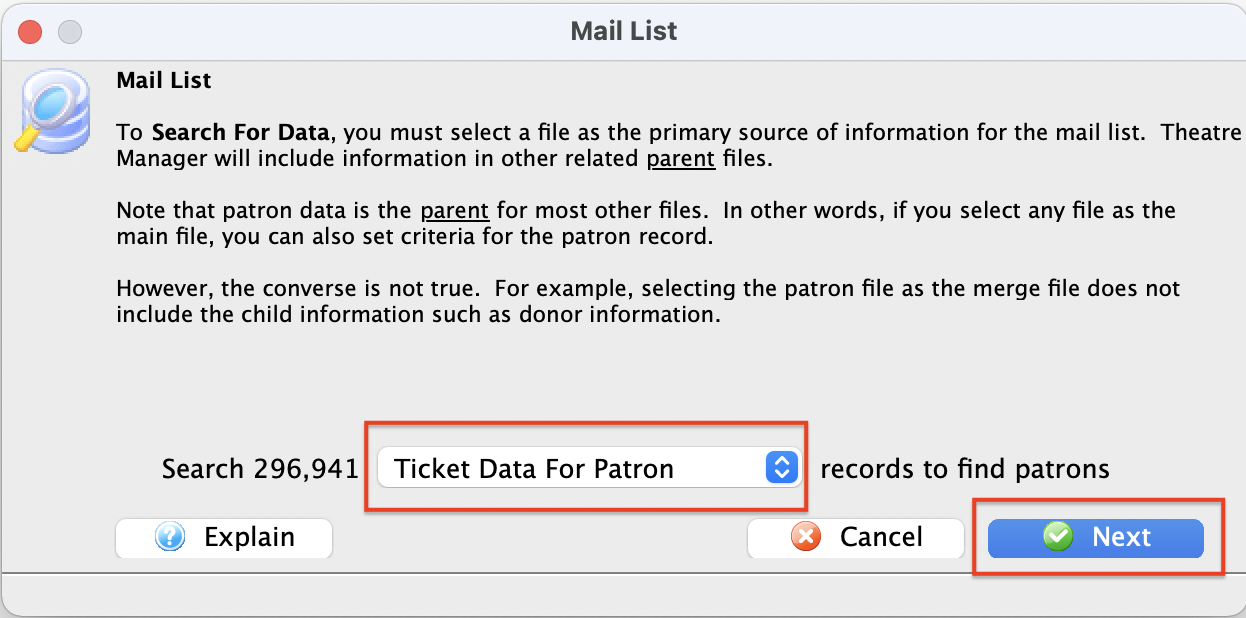
 - Choose To Add Patrons to the Mail List.
- In the drop down list, choose ticket data per performance.
- Click the Next
 button.
The Edit Report Parameters window opens.
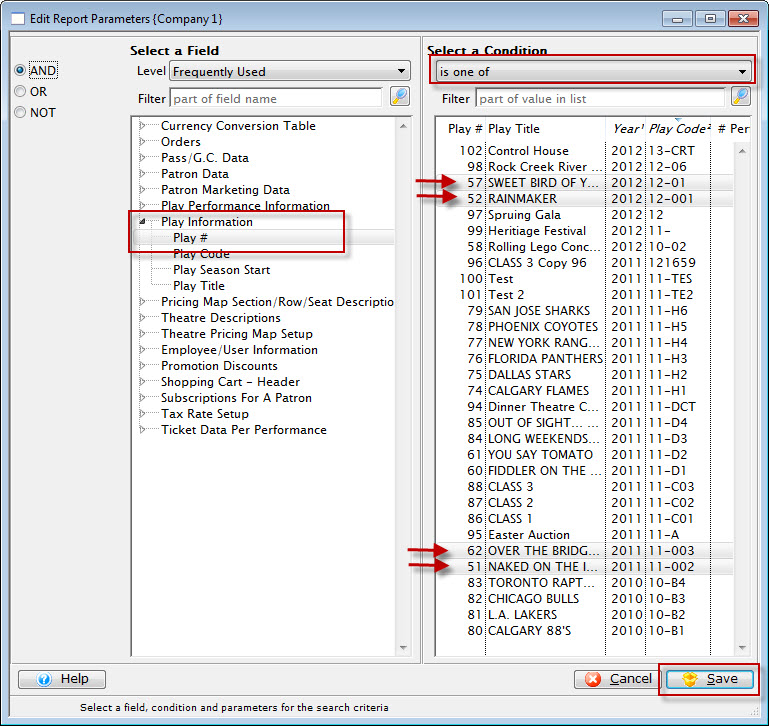
- Select the criteria 'Play #' or 'Event #' (depending on what your venue calls it) and then select multiple events from the pick list
- After you have completed making your selections, click Save.
You are returned to the Parameters window.
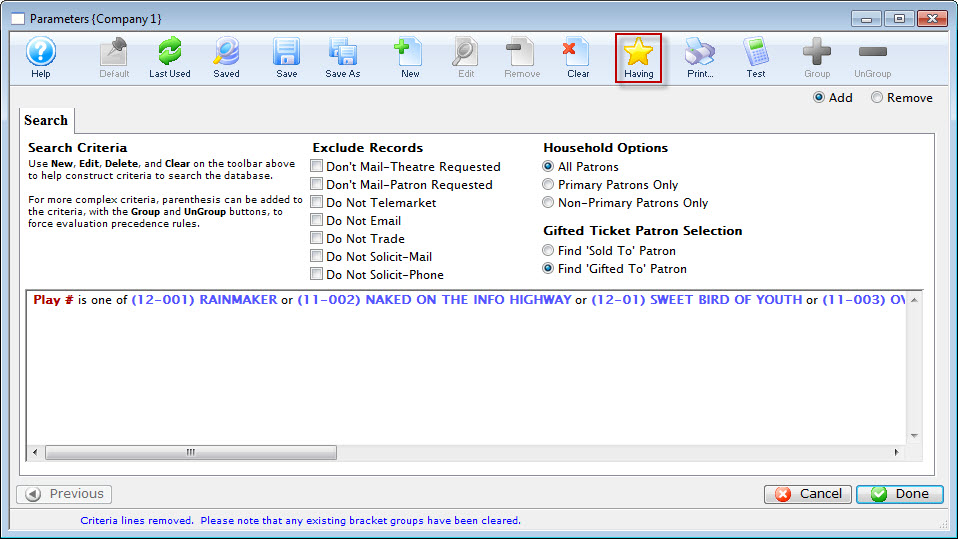
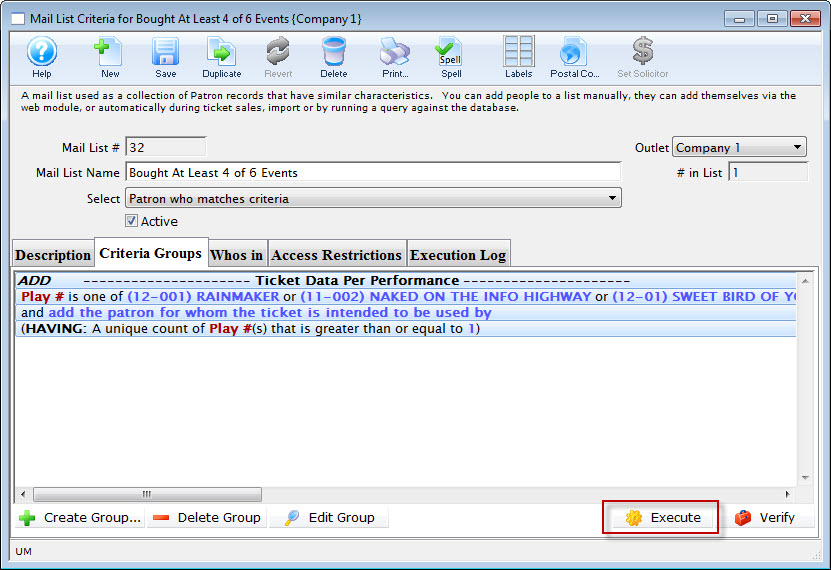
- Click the Having button on the Parameters window.
- Click Save.
The Mail List Data Selection dialog opens.
The having criteria should be the 'Event #'.
Pick Unique count on the left.
On the right, enter the range of unique events such as between 3 and 6.
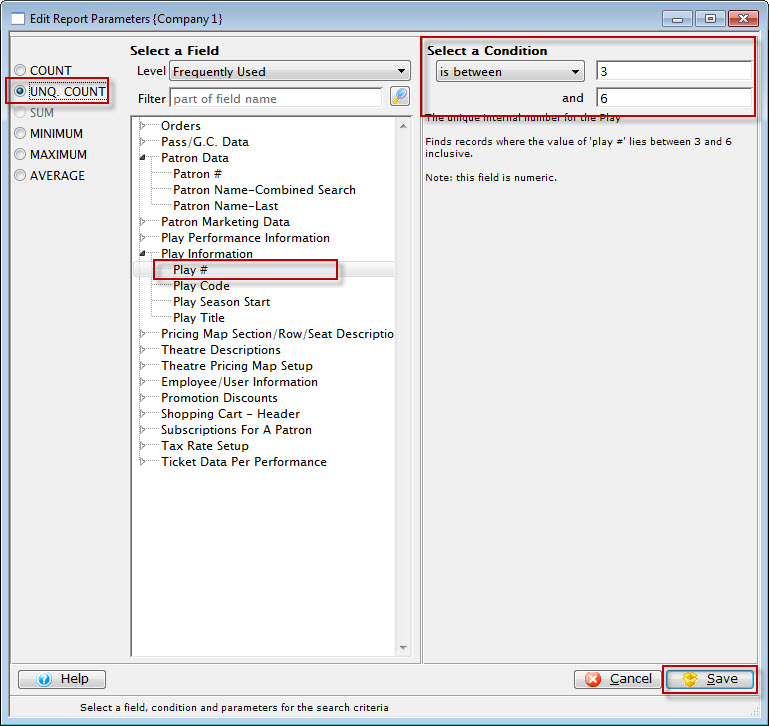
When you execute the mail list, you will get people who have bought 'distinct' events out of the criteria you selected.
You can make the first part of the criteria as complicated as you wish, such as 'all regular tickets' that were 'sold by user xxx' and were 'sold on a thursday afternoon' just by adding more lines to the regular criteria as you've done before.