Charitable Receipts for Donor (One Per payment)
Charitable Receipts for Donor (One Per payment)
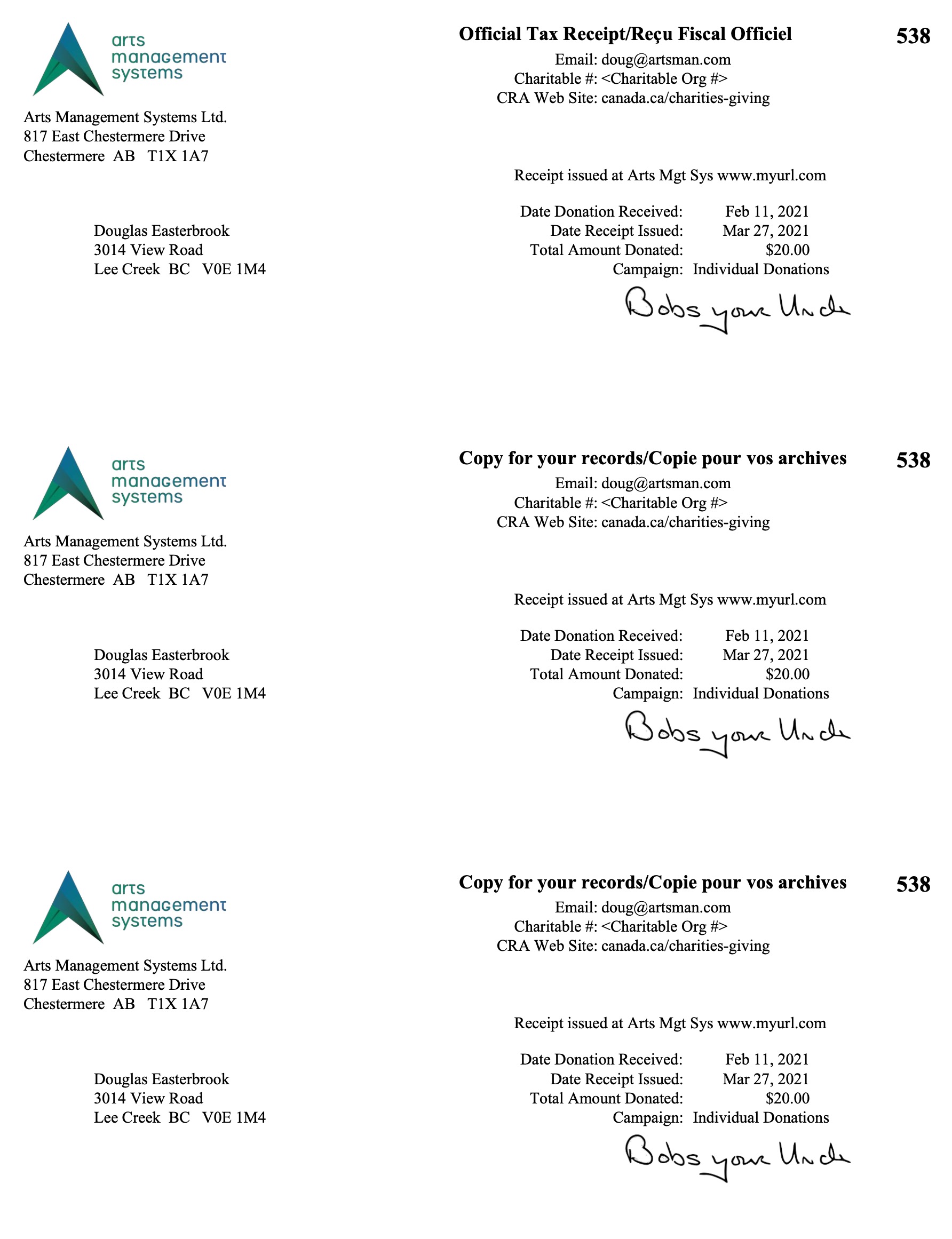 The Charitable Receipts for Donor can be found under the Donation Reports & Receipts category.
An example of the report is to the right and some notes about the report follow. Please be aware of the Rules for a receipt to print described at the bottom of the web page.
- Click here for information on generating a report.
- Click here for information on the Finished Report window.
- This report has some custom parameters to control wording and settings on it
- Click here for a Charitable Receipts example.
- One Receipt per payment can be used for automatic receipt generation for online purchases when enabled in the campaign setup.
Purpose of the Report
You use the Charitable Receipts for Donor to print Donation receipts on a preprinted form according to the preferences on each donation. Theatre Manager prints previously unprinted receipts and updates them with the next receipt number. Receipts only print if payment is received, the print option requires one and the campaign allows it.
 |
Donation receipt options can be set for each individual donation. Only payments for donations needing a one receipt per payment will print on this tax receipt.
Note: you can change the receipt type for many donations on the donation list for each campaign |
|
The One Receipt per Payment tax receipt limits to 250 records per printing to avoid memory issues. After printing a batch of receipts, run the report again to print the next batch. |
|
Be sure to set some default values in the donation tab in Company Preferences for:
|
|
There will be TWO dates on the tax receipt if the date of payment for the donation is different than the date tat the receipt was printed. This is a Revenue Canada requirement for official tax receipts |
Departments Who Benefit From This Report
| Development | Print Donation receipts on a preprinted form according to the preferences on each donation. |
Criteria Hints
It is recommended that this report be run using:
| Parameter Field | Condition | Value |
| Calendar Year | and | (optional) The calendar year that you want to select receipt dates from. If left blank, then any pending receipts will be selected. |
| Campaign | is | All campaigns or a specific campaign |
| Name/Company | like | everybody or some portion of the name and/or company if looking for individuals. |
In addition to the quick criteria above, you can also use the search tab if you want to create some more elaborate search criteria such as multiple campaigns, patron number range, date ranges, donation types, etc.
Rules for a Receipt to Print
|
There are very specific criteria to get a tax receipt to print. ALL of the following must be true before a tax receipt for a payment can be printed. |
- Donation receipt option must be one receipt per payment
- Donation Group Security - You must be permitted access to the donation
- Campaign Group Security - you must be in the access group permitted to access the campaign
- Receipt Year (optional) the receipt date for the payment must be in the calendar year specified.
- Name/Company - (optional) if specified, the patron's name must contain the value entered. If you see the patron on the patron list using this search, you will find them for donations
- Campaign - (optional) if specified, only this campaign will be included. otherwise all campaigns will be included.
- Donation Type - cannot be soft credit, prospect or hard pledge
- Receipt required must satisfy both cases:
- The Campaign must allow printing of receipts and donation amount must be greater than minimum receiptable amount
- The Donation Receipt itself must be marked required
- Payment Receipts can be from payments that are either:
- post-dated - the payment MUST be deposited to avoid generating receipts for credit card payments that are declined
- not post-dated - doesn't matter if the payment is deposited or not
- Not Receipted yet - the payment cannot have a donation receipt issued for it yet. You can reissue receipts if you un-print a prior receipt, which creates an audit trail as required by Revenue Canada.