
Main menu
You are here
The Season Package Detail Patrons Tab

The Season Package Detail Patron tab lists the patrons currently within the Season Package. Patron's season packages can be managed from this window.
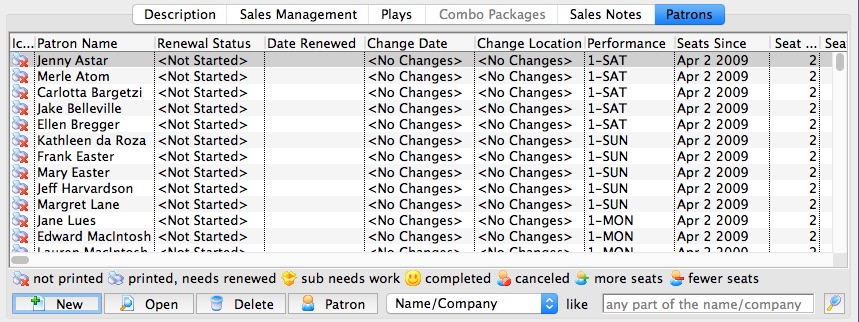
Parts of the Season Package Detail Patron Tab
Columns |
|
| Icon |  |
| Patron Name | Name of the patron the Season Subscription is booked under. |
| Renewal Status | Current state of the Patron's Season Subscription within this package |
| Date Renewed | Date the patron renewed their season subscription. This field is blank if the patron has not yet renewed. |
| Change Date | Series date within the Season Package the patron wishes to relocate to. |
| Change Location | Desired location the patron wishes to relocate to. |
| Performance | Current series code the patron is booked into. |
| Seats Since | Date the patron first became a Season Subscriber |
| Seat Count-Current | Number of seats currently assigned in the patron's Season Package. |
| Seat Count-Desired | Number of seats the patron wished to have for the Season Package. |
 |
Adds patrons to the season package. |
 |
Opens the patron's subscription detail record. |
 |
Deleted the patron from the season package. If the patron already has booked seats, the tickets will need to be refunded from the patron window. |
 |
Opens the patron window for the selected patron. |
 |
Search option drop down option for viewing patrons within the season package. |
 |
Searches the Season Package using the desired search option. |