
Main menu
You are here
Subscription Favorite Seats Tab

You use the Subscription Favorite Seats tab to select the seats for the patron's subscription to the season package.
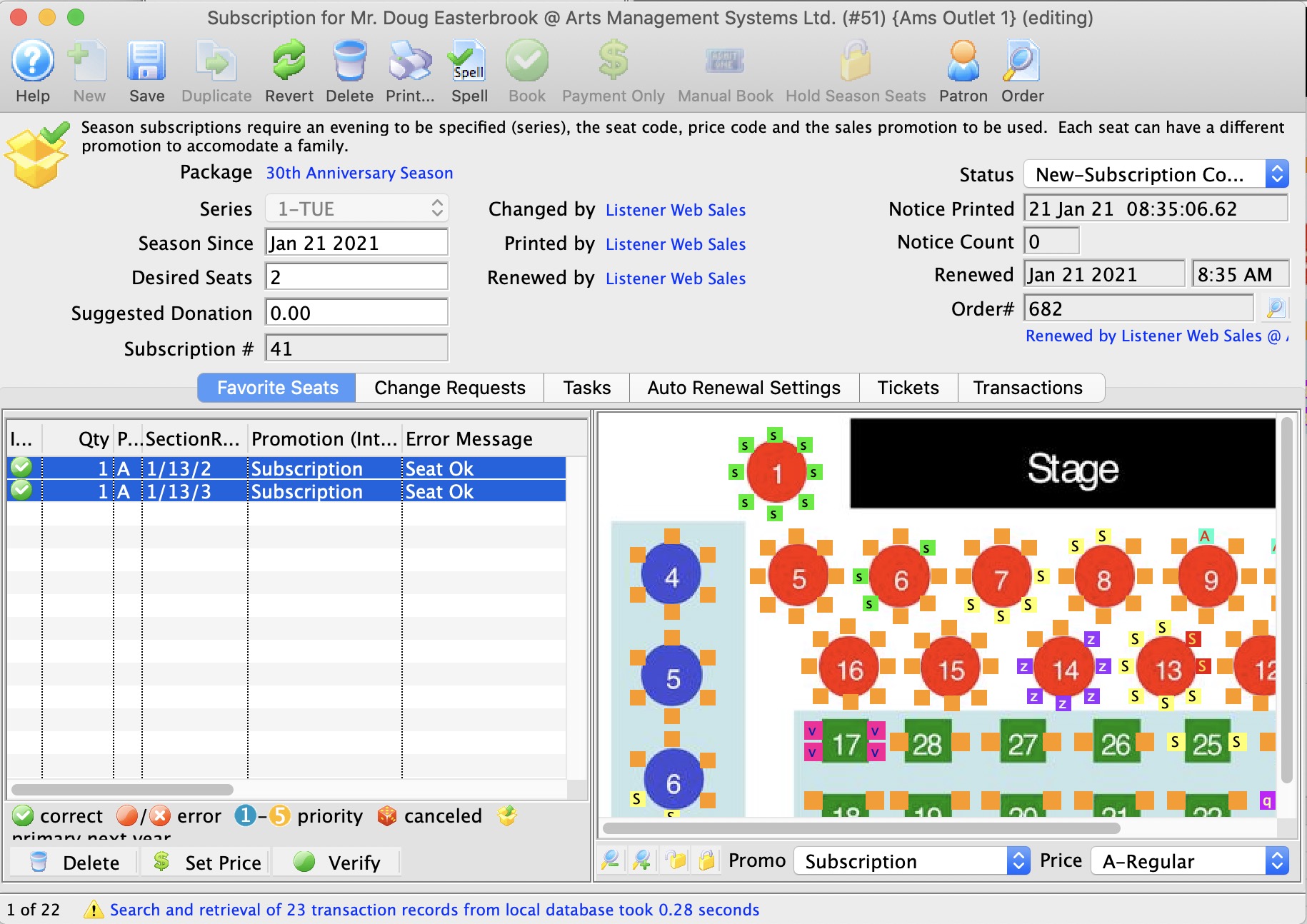
Parts of the Subscription Favorite Seats Tab
 |
You use this tab to manage seating change requests for the patron. Click here for more information on the Change Requests tab. |
 |
You use this tab to manage the patron's auto-renewal of their subscription to the season package. Click here for more information on the Auto Renewal Settings tab. |
 |
You use this drop down list to select the appropriate price code for the subscription. |
 |
You use this drop down list to select the appropriate promotion for the subscription. |
 |
Adds the Seat to the selected subscribers favorites. |
| Status Icon |  These icons show the status of the seats in the subscription. These icons show the status of the seats in the subscription. |
| Quantity | The number of seats. |
| Price Code | The price code used for the seat. |
| Section/Row/Seat | The section, row and seat number of the seat. |
| Promotion | The promotion used for the seat. |
| Error Message | Any messages in regards to booking the seat for the subscription. |
| Primary Seat | The primary seat in the subscription. |
| Section | The section of the seat. |
| Row | The row of the seat. |
| Seat | The seat number of the seat. |
| Seat Code | The seat code for the seat. |
| Price Map | The graphic map is used for selecting the seats for the subscription. It works similarly to the Order window graphic map, however, once the seats are highlighted, double click on one of the seats to add them to the subscription. Alternately, double click on each seat to add them to the subscription. |
 |
This button is unavailable in this window. |
 |
Changes the subscription price/promotion of the selected seats in the package. |
 |
Verify the selected primary seats to ensure they have the correct status. |