
Main menu
You are here
The End of Day Balance Reports

Reports are the best way to find an imbalance in the GL. The reports section, provided in the End of Day Wizard, are the most commonly used accounting reports. To view all Accounting Reports click here.
 |
The recommended end of day reports for transferring data to your accounting system are highlighted in red. Both the highlighted reports provide a G/L listing with Debits and credits for easy entry to your accounting package. Most people use the first one and the purposes are::
|
|
We highly recommend using the Export GL button to create a file that you can import into your accounting system.
Please refer to Supported Formats which is selected in company setup accounting tab. |
- Click the Reports tab in the End of Day wizard.
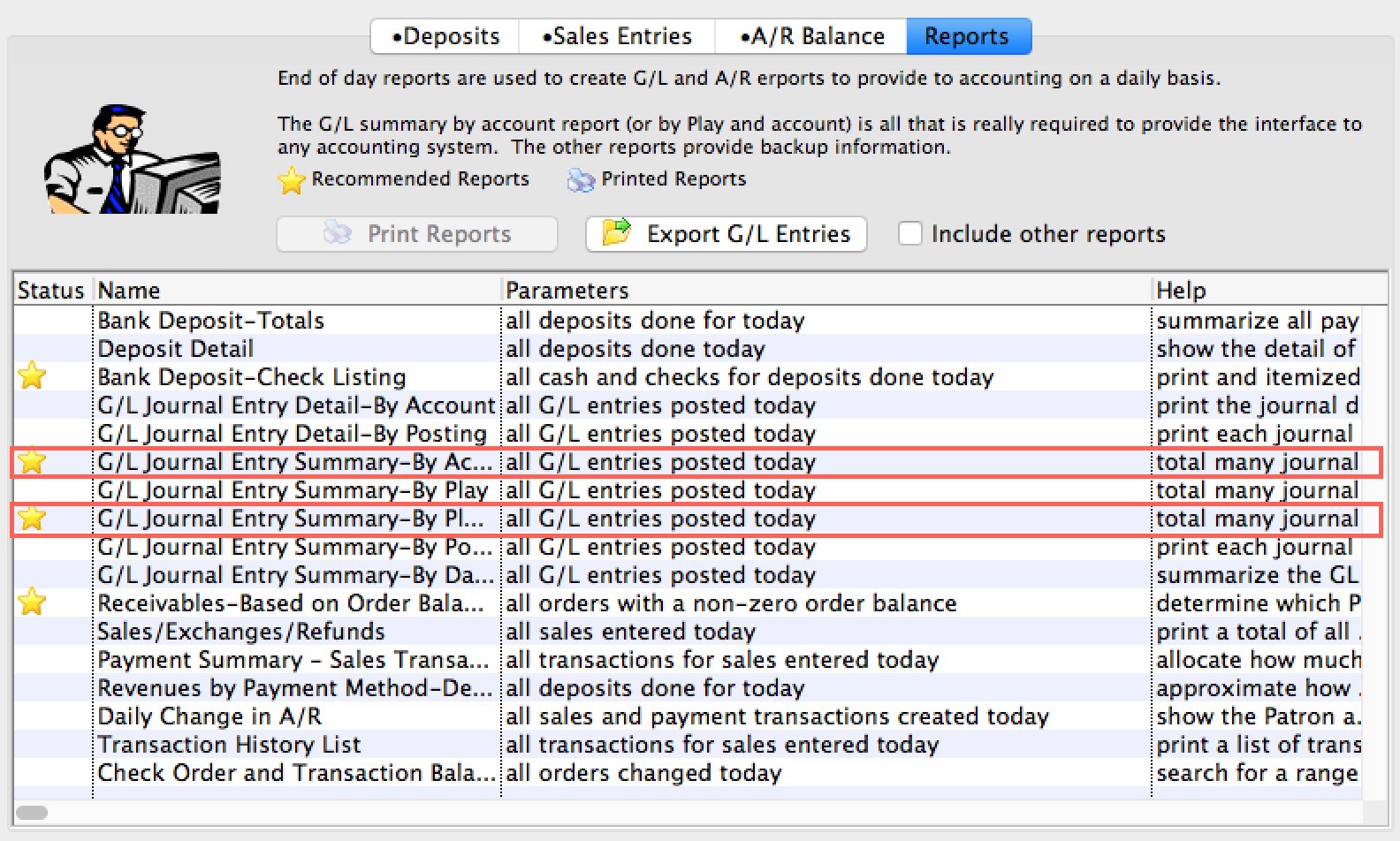
- Double click on the report(s) to be printed.
If you are printing a report to transfer to the accounting system, you should probably use one of the two highlighted because they help you comply with the general intent of:
- the law Sarbanes–Oxley Act to make sure you are less likely to be doing off the balance sheet transactions
- very helpful in fulfilling IRS requirements and rules of reporting (examples reasons are)
- generally revenue is reported at time of sale, even if you are only taking taking deposits for tickets such as group sales
- also applied to donations where you have not yet received any cash or payment al all - because if you have anything that resembles a contract ... it needs to go into the books.
- GAAP/FASB requirements
- CCRA financial tracking
The reports selected are generated on the screen.
- Click the Print button on any reports you want paper copies of.
Once all reports have been printed, and there is no imbalance, the End of Day process is complete. Congratulations!