
Main menu
You are here
Access ID/Password

For enhanced security, Employees can be required to login using their own Access ID and password. The benefit is, to log in, the Employee must know BOTH their Access ID and their password, rather than a potential hacker choosing a name from a list and having to guess only one login access.
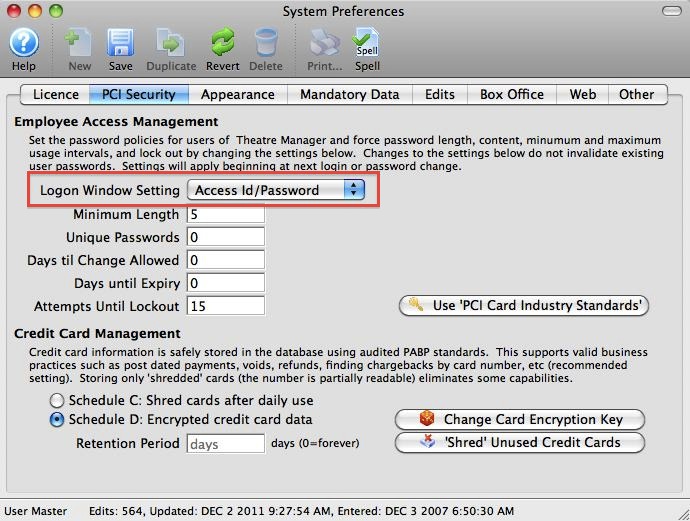
To enable this setting, change the Login Window Setting parameter in Setup>>System Preferences>>PCI Security tab.
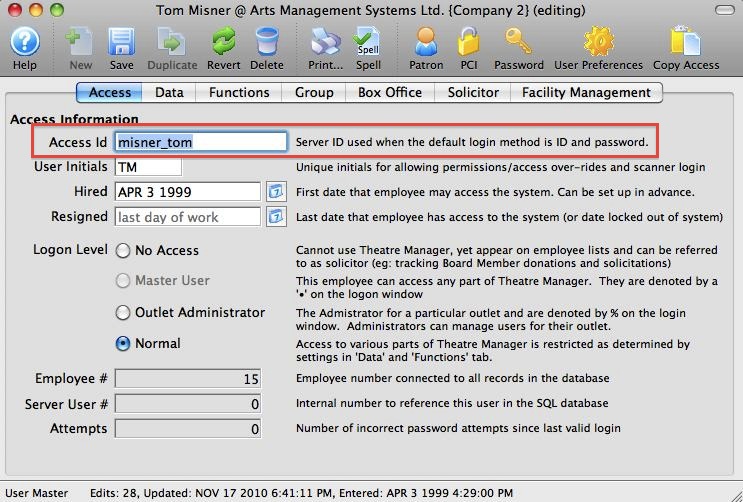
The Access ID is found on the Access tab of the Employee record in Setup>>Users & Access>>Employee List.
|
The Access ID can be changed from the Theatre Manager default so that it is more easily remembered by the user. |

|
When providing Remote Assistance, AMS technicians will often require the Master User Access ID and password as they will be making adjustments to the operation of Theatre Manager. |

To Login to Theatre Manager using the Access ID and Password method, you perform the following steps:
- Start Theatre Manager by clicking on the desktop icon.
The Login window opens.
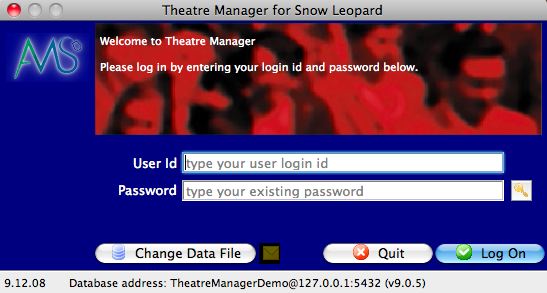
- Enter the Access ID and password you created when your Employee record was set up.
- Click the Logon
 button.
You will be logged into the last used database.