
Main menu
You are here
Employee Data & Access Rights

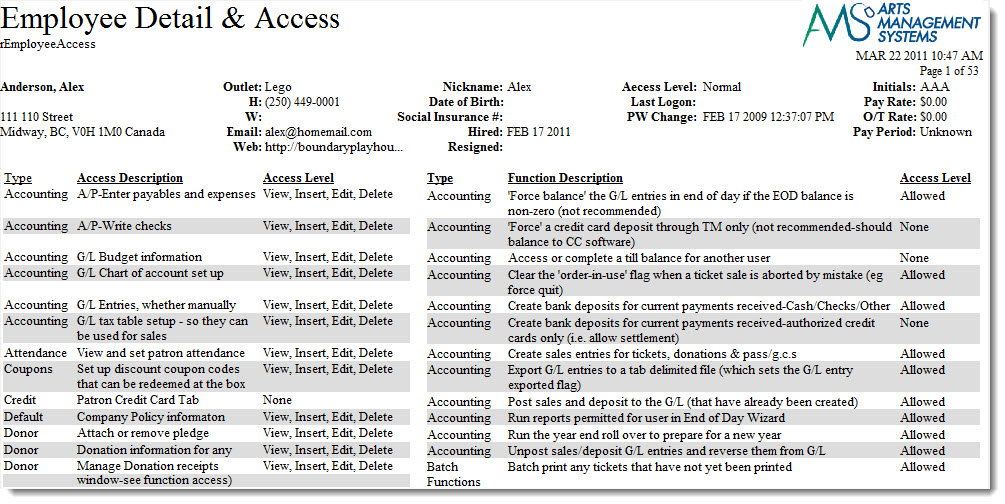
The Employee Data & Access Rights report can be found under the Miscellaneous Reports category. Below the image are detailed notes to help you in using the report. You can change permissions using the Employee Access window.
Click here for information on generating a report. Click here for information on the Finished Report window.
Purpose of the Report
This report generates a detail for each employee setup in Theatre Manager. It includes their information along with their security settings.
Departments Who Benefit From This Report
| Box Office | Use this report to view and verify the setup of an employee. |
Criteria Hints
It is recommended that this report be run for a single employee or with a range of employees as the criteria.
| Parameter Field | Condition | Value |
| Employee # | is one of | (Employee) |
Use the SHIFT key to select a series of employees, or the OPTION key (Mac) or CTRL key (Windows) to select multiple individual employees.
Diataxis: