
Main menu
You are here
Creating an Invoice through the Patron Window

After placing an order for a patron, an invoice for the order can be created and printed from the patron window.
- Open the patron's record and click on the Order
 tab.
tab.

- Select the order to be invoiced, and click the Invoice
 button.
This will open the Print Invoice Criteria window.
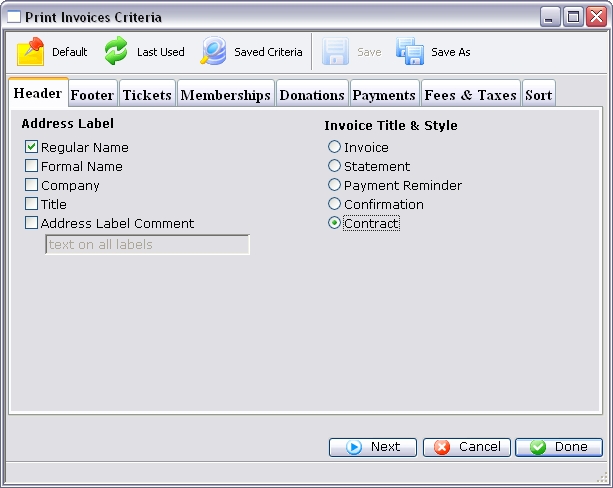
The Search criteria has defaulted to this specific invoice. For more information on the Print Invoices Criteria window, click here.
- Either adjust the options on the tabs, or click the Done
 button to display the invoice.
The invoice will be printed to the screen before being routed to the printer.
- Click the Print
 button to print the invoice.
Alternatively the Invoice can be emailed directly to the patron. To learn more about emailing invoices click here.
Diataxis: