
Main menu
You are here
Adding Patrons to a Season Package

You can add patrons to a season package in the Patron Window. Employee access can be altered to allow employees access to subscribing patrons to the season package specifically from the Patron Window.
To start, you perform the following steps:
- Open the Patron Window.
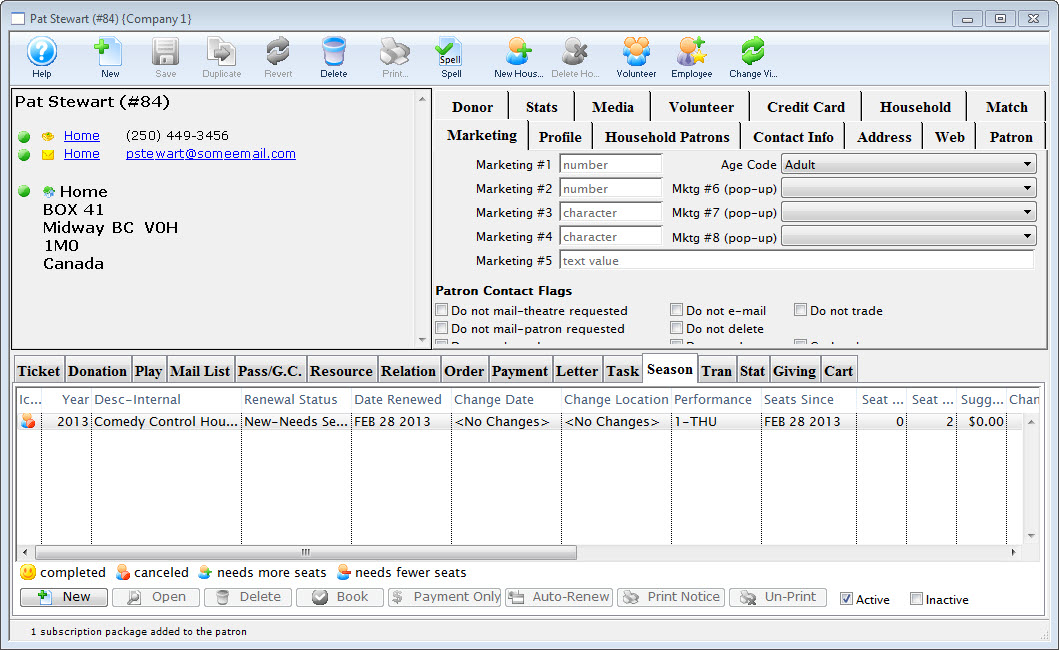
For information on accessing the Patron Window click here.
- Select the Season
 tab in the Patron Record.
 - Click the New
 button.
The Select A Season Package window opens.

The Select A Season Package window will not open if there is only one active season package.
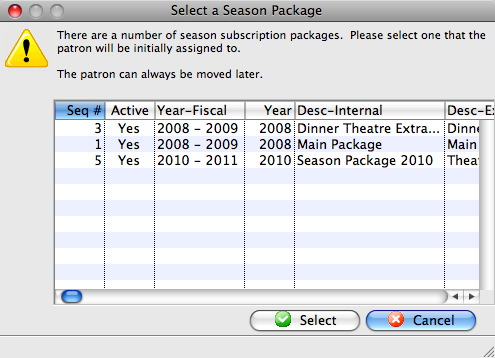
- Single click the desired Season Package and click the Select
 button.
The Select A Season Performance window opens.
The Select A Season Performance window will not open if there is only one performance in the season package.
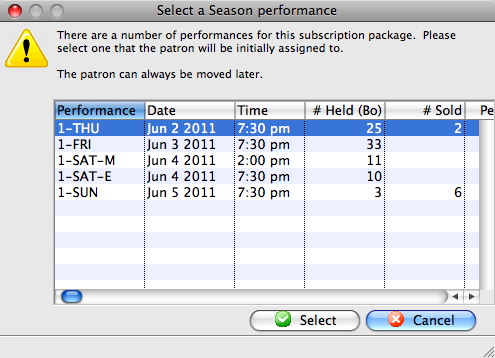
- Select the desired Performance and then click the Select button.
The Subscription Detail window opens.
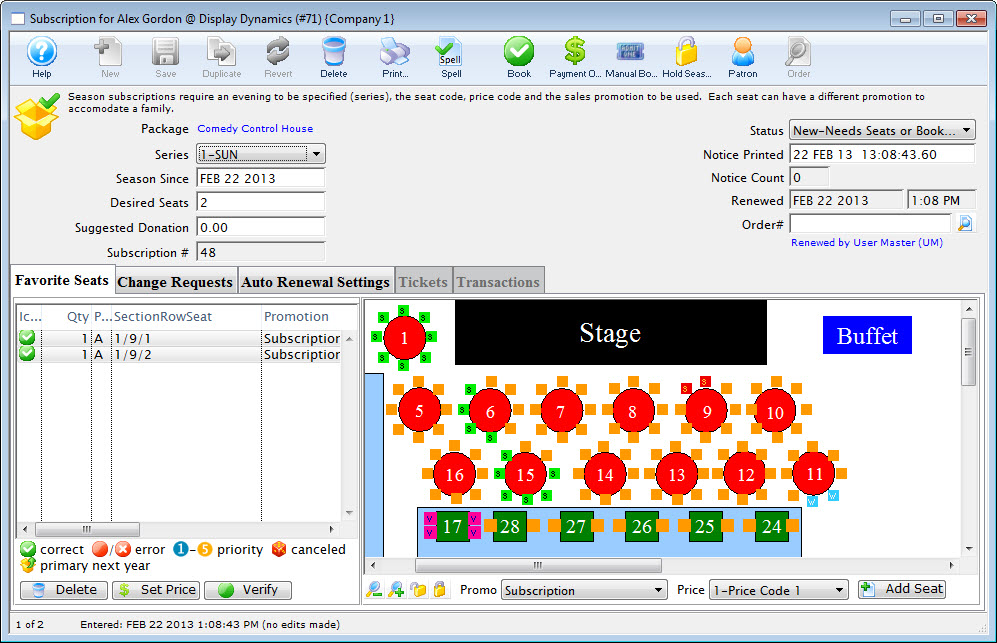
For more information on the Subscription Detail window click here.
The Patron has been added to the Season Package. Once added to the season package the patron can be assigned favorite seats.