
Main menu
You are here
Main Toolbar / Ribbon Bar

The main Toolbar (or Ribbon Bar) are the buttons above the Patron Window and below the Menu Bar. Each button has a specialized but generic function so that it is useable for the same function in many different areas. The toolbar / ribbon bar allows quick access to commands and other modules of Theatre Manager.

 |
The main toolbar bar provides quick access to key data in Theatre Manager |
The Buttons
The Main Toolbar/Ribbon Bar gives you quick access to the following functions:
 |
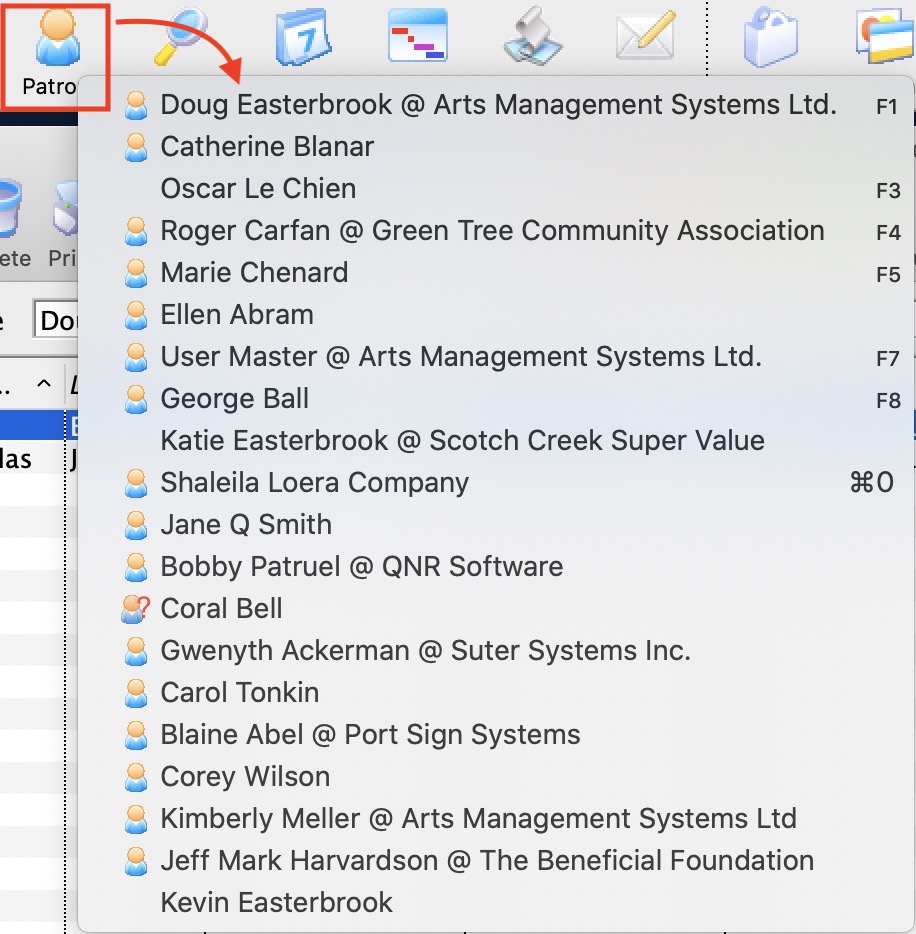 Patron - Find a patron using the search list and sell
tickets (and more). Patron - Find a patron using the search list and sell
tickets (and more).
Click here for more information on the Patron List window. You can option+click on the patron icon to see a list of the most recent 20 patrons you have accessed and quickly open their patron window. This is the same list as the recent patron list. Use it as a short cut, or as a reminder of the last patrons you interacted with. |
 |
Quick Find - Find a patron in the database using the patron number. Click here for more information on Quick Find. |
 |
Calendar - Show multiple Calendars with plays, tasks and other activities which can be used for facility management and scheduling. Click here for more information on Calendars. |
 |
Project - Facility Management projects, schedules tasks and activities. The Facility and Workflow Management module allows you to coordinate events, people, and resources across your organization's available venues. You can pull from and create information in your database to manage your venue, your staff and volunteers, your resources and your clients. With this module, the data coordination is presented in multiple visual ways allowing you to easily view and understand the relationships among all those variables. Click here for more information on Facility Management. |
 |
Report - List of reports. Click here for more information on Theatre manager Reporting. |
 |
Letter - List of form letters. Click here for more information on Form Letters. |
 |
Cart - List of shopping carts. Click here for more information on Shopping Carts. |
 |
Account - Chart of accounts. Click here for more information on the Chart of Accounts. |
 |
GL Entry - General Ledger entries. Click here for more information in GL Entries. |
 |
End of Day - End of day wizard. Click here for more information on the End of Day. |
 |
Map - List of theatres and their attached maps. Click here for more information on Theatre Maps. |
 |
Play - Play list. Click here for more information on Plays. |
 |
Subscription - Manage favorite seats for subscriptions. Click here for more information on Season Subscriptions. |
 |
Mail List - Mail lists and quick labels for patrons on a Mail List. Click here for more information on Mail Lists. |
 |
Preference - Employee preferences. Click here for more information on Employee Preferences. |
 |
Help - Access TheatreManagerHelp.com which contains the most recent documentation, procedures and FAQ's about Theatre Manager |
 |
Remote Assistance - Activates the remote assistance application to permit Arts Management Systems's support staff to access your machine remotely and assist you. To schedule remote assistance, please phone (888) 536-5244, ext. 1 or email support@artsman.com |
Diataxis: