Linked Refund: Merchant Provider limits refunds to xx days to same order using tokens
Linked Refund: Merchant Provider limits refunds to xx days to same order using tokens
 |
A linked refund does not require the full credit card number. Instead, it uses a token representing a particular authorization that the merchant processor gave Theatre Manager at time of authorization.
This is the only method of refund that can be used if you are shredding credit cards for PCI compliance. |
Linked Refund Rules
Typical rules that merchant providers implemented for linked refunds
- within xxx days since the original authorization. The default we've seen is 120 days.
- by referencing the same order as the original authorization
- using the saved transaction token from the original authorization (instead of the credit card data)
- for no more than the amount of the original authorization (less any other refunds to the card already)
| Conditions | Action or Workaround | ||||
| Refund rejected because card is shredded | If you see a message saying that the card was rejected because no encrypted card is on file, then you are trying to do an independent refund.
Instead, change the setting in your merchant profile to allow linked refunds first. |
||||
| Refund gets rejected because of age |
|
||||
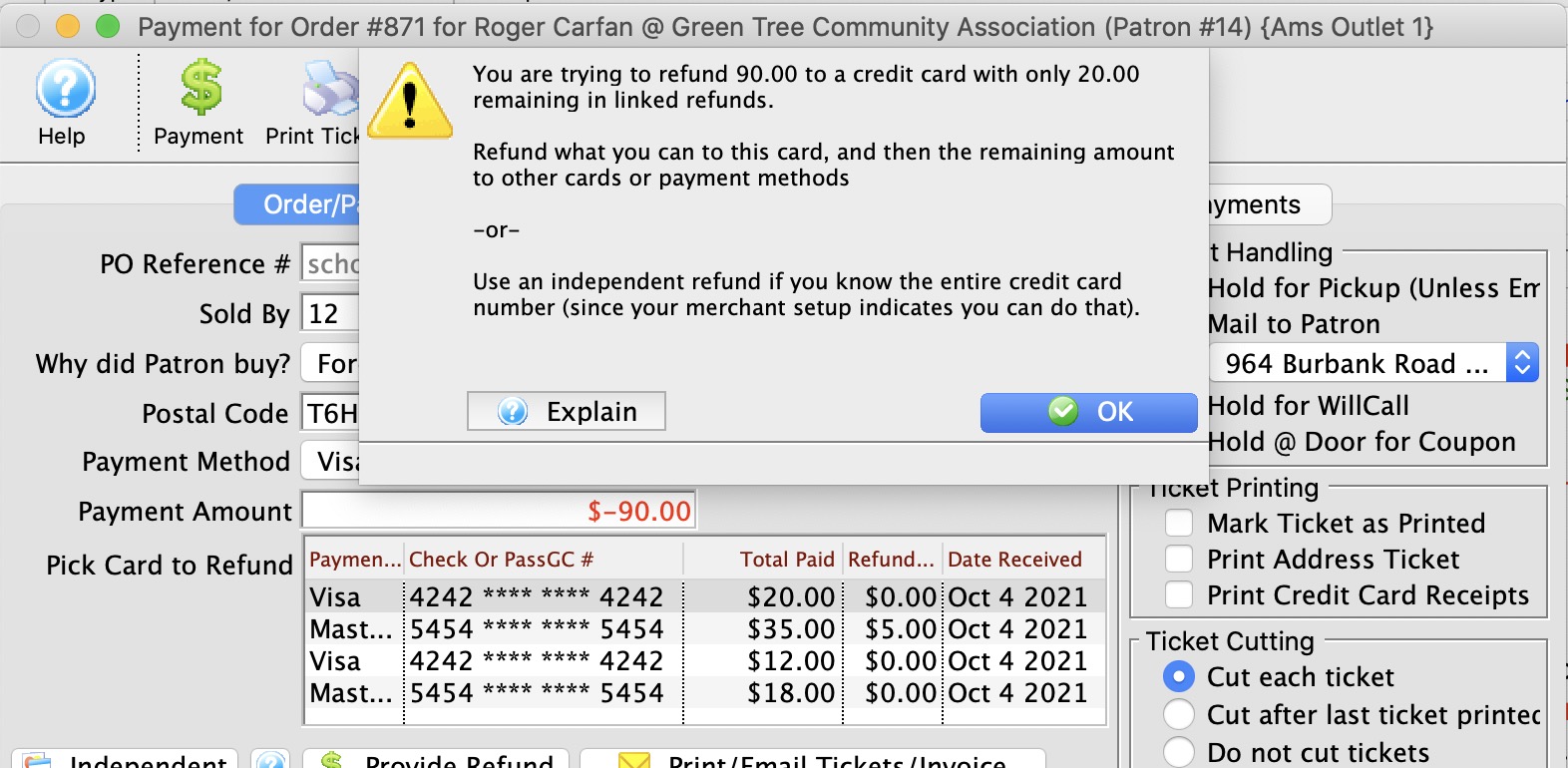
| Refund Rejected because it is too much | In a LINKED REFUND, you can only refund the a maximum amount of the original credit card payment.
If the patron paid with two different payments methods (eg: part in cash and part in credit card), then you will need to:
NOTE: If the message below indicates your merchant setup supports Independent Refunds, AND you know the entire card number, CVV2 and expiry date, you might be able try an independent refund instead.
|
||||
| Refund gets rejected because it is not connected to order | If there are multiple credit card payments for the order and you get this message, you may be affected by the timing of when the payment was authorized. You could have:
Theatre Manager presents a list of credit cards to refund to - pick the one you want, If you try to refund too much, you'll see an error like the image below. IF this is the case, then break the refund up into smaller amounts.
|
 IF YOU RECEIVE A MESSAGE THAT THERE ARE NO PRIOR PAYMENTS...