Default Posting Accounts
Default Posting Accounts
Specific general ledger asset and income accounts are required to be defined prior to Creating Sales Entries and performing Deposits.
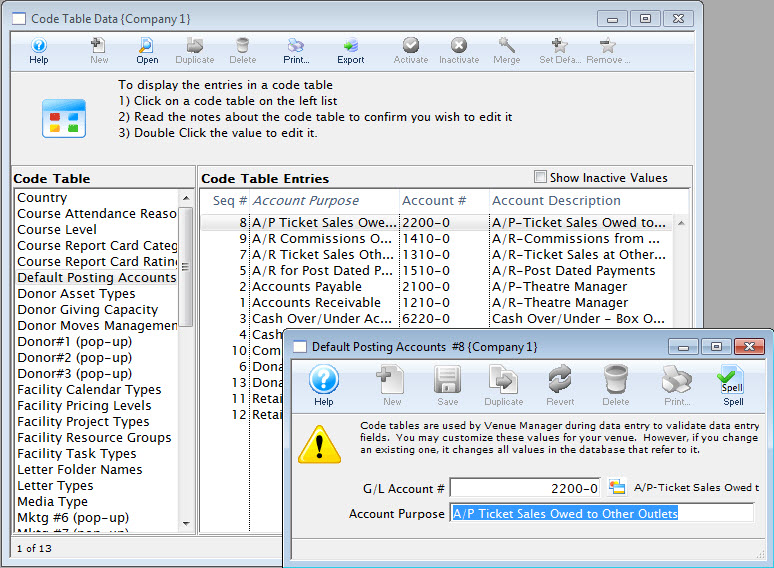
- Refer to the section General Ledger Accounts to create the account
information. Click here for more information.
For information about editing values in Code Tables, click here.
- For example: Once you have an accounts receivable account, that account will only be used as an accounts receivable account.
Because these code table values are defaulted, you may not insert a new default account or delete an existing account, however, you can edit an existing account. The result values are the types of default accounts that must be set up in Theatre Manager.
You must assign a General Ledger Account number to each of the defaulted values. The general ledger accounts you use must be created to carry out the sole purpose of the default value.
 |
Note: The donation main bank account and the transfer bank account have special meaning cannot be the same.
Refer to the help on setting up Restricted Donation Accounts for more information. |
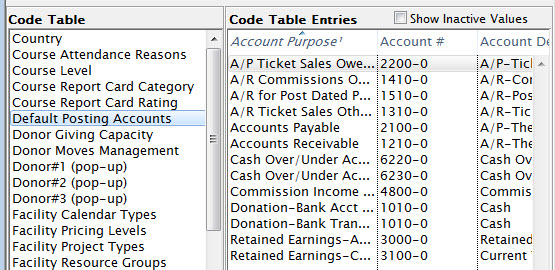
Editing a Default Account
The default accounts should not need to be edited or changed very often. There may be times which you need to.
For example: When upgrading Theatre Manager, sometimes new default accounts are added, or you may desire to change the account numbers on a yearly basis. Before editing a default account ensure that there is a general ledger account number that is set up.
Refer to Creating General Ledger Accounts for more information.
- Double click on the account to be edited.
The Entry of Account Description Window opens.
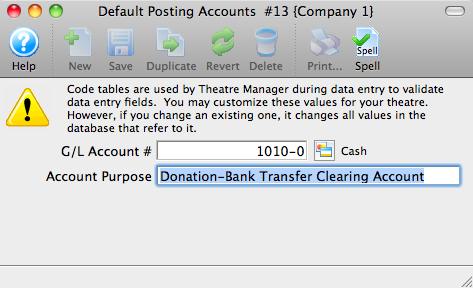
- Enter the G/L account number.
If you do not already have a general ledger account number setup in G/L accounts do so now. Entering a G/L Account number here, will assign a general ledger account to the default account in code tables.
- For example: The default account "Exchange Fees" is assigned the G/L Account # 4 - 2000 - 200. Therefore all revenue generated from exchange fees will be posted to that account number.
- Enter an account purpose (or description).
This field should be already filled in. You may change the name if you like, but it is not recommended.
- Click Save

The changes have now been saved.
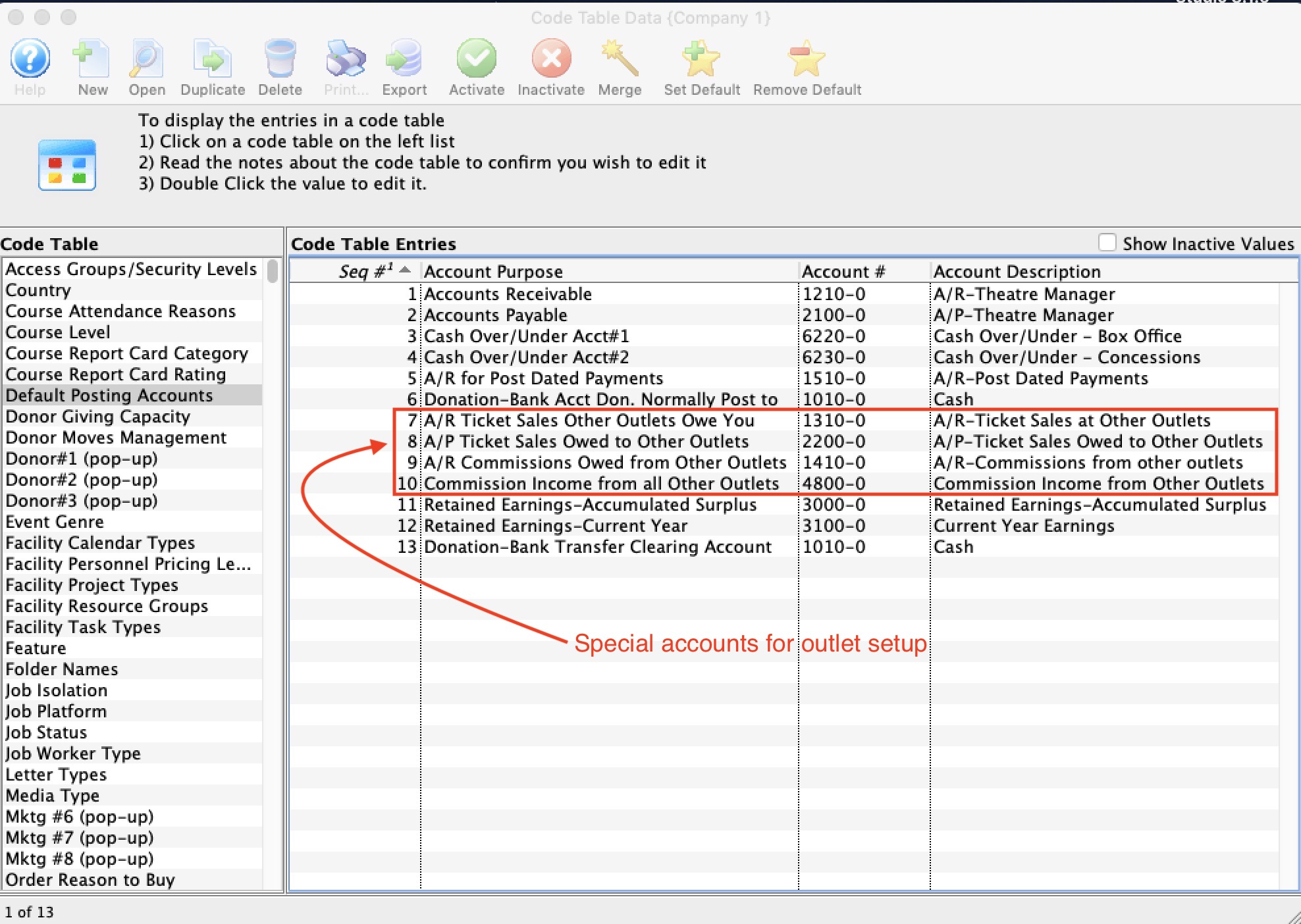
Special accounts for Outlet Setup
Special accounts for Outlet Setup
|
Please take care setting up the accounts below. They are design to act like 'revolving accounts' for sales an receivables. If set up properly, the periodic outlet balancing process should be relatively straight forward. |
| Account Purpose | Account Type | Description and what happens in your outlet | What happens in the other outlet |
| A/R Ticket Sales Other Outlets Owe You | Asset |
If you allow another outlet to sell your tickets, an entry will be made to this account for the amount that they owe you. This is why it is normally an Asset account (receivables)
The offset account for the tickets will be the accounts in the accounting tab of the event setup window |
The other outlet will have taken the payment for the tickets and they will owe you money.
|
| A/R Commissions owed from other outlets | Asset |
When you sell tickets for another outlet, you can receive a commission for the sale (if they set one up in Commission Setup
The amount that the other outlet owes you
|
Commission setup has an accounting tab.
When a commission is owed to an outlet, the accounts in the commission tab are used for the outlet:
|
| A/P Ticket Sales owed to other outlets | Liability |
This is the account used to track money you owe to the other outlet after selling one of their tickets. It is the reverse of the description of the 'A/R Tickets sales other outlets owe you' under the last column - what happens in the other outlet. Essentially, your outlet:
|
This is also the reverse of the description of the 'A/R Tickets sales other outlets owe you' under the third column - what happens in your outlet other outlet. |
| Commission Income from all other outlets | Income | When you sell a ticket for another outlet, any commission due to you is offset into this account. (see 'A/R Commissions owed from other outlets - fourth column') | When another outlet sells your ticket, the commission payable is placed into the account in the commission setup. (see 'A/R Commissions owed from other outlets - third column') |