Viewing credit card issues in web listener log (card not present)
Viewing credit card issues in web listener log (card not present)
 |
If you are looking for problems with one cart, please look at the cart logs to see what the patron has been doing |
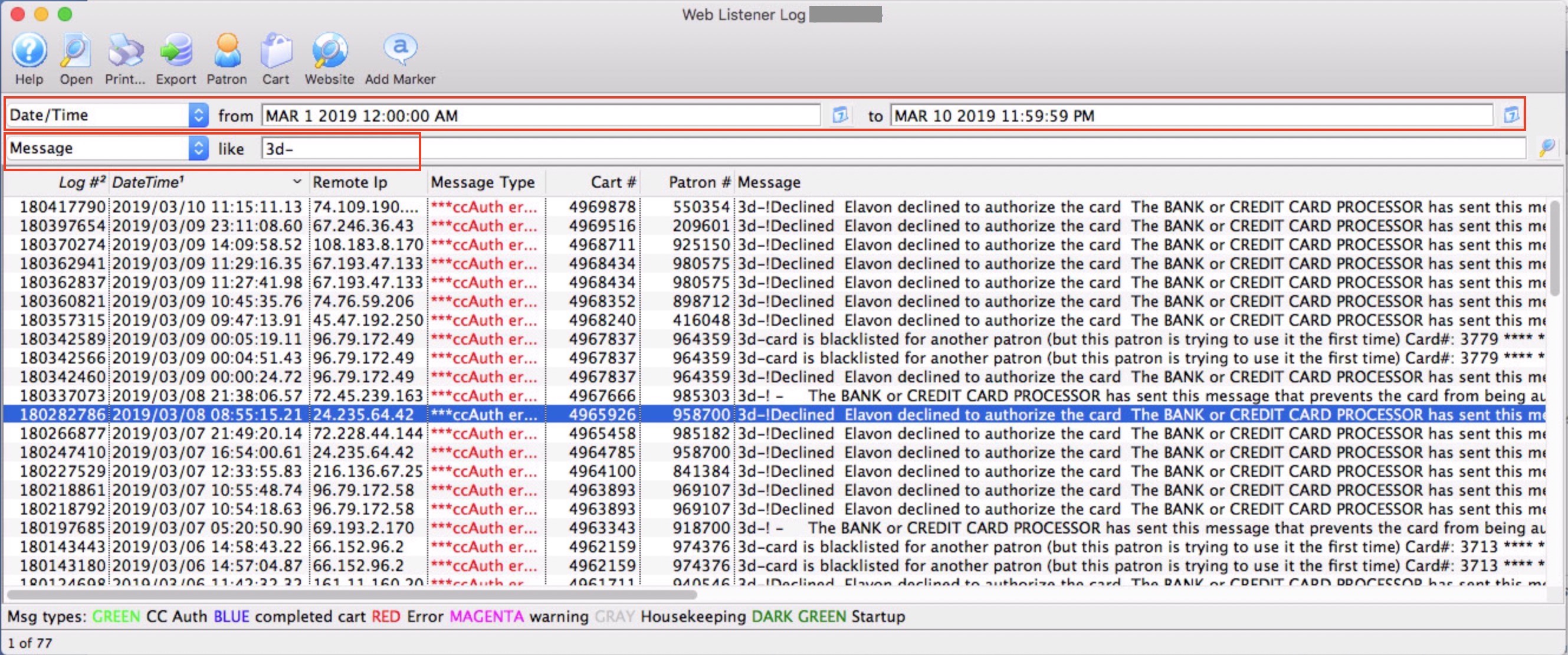
- a range of dates and
- the contents of the web log as being 3d-
Once you see the message, you can double click on it to see what the message means. Almost all errors are provided to Theatre Manager from the bank such as:
- Do Not honor! (the bank doesn't like the card)
- Declined! (the bank doesn't like the card
- Hold card! (The bank doesn't like the card - it is probably stolen and the want wants to you keep it)
- Card is Blacklisted (means the venue said they didn't want anybody to use this card
- Emergency processing is on (means that the venue turned the merchant processor into emergeny mode and took the cards anyway
Actions that you can take
- Cart - open up the cart to see far more detail about what the patron has been doing
- Patron - open the patron window directly