Main menu
You are here
Disable Power Saving Settings on Server

Additional Setup Considerations
 |
Update to the latest version of macOS (macOS 12 Monterey or later).
It's free. The highest version you can update to will depend on how old your machine is. |
The following settings should be made on all servers (Postgres, Apache and web listeners) that are installed on Macintosh.
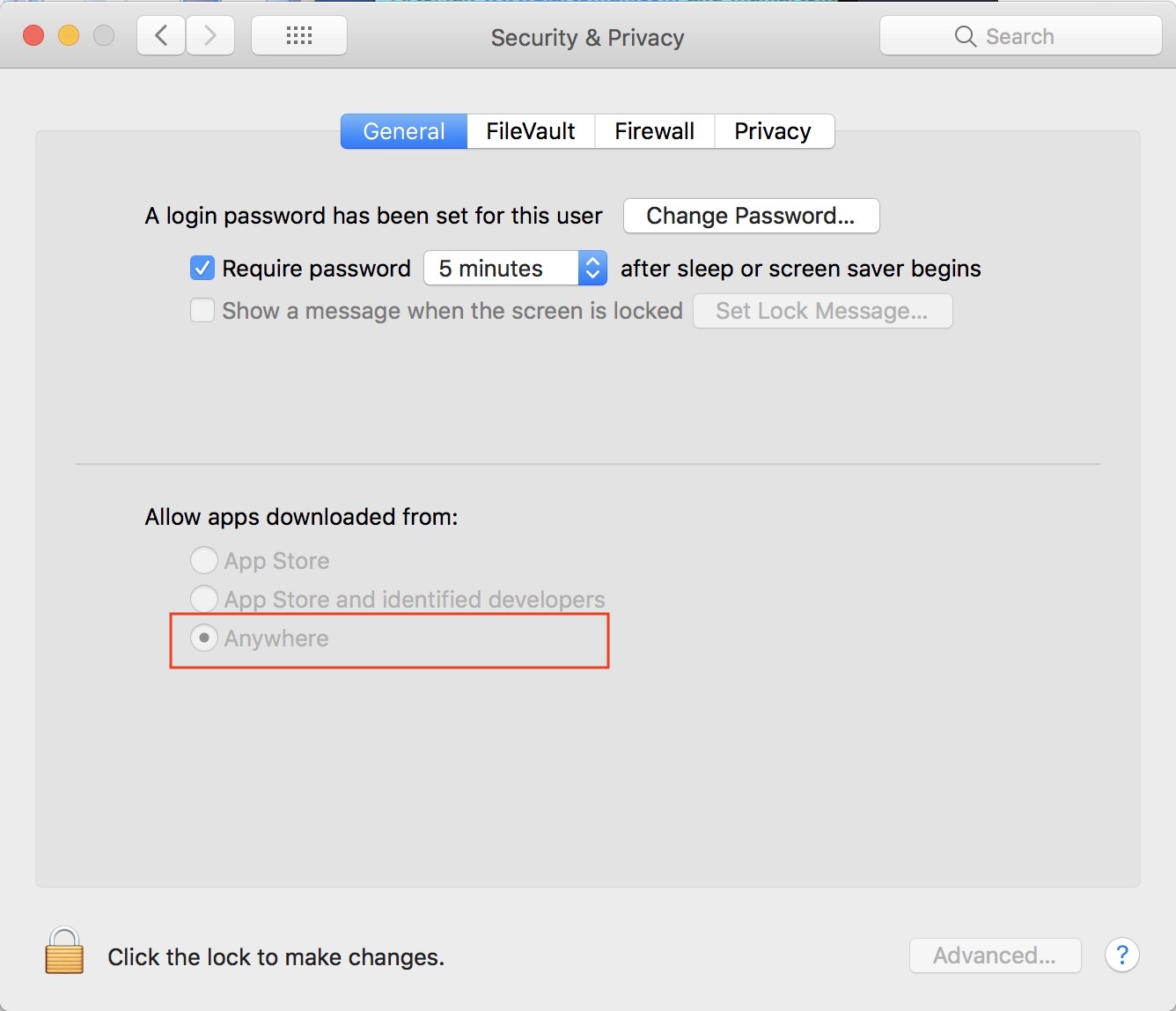
| 1 | If the Security and Privacy System Preference in MacOS does not show 'Anywhere' which allows applications to run from 'Anywhere', open Terminal and copy/paste the following two commands:
You may have to close System Preferences and open it again in order to see the change. If Anywhere is not selected, please select it - as it should allow TM to run when the user is not an administrator. Installers from TM should make this option visible. if not, run the above command.
|
| 2 |
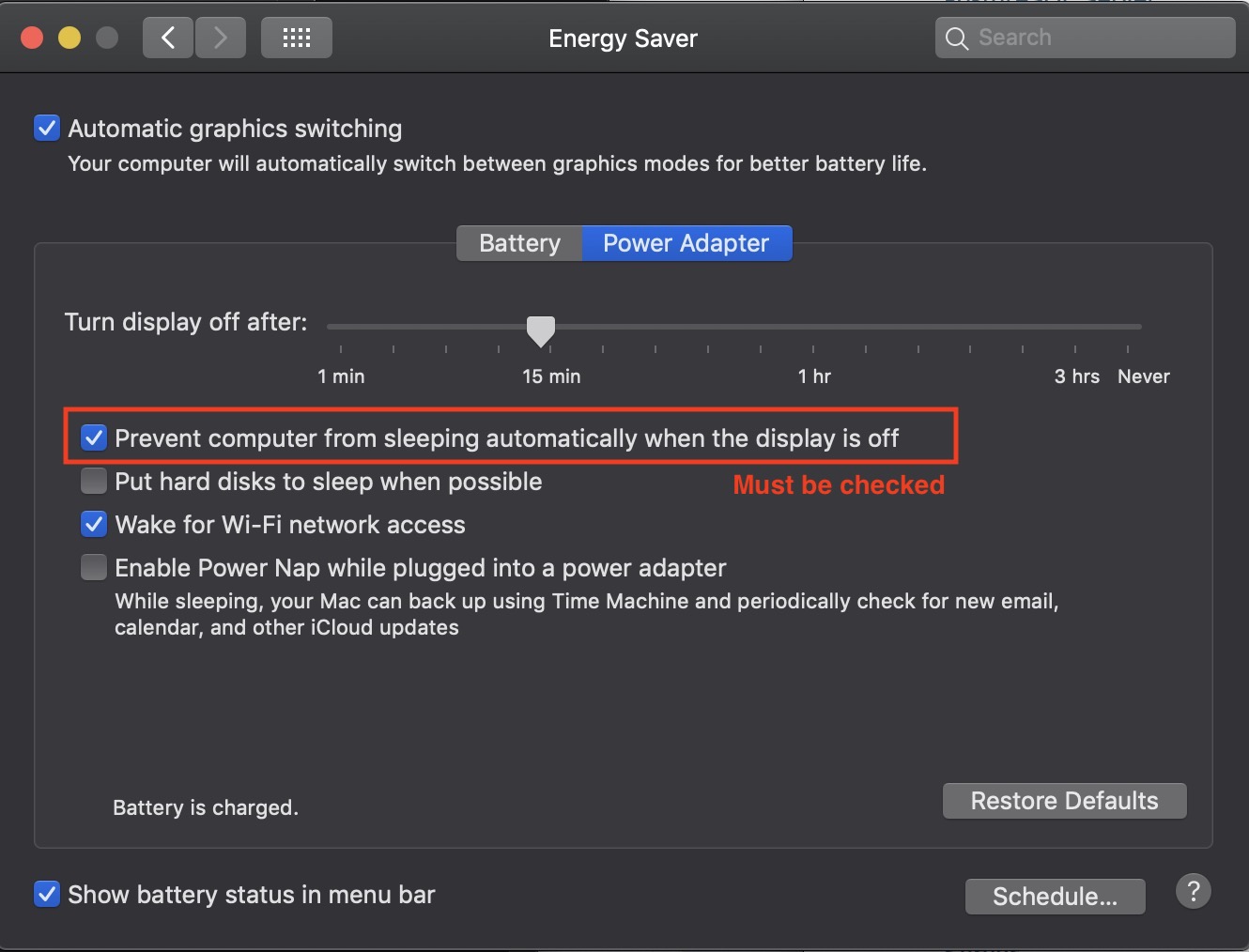 Make sure to
|
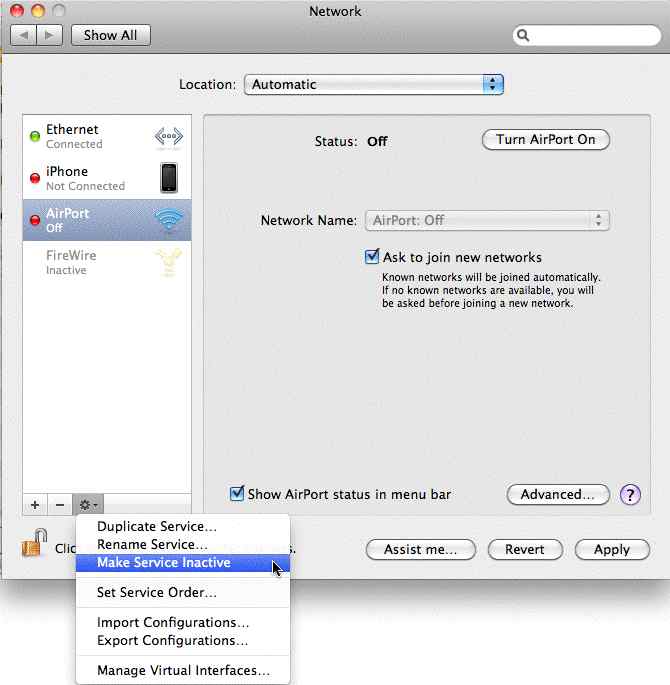
| 3 | Make sure to turn Airport OFF if the Mac comes with it. Airport will cause the Mac to temporarily freeze while it looks for a network to connect to - and will lock out sales while it does that.
This is done by opening the control panel, clicking on the Airport interface, and then clicking on the 'gear' at the bottom to select the option 'make service inactive'. Doing this will change the status from 'off' to 'inactive'.
|
| 4 | Make sure to force the Mac Mini to use the built-in Graphics Processor Unit (GPU) when displaying screen shots instead of CPU. This prevents remote access from using up a CPU core to display the screen. You can do one of the following:
Disconnecting a monitor from the Mac will cause the computer to unnecessarily waste CPU cycles on display - when it should use the GPU. |
| 5 | Turn off Spotlight Indexing (mdsworker) using Terminal and typing sudo mdutil -a -i off On Lion and later, also use the following command sudo launchctl unload -w /System/Library/LaunchDaemons/com.apple.metadata.mds.plist This will prevent the operating system from doing unnecessary work while serving web pages. To recognize if Spotlight is running on a server, look for an 'mds' application running. It can use a lot of CPU resources. If you receive Operation not permitted while System Integrity Protection is engaged while doing this, you may wish to disable System Integrity Protection note: If any mdworker messages are in the console logs (or if mdworker pops up in activity logs), then Spotlight is not turned off. |
| 6 | Using Terminal, disable Time Machine for the database folder (optionally, completely disable and local Time Machine files)
Alternatively, you can disable Time Machine through System Preferences. If you must use time machine on the database server, see the next step for options |
| 7 | Do not use Time Machine for the Postgres backups. Use the backup script and move the backups to another machine. If Time Machine must be used on the database server machine:
sudo defaults write /System/Library/LaunchDaemons/com.apple.backupd-auto StartInterval -int 43200
|
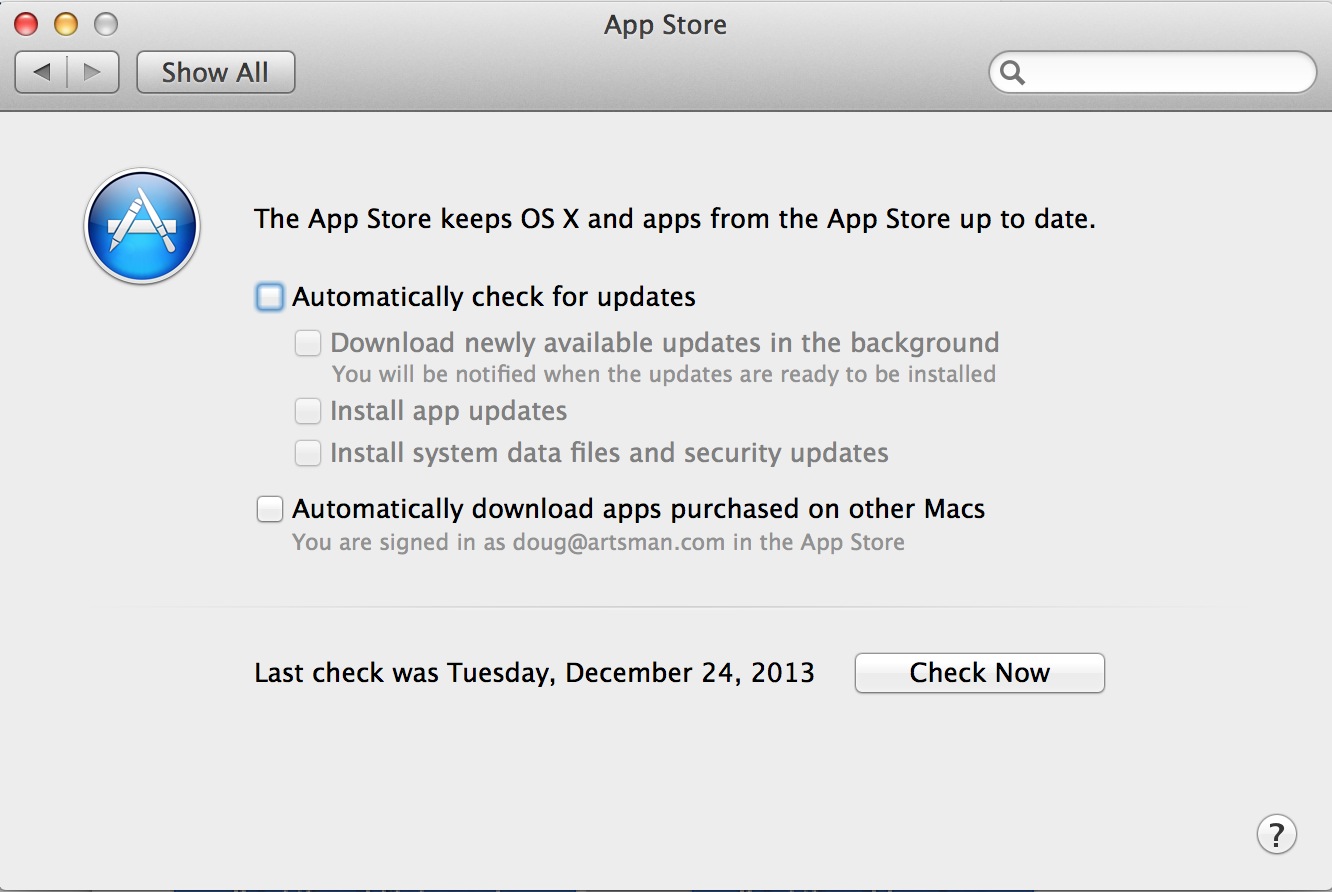
| 8 | Completely turn off any automatic Software Updates in the Mac's System Preferences. This is a database machine and should be manually updated on a periodic basis under controlled circumstances.
It may be either under 'Software Update' or 'App Store', depending on the version of macOS you have.
|
| 9 | Completely disable App Nap on the computer running the Classic Listener using the Terminal command below:
defaults write NSGlobalDomain NSAppSleepDisabled -bool YES |
| 10 | Update to the latest version of macOS. It is free. |
| 11 | Disable 'handoff' in general system preferences as well as disconnect from iCloud. |
| 12 | Disable Air Play Receiver on MacOS 11 Monterey in System Preferences->sharing setup. |