Tracking Success of the Eblast
Tracking Success of the Eblast
There are a few places where you can view correspondence that has been setup or sent to a patron.
- Letter and Correspondence History Tab on the Patron window
- Letter/Email Recipient List
- Donation Pledge schedule
- Managing Pending/Unsent Emails
- Volunteer Letter History
- Facility To-do List Pane
- and more
Email Not Yet Sent
In the first example, the email has not been sent yet. When it is sent, the target icon changes to a green checkmark.
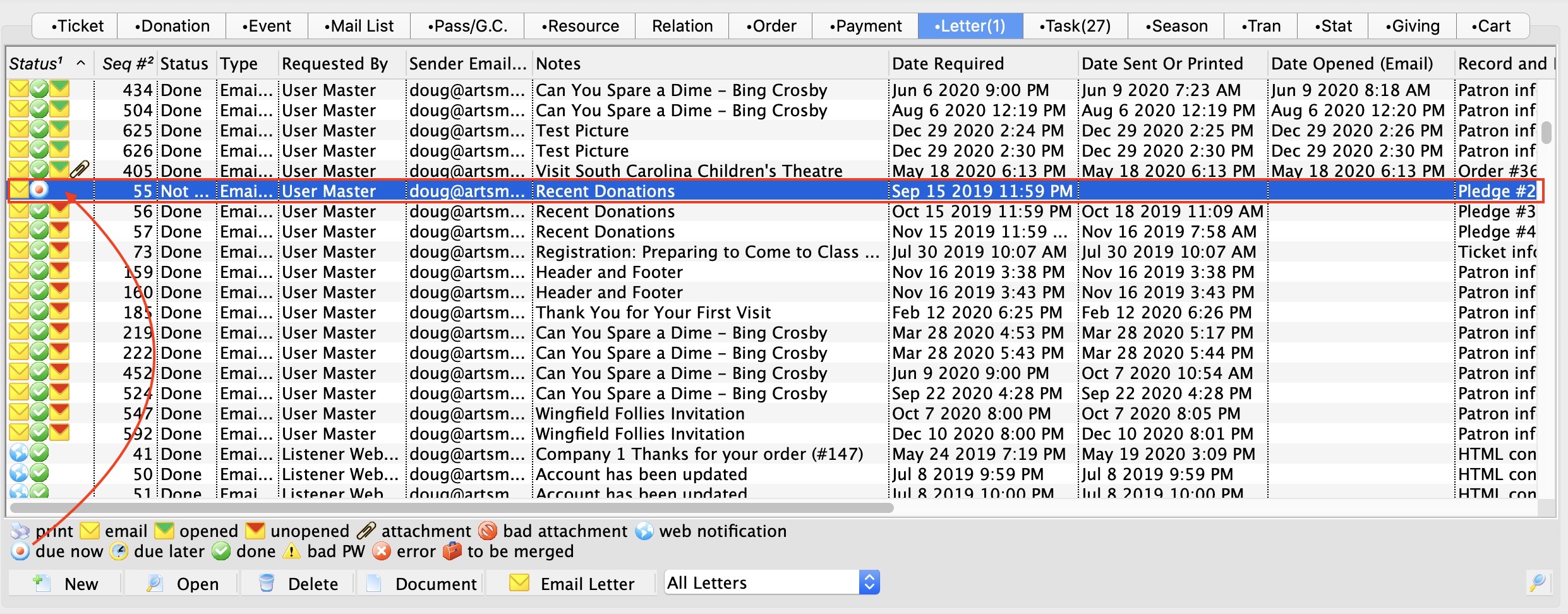
Read vs Unopened Emails
For e-blasts, a third icon appears that looks like an envelope with a red 'tab' on it. This means that the email has gone out, and one of the following happened:
- the patron has not yet opened it.
- the patron deleted it before reading it
- the email could have been put into their spam folder and they didn't see it
- the patron specifically blocks images from displaying on their email client (or their email client is old enough that it only dispalys the text version and does not display images
- the email was not delivered to the person for some unknown reason
 |
When the patron opens the letter, the third icon will be a letter with a green 'tab' in it, indicating it has been read, per the image below. |
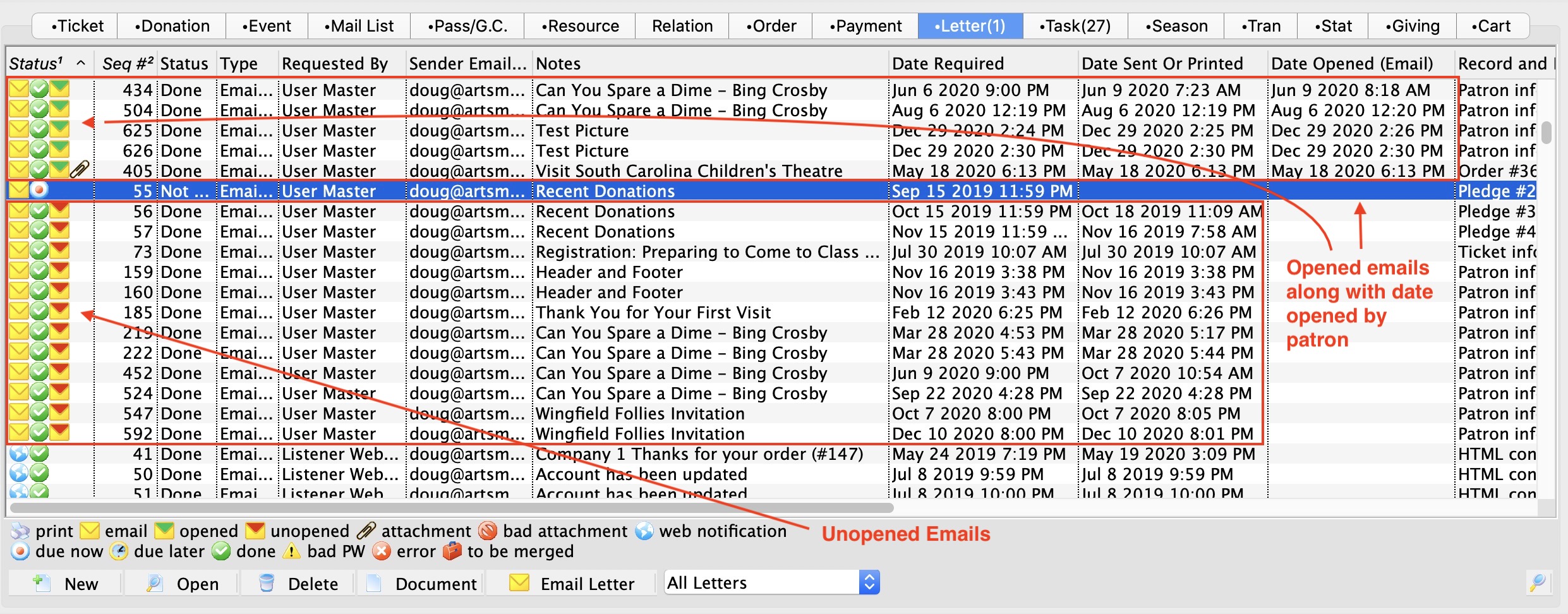
Viewing Envelope information
If you double click on any email, you can see when the email was 'read on' (opened) by the user. Since this is a column in the database, you can see how long it takes for people to read the email after sending.
